Class Safer
Mobile app · Case study
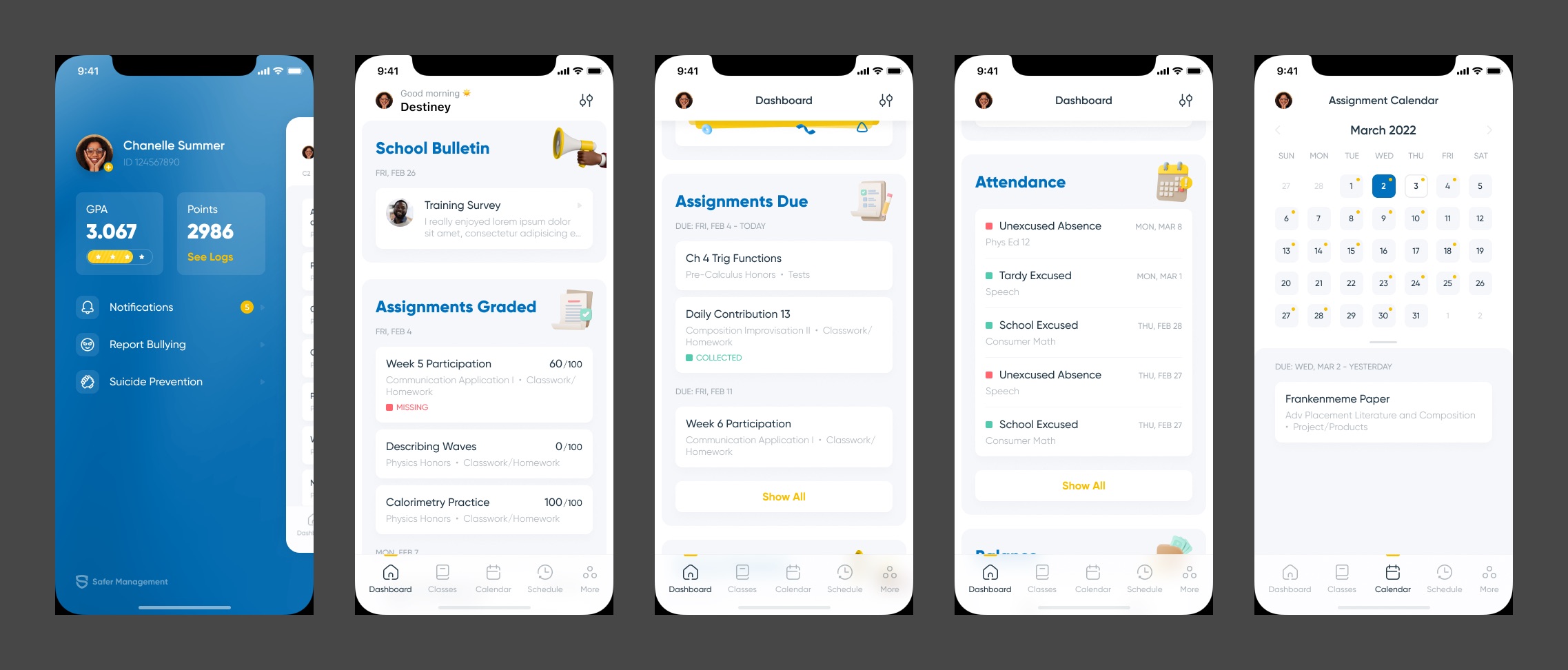
Class Safer (Safer Management) is a school app that puts a student's grades, assignments, attendance and lunch balance in one place. I designed the mobile app: a card-based dashboard, calendar, profile menu, report card sign-off and a chat with the school counselor.
01Overview
Everything about a school day on one scroll
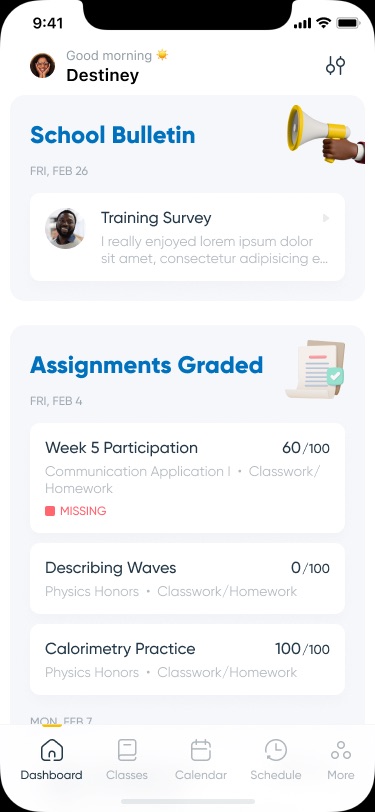
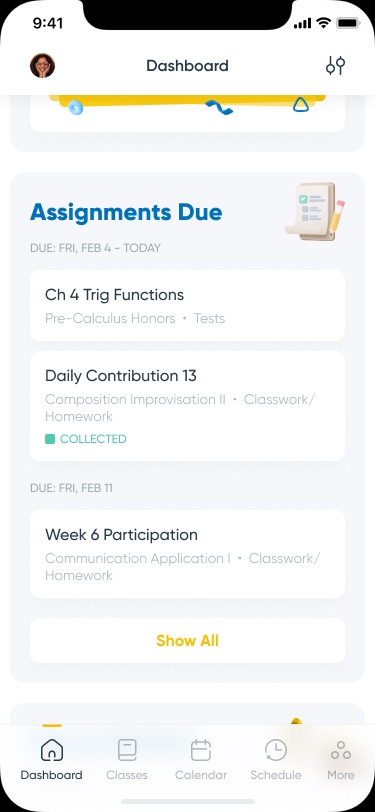
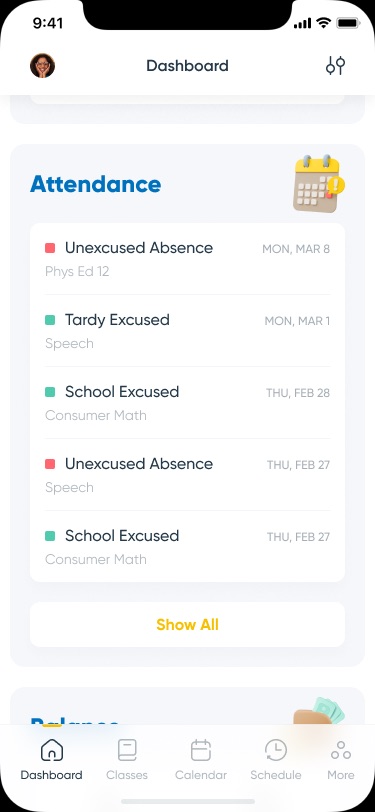
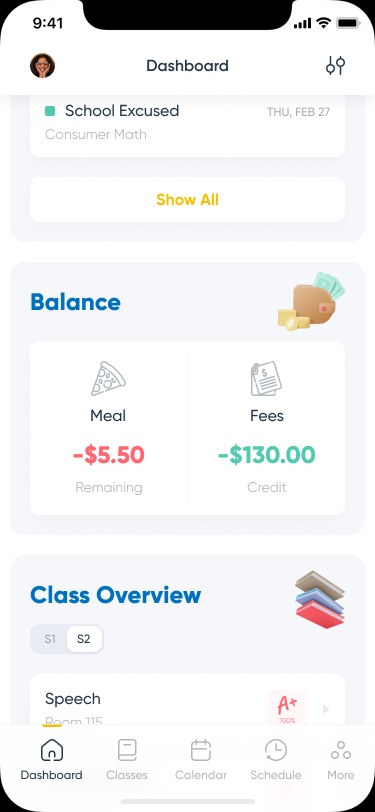
School information usually lives in several systems. Here the dashboard stacks it as cards, each with a bold blue title and a small 3D illustration: bulletin, graded work, work due, attendance, balance and class overview. Each card shows the latest few items and a "Show All" link.
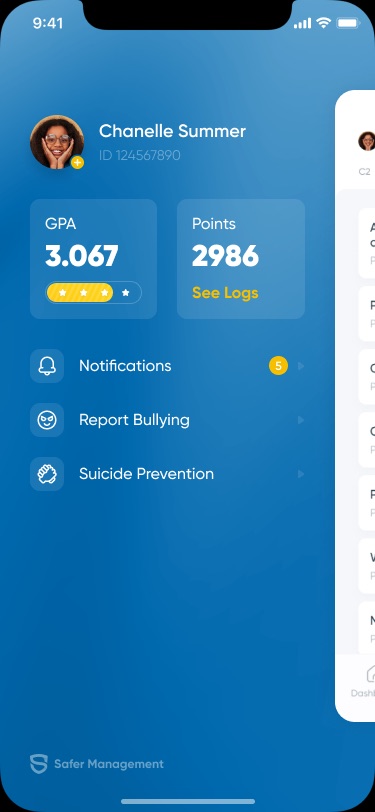
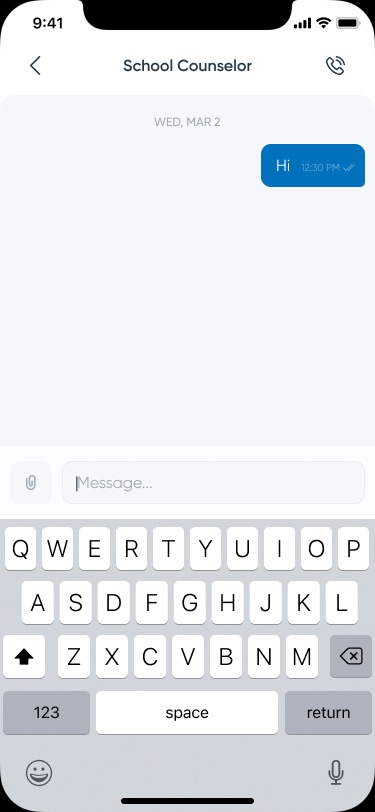
The app also handles safety, not only grades. The side menu holds "Report Bullying" and "Suicide Prevention" next to notifications, and students can message the school counselor directly.
02What I designed
A dashboard, plus the screens around it
- DashboardStacked cards with a consistent pattern
Title, date, two to five items and "Show All"; status tags such as Missing and Collected use red and green dots.
- BalanceMeal and fees side by side
A negative meal balance shows in red, fees credit in green.
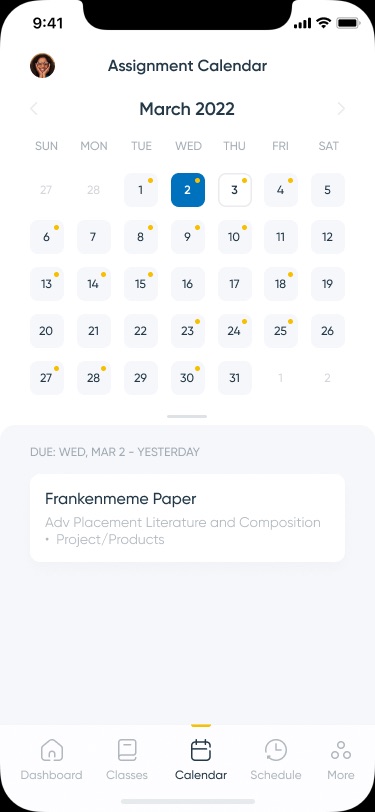
- CalendarMonth view with due-date dots
Selecting a day lists what is due under a pull-up sheet.
- Profile menuGPA, points and safety links
A blue side panel with the student's GPA, points with "See Logs", notifications, bullying reports and suicide prevention.
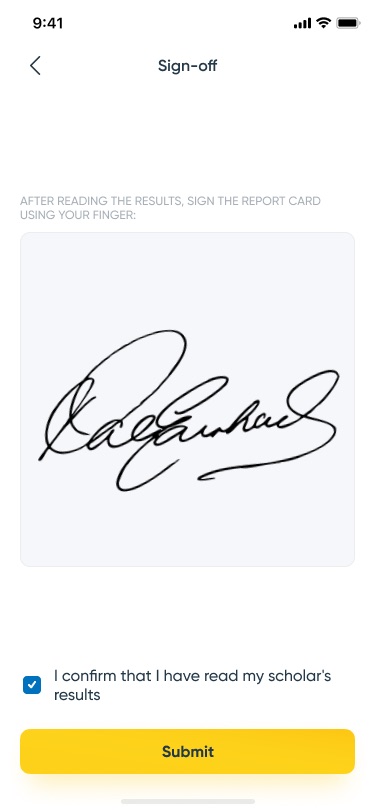
- Sign-offSigning the report card with a finger
A signature pad, a confirmation checkbox and a yellow Submit button, followed by a "Your signature has been sent" state.
03Screens
Dashboard, calendar, menu and messages
- Add client and year to the header line; no context was available. The menu shows the "Safer Management" logo; confirm the product name.
- The sign-off asks the user to confirm "my scholar's results", which reads as a parent action, while the rest looks student-facing. Confirm who the app is for.
- Not shown here: Classes, Schedule, School bulletin/Attendance states, Report Bullying input and the second chat frame. Figma rate limits blocked Class overview and Schedule exports.
- The bulletin text is placeholder. Confirm your role and whether it shipped.