Birbank Biznes app
Kapital Bank · Web and iOS · 2024–25 · Case study
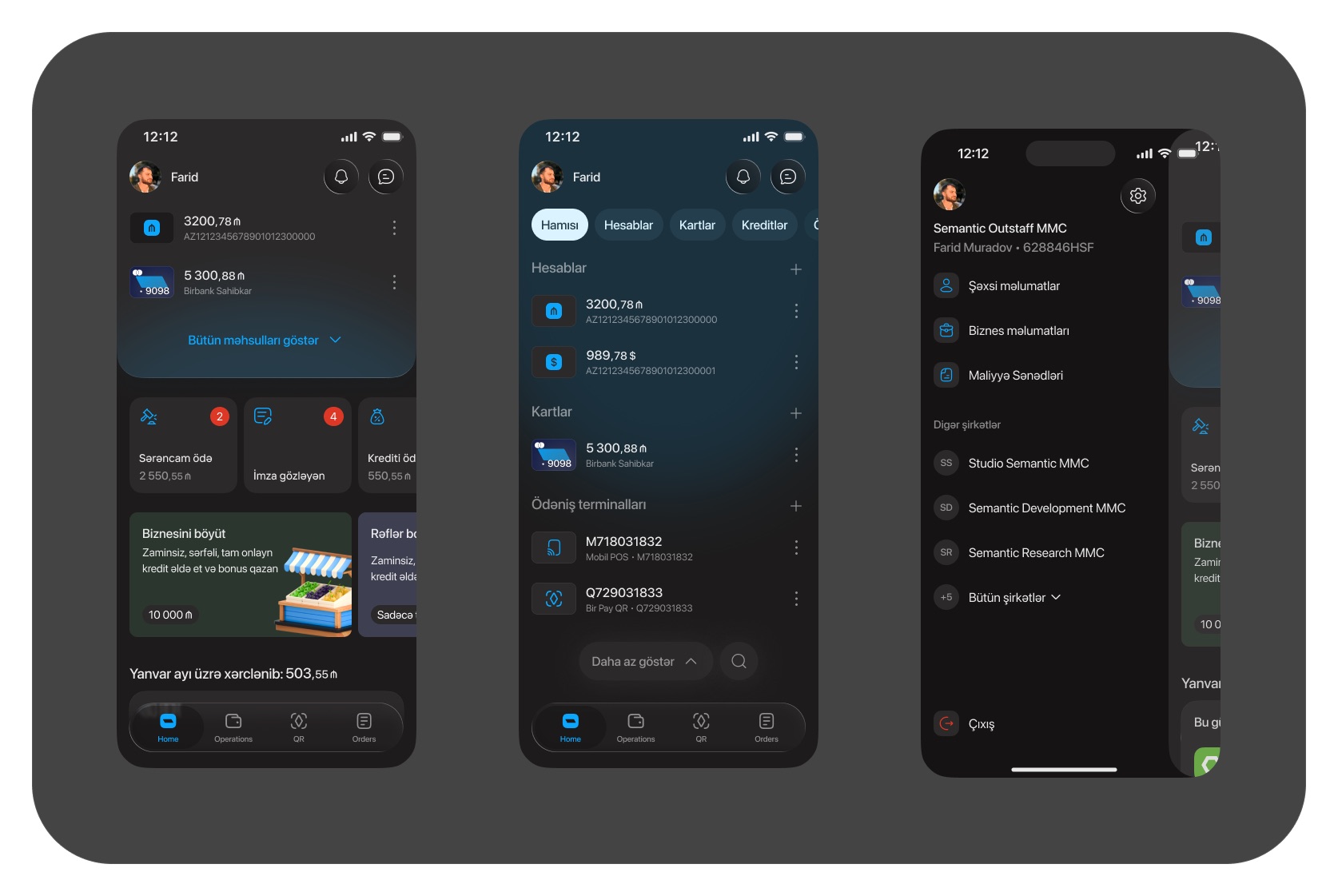
Birbank Biznes is Kapital Bank's banking app for companies and sole traders. I worked on its web interface and the iOS home screen, which cover accounts and cards, transfers, payroll, acquiring and product orders. The web version comes in a light and a dark theme.
01Overview
Everyday banking for a business, on one structure
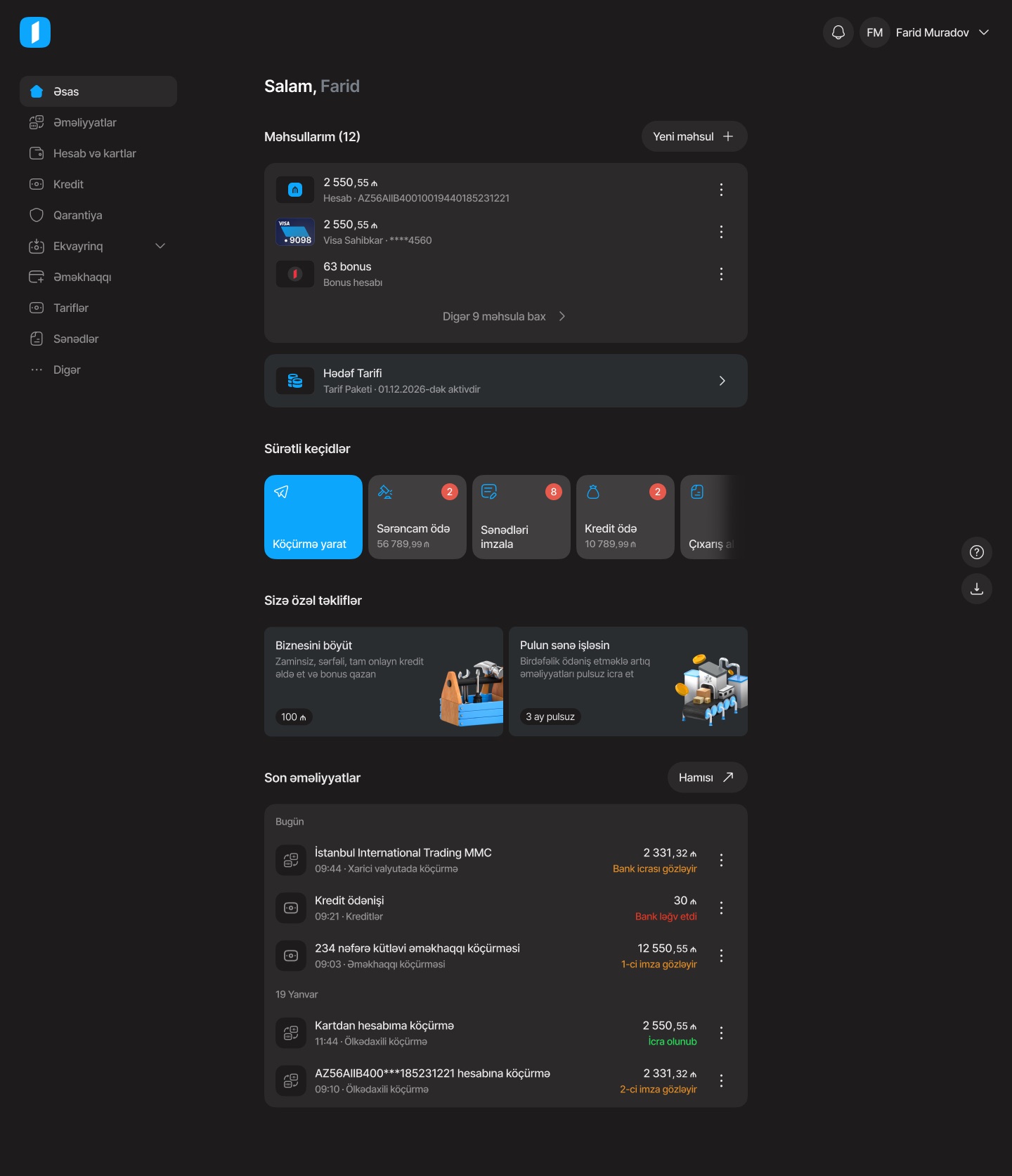
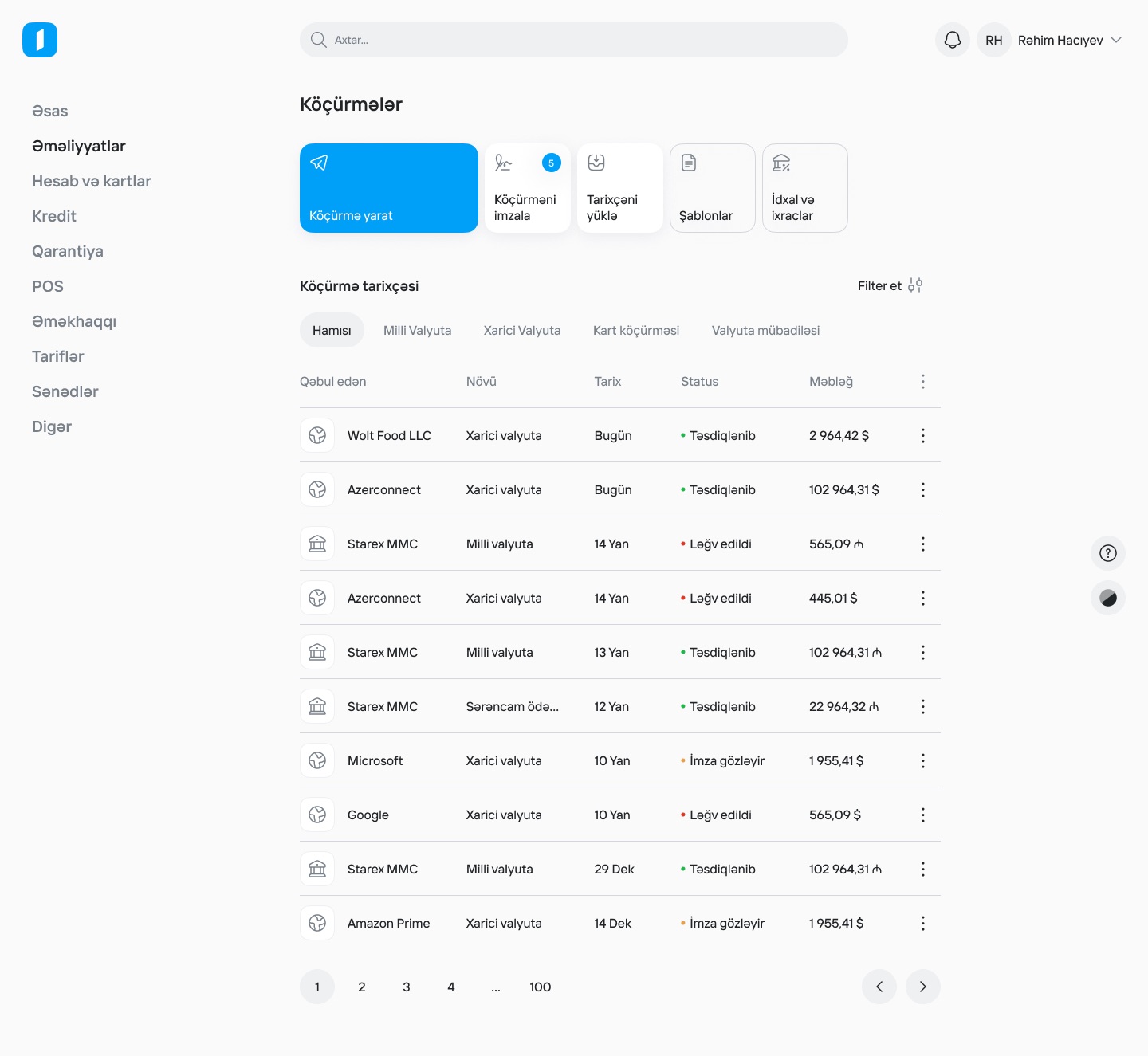
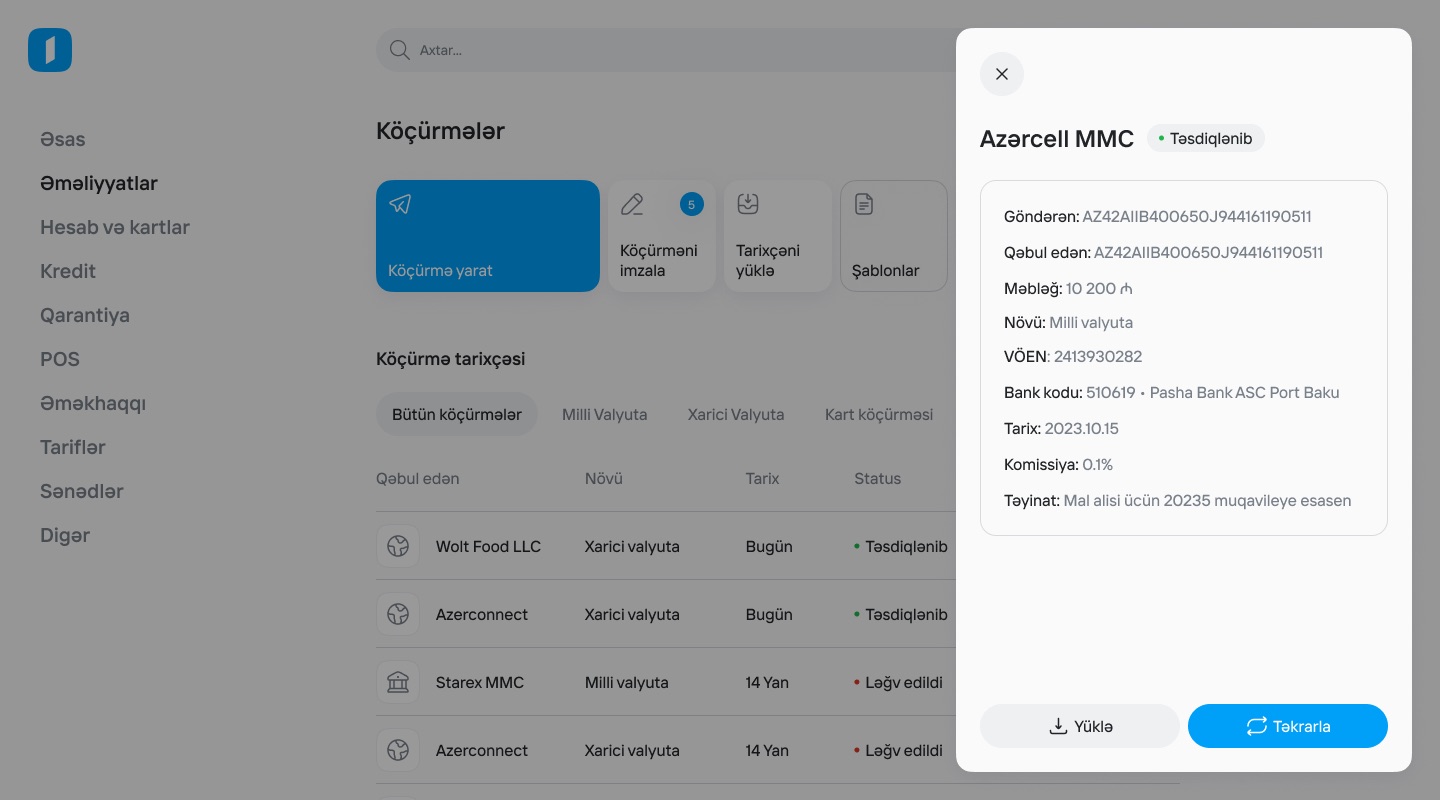
A business owner opens the app to check balances, send or sign transfers, pay salaries and order new products. On the web, a left sidebar lists those areas and the main column holds the work. Lists are tables with tabs and filters, and a transfer opens in a side drawer without leaving the list.
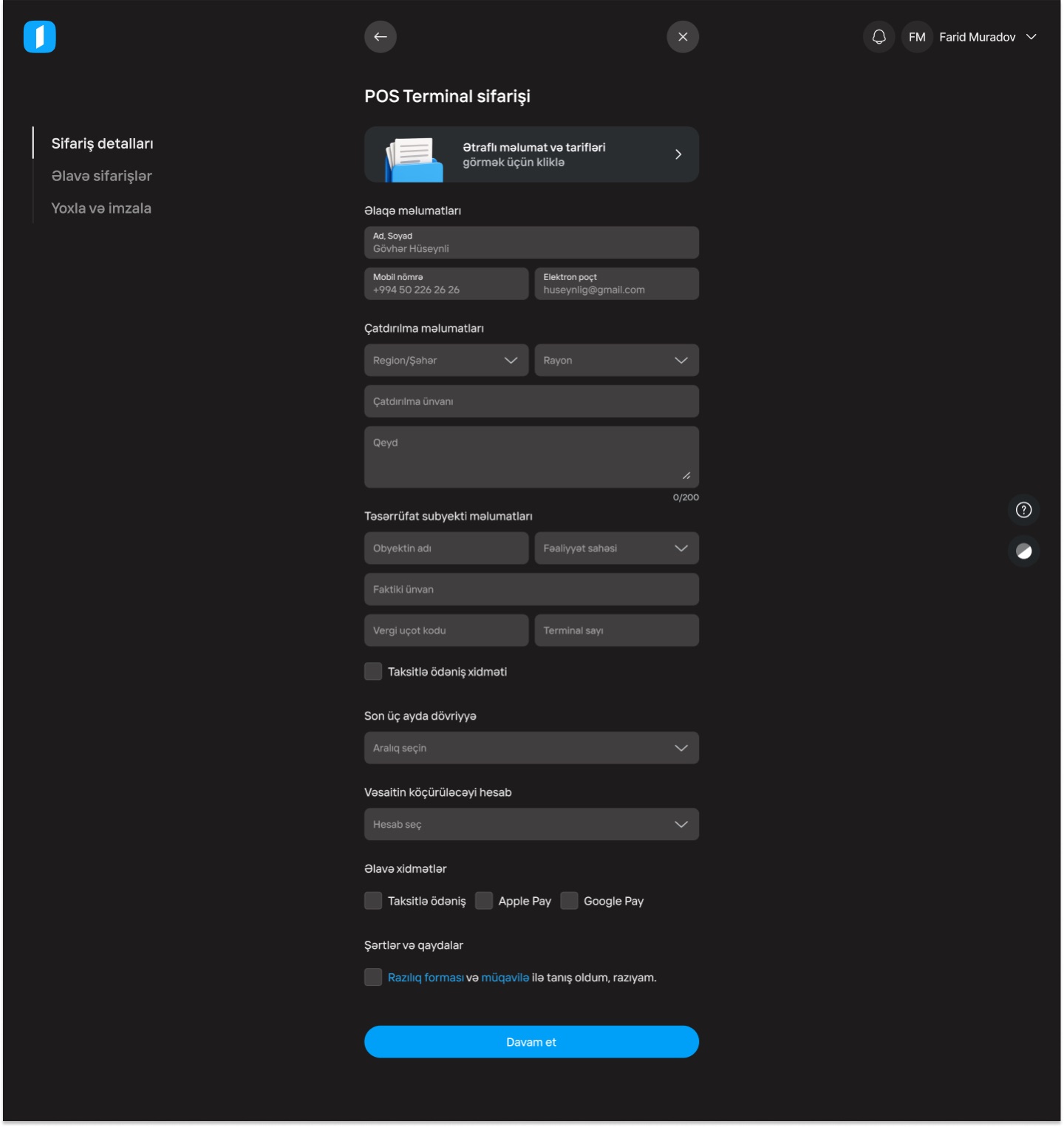
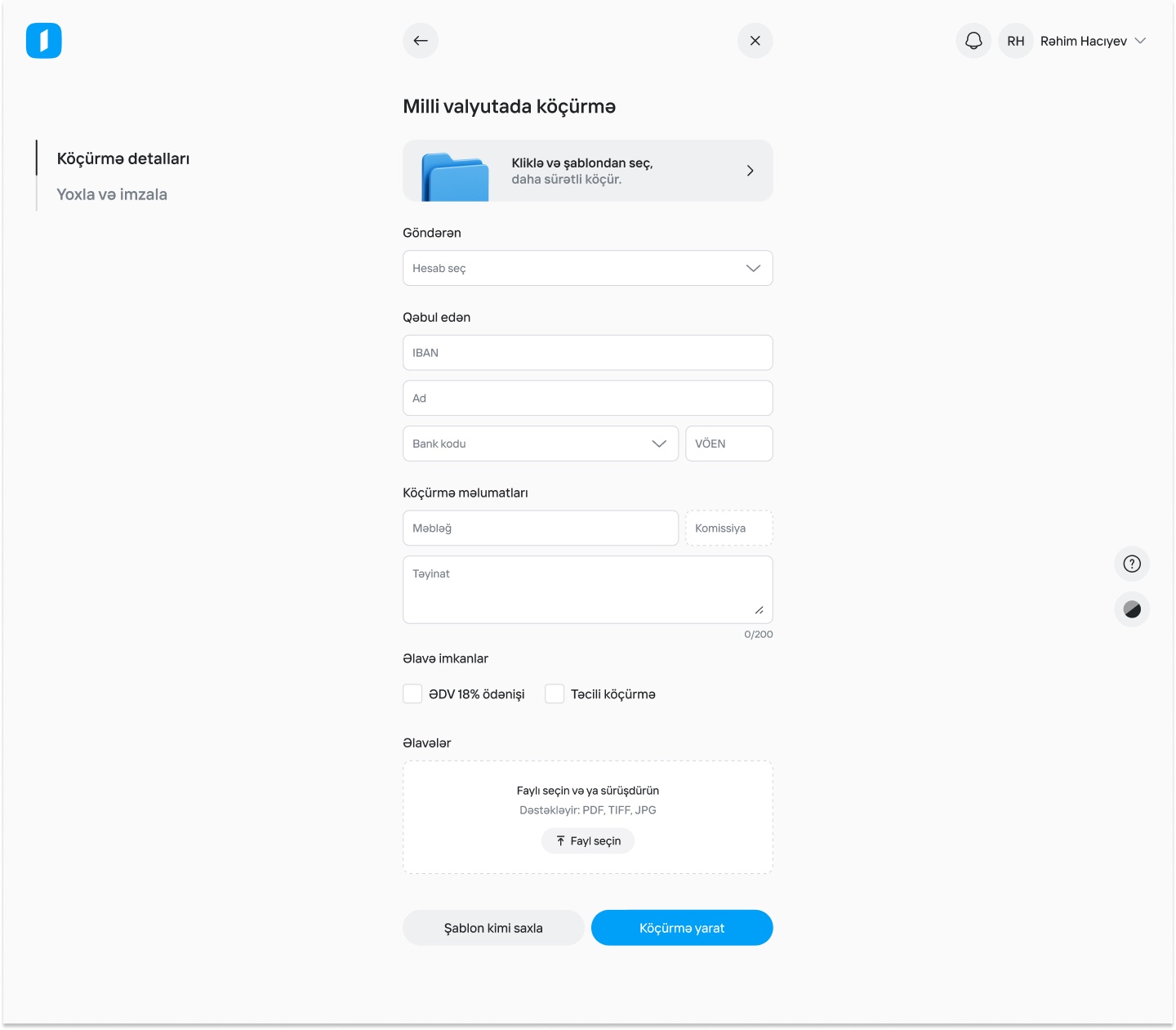
Longer tasks such as a transfer or a POS terminal order use a focused layout: no sidebar, a step list on the left and a single form column. The iOS home applies the same ideas to a phone: products at the top, quick actions as cards, recent operations below. In the profile you can switch between companies.
02What I designed
A home, list pages and form pages
- HomeProducts, shortcuts, offers, recent operations
Shortcuts carry counters for what's waiting, such as orders to pay or documents to sign. Recent operations show each status in colour.
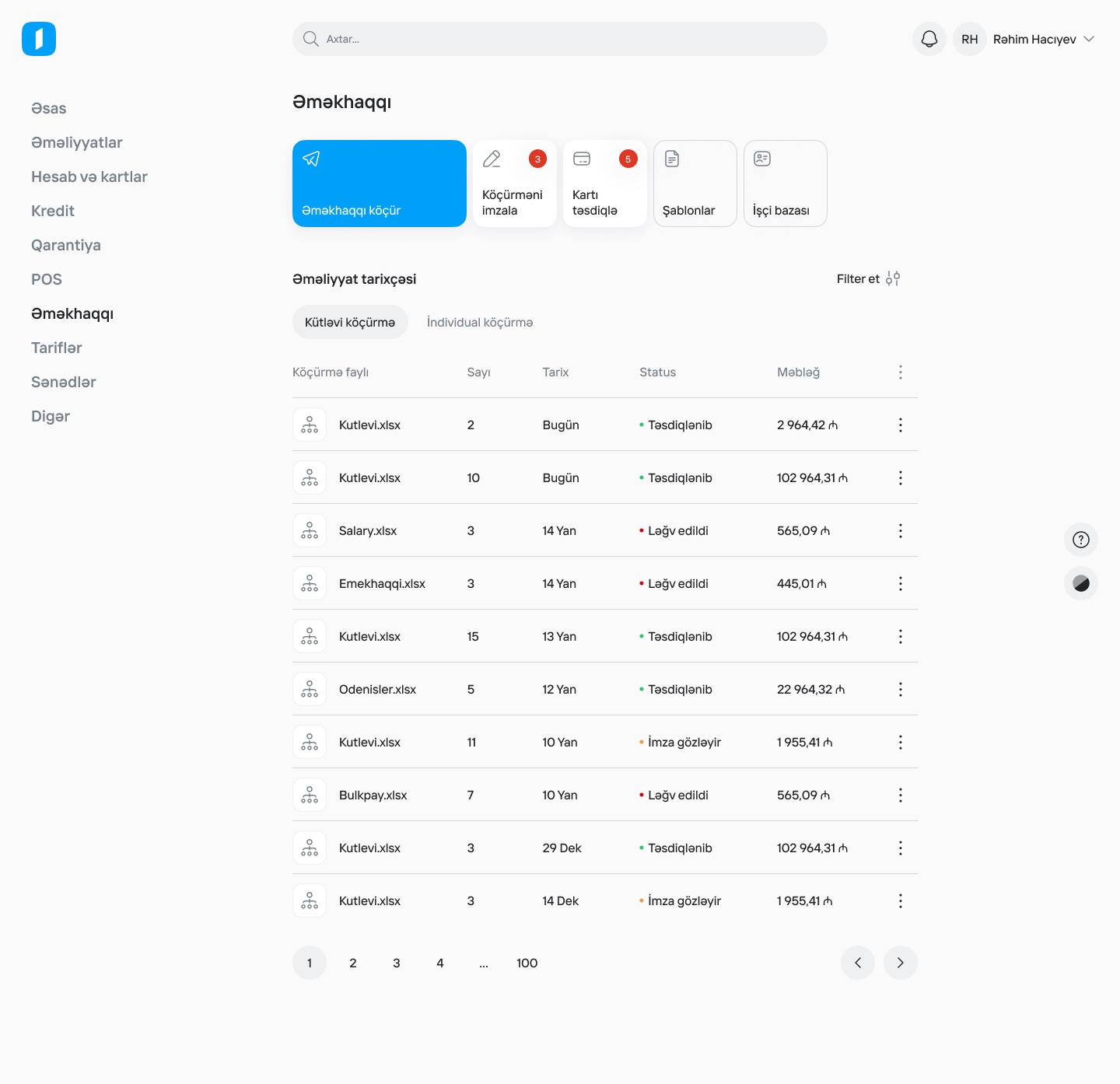
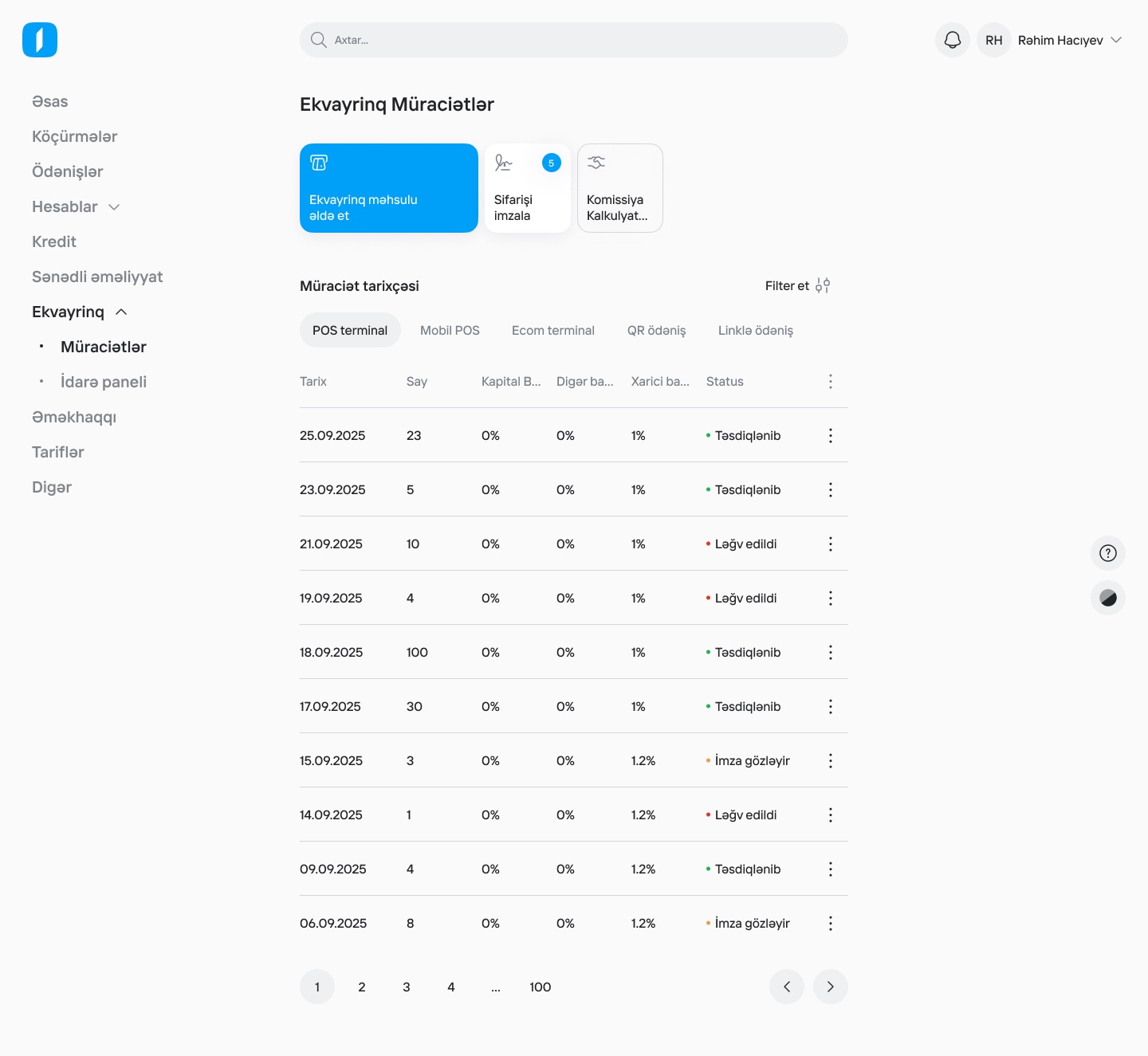
- List pagesOne template for transfers, payroll and acquiring
A row of action tiles, history tabs, a table with status dots, and pagination.
- DetailsSide drawer
A transfer's sender, recipient, amount, tax ID, bank and purpose, with Download and Repeat actions.
- FormsFocused, step-by-step layouts
Transfers and the POS terminal order use a step list on the left and grouped fields in one column.
- iOSDark home, all products and profile
Filter chips for accounts, cards and loans, an expandable product list, and a drawer for profile settings and switching companies.
03Screens
The web interface
- Confirm what is shareable publicly: Kapital Bank may need to approve showing the web banking interface and the 2025 dark iOS home.
- The iOS profile in the hero shows "Semantic Outstaff MMC" and "Farid Muradov · 628846HSF", and the web screens use your name and "Rahim Hacıyev". These are mock data, but your own studio's name and an ID-like code may read as real. Consider replacing them before publishing.
- The web frames come from two Figma sections, the light overview frames and a dark version. Confirm which theme shipped, and the years for web (2024?) and iOS (2025?).
- Confirm your role on the web product: the whole interface or specific sections.