Payment receiving, Birbank Biznes
Kapital Bank · Mobile app · 2025 · Case study
Bir Pay QR turns the Birbank Biznes app into a payment terminal. The merchant types an amount, the app shows a QR code, and the customer pays by scanning it with Birbank or m10. I designed the whole flow, from ordering the terminal to receipts, refunds and history.
01Overview
A payment terminal that is just a screen
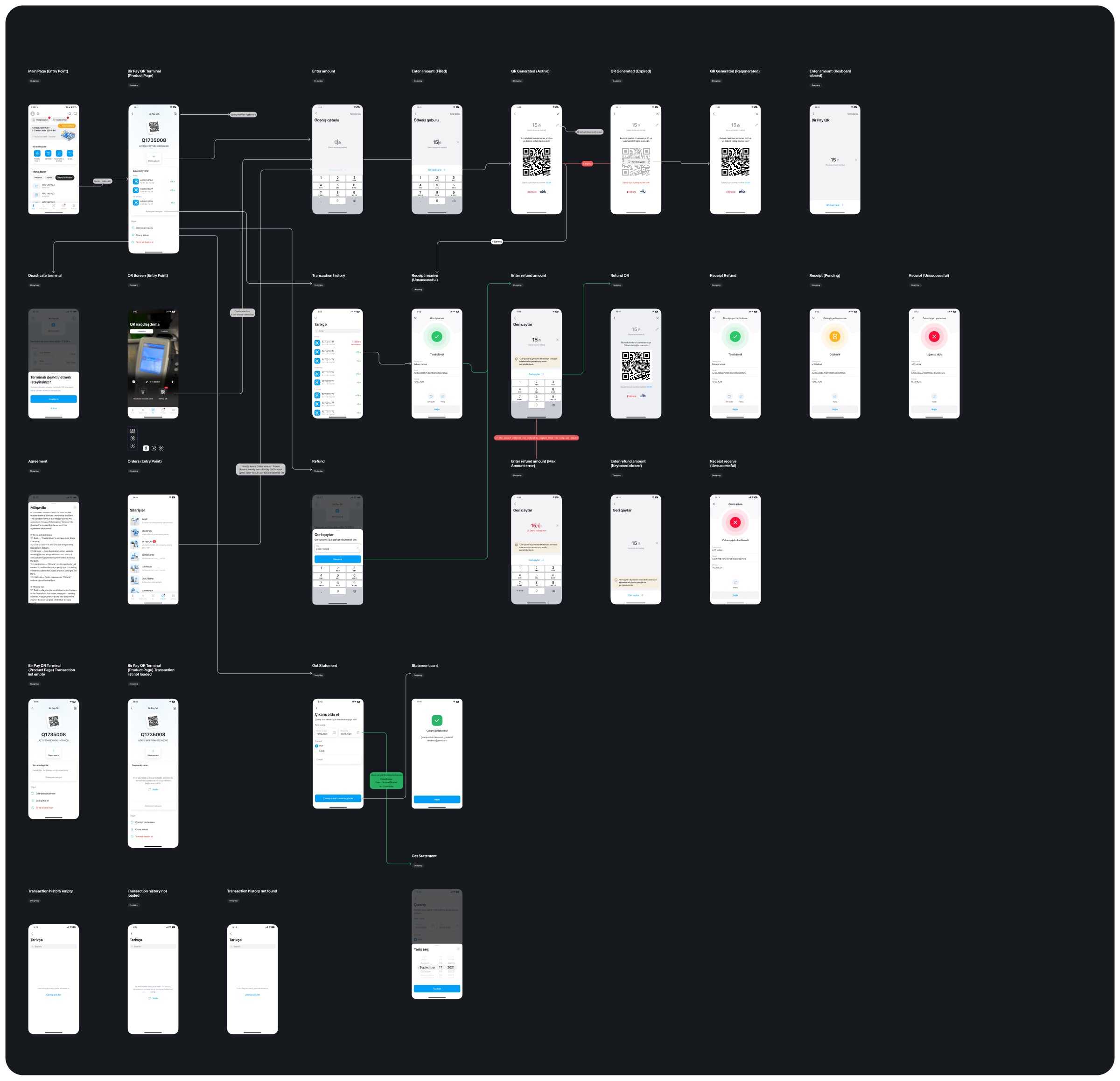
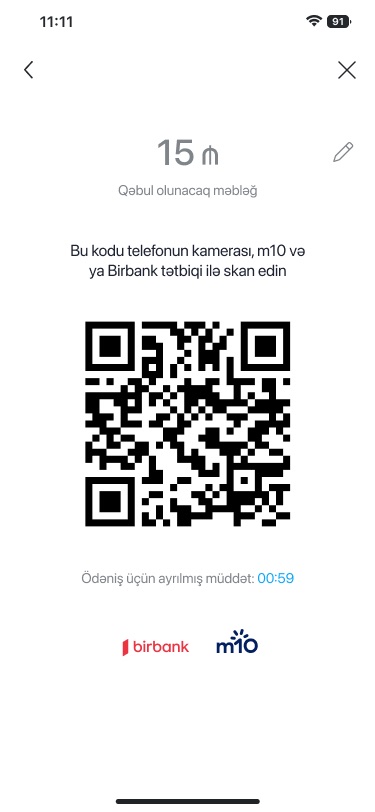
A small business doesn't need a card reader to take a payment. With Bir Pay QR, each terminal has its own ID and account, and the app generates a code for each payment. The payment window is time-limited, so the QR screen shows a countdown and has expired and regenerated states.
The board covers more than the happy path: three receipt outcomes, refunds with a maximum-amount check, empty and failed transaction lists, statement export by email, and deactivating the terminal.
02What I designed
Ordering the terminal, taking a payment and everything after it
- Entry pointsOrders, the QR tab and the home screen
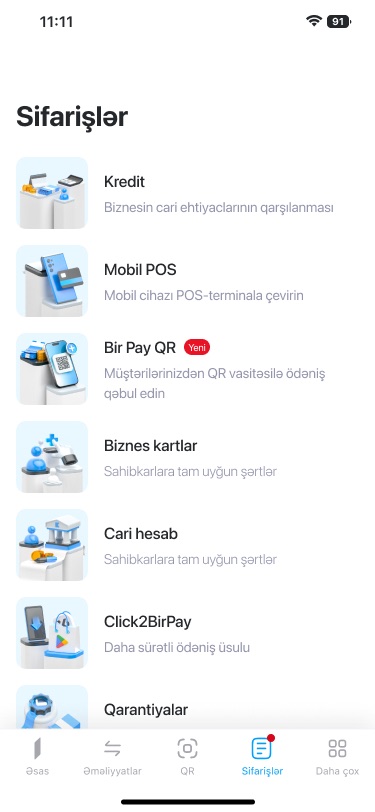
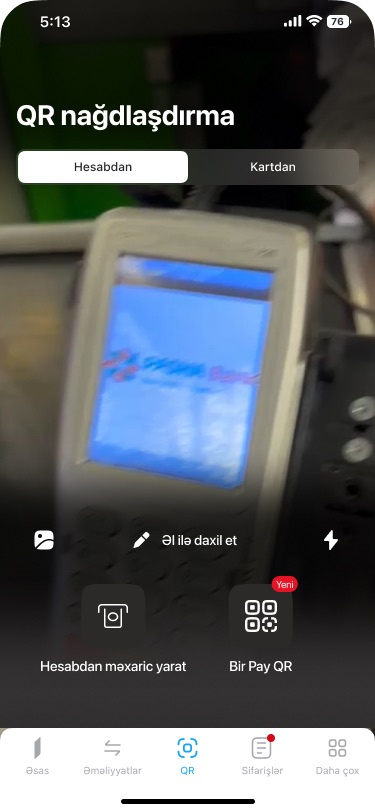
Bir Pay QR appears as a new product under Orders, as an option on the QR tab, and as a terminal on the main page.
- Terminal pageOne page per terminal
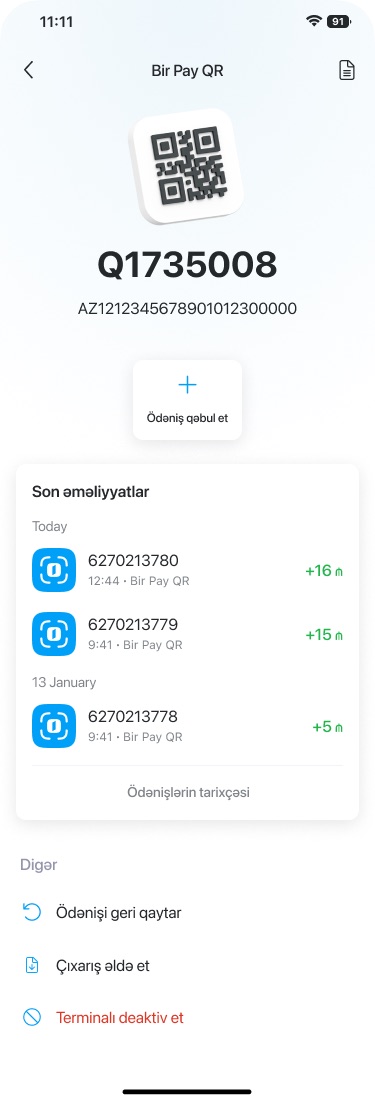
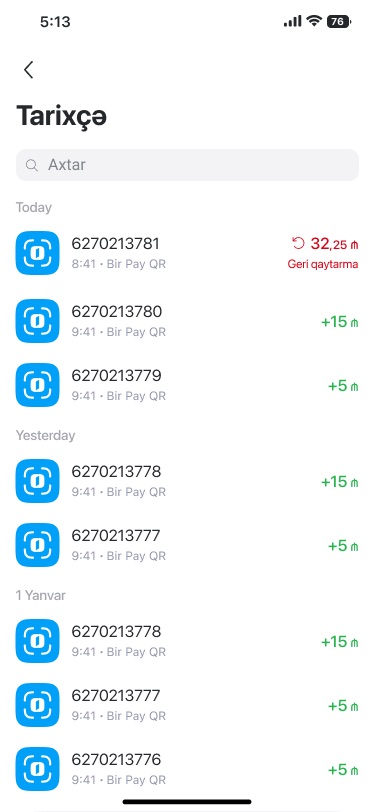
The terminal ID and account, a single "Ödəniş qəbul et" (Accept payment) action, recent payments, and refund, statement and deactivate actions.
- Taking paymentAmount, then QR
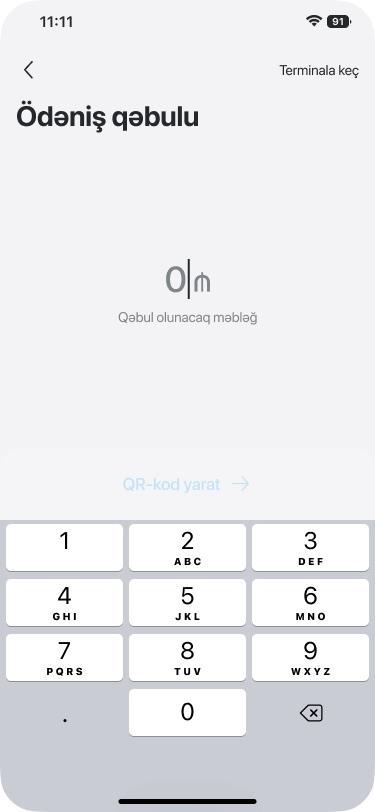
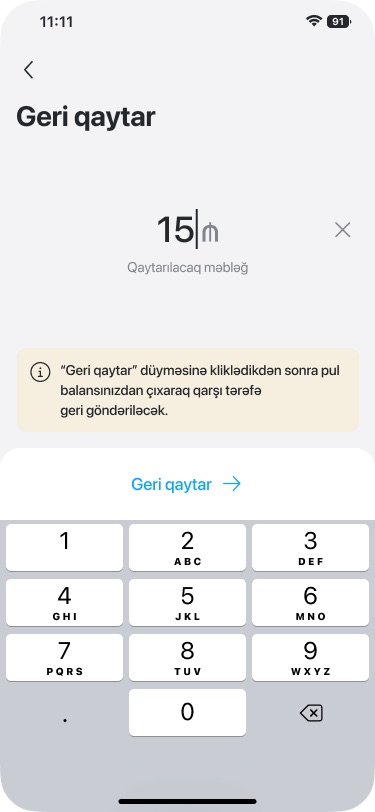
A large amount field over a number pad, then the code with the amount, a countdown and the apps that can scan it.
- OutcomesReceipts for every state
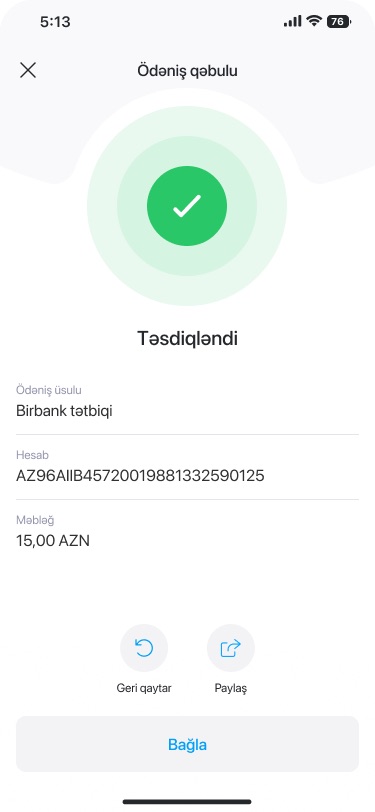
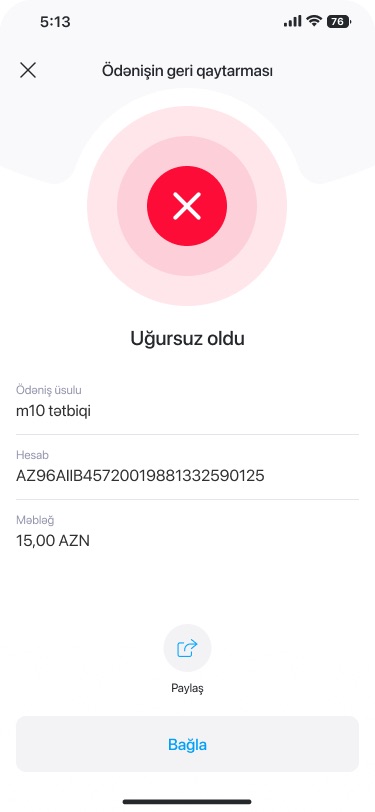
Confirmed, pending and failed receipts share one layout: status, payment method, account and amount, with Refund and Share.
- RefundsThe same pattern, reversed
A refund amount with a notice that the money leaves the balance, an error when it exceeds the original payment, and a refund QR.
03Screens
One payment, end to end
- Confirm what is shareable publicly: Kapital Bank may need to approve showing Bir Pay QR flows, and the board includes internal notes on its connectors.
- Terminal IDs, account numbers and transaction IDs in the screens are mock data; double-check that none are real.
- Confirm the year (2025), whether Bir Pay QR launched in this form, and your role (sole designer or part of a team).