Registration, Birbank Biznes
Kapital Bank · Mobile app · 2025 · Case study
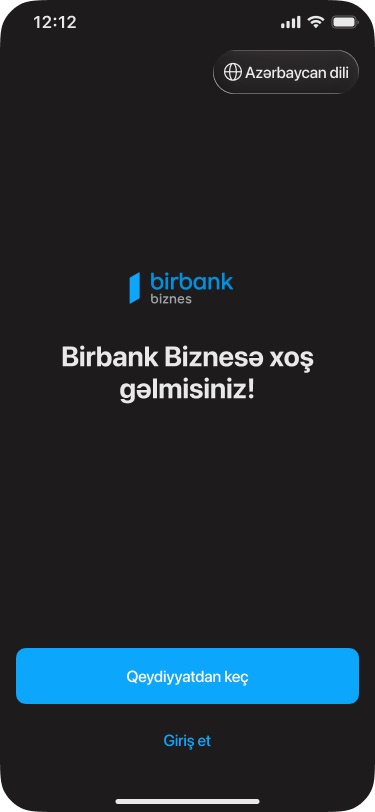
Birbank Biznes is Kapital Bank's app for business banking. I designed its registration flow, which takes a new business from the welcome screen to a submitted customer record (CIF) entirely in the app. It runs on ASAN İmza, Azerbaijan's mobile digital signature.
01Overview
Opening a business customer record from a phone
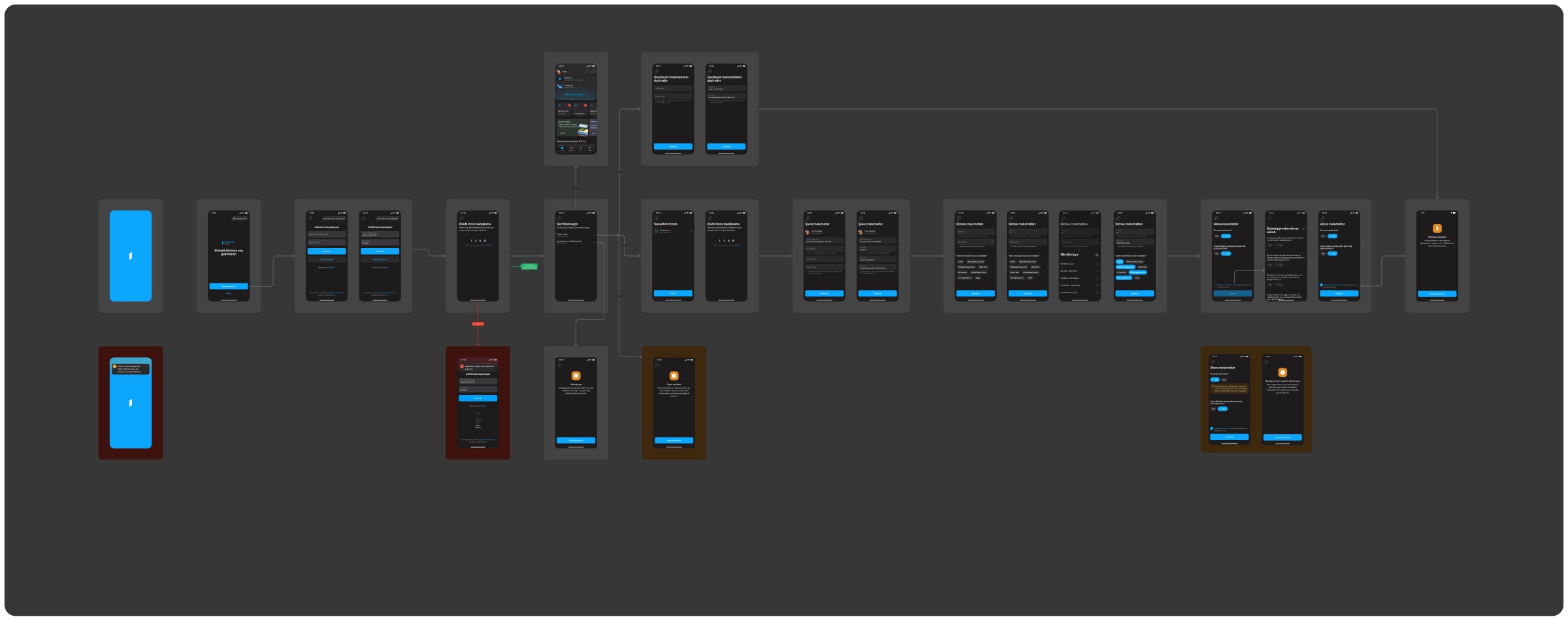
The user signs in with ASAN İmza, picks which of their companies to register, and confirms personal and business details. A few compliance questions finish the flow. Everything is one question per screen, with a single "Davam et" (Continue) button at the bottom.
The board maps the happy path and the side branches together: no connection on launch, a signature with no matching data, a non-resident user, a company that already has a CIF, and answers that send the user to the website instead.
02What I designed
Five steps and the exits around them
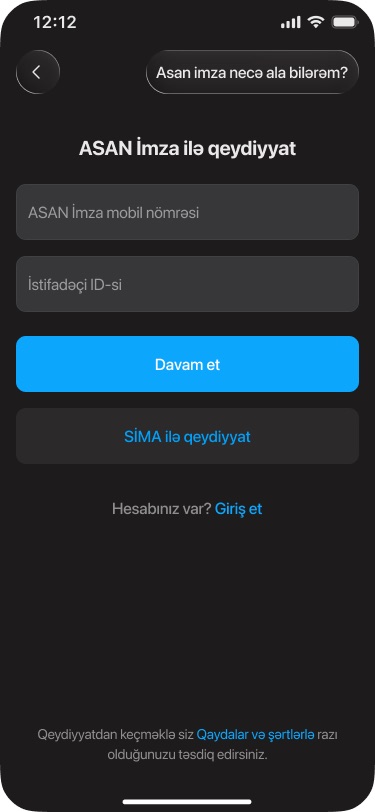
- Sign-inASAN İmza first, SİMA as an alternative
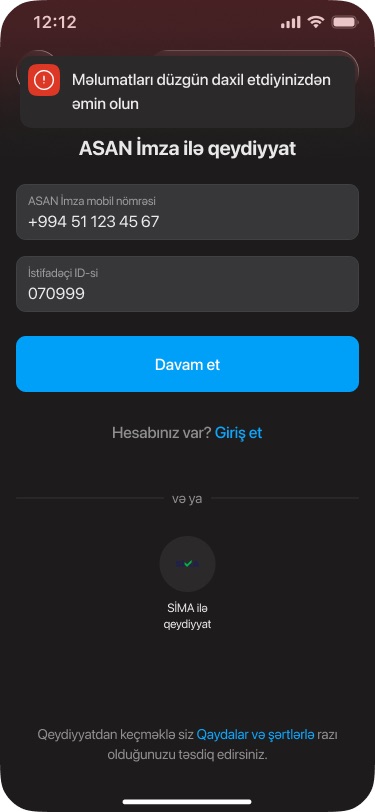
Mobile number and user ID, a link explaining how to get a signature, and a login link for existing users.
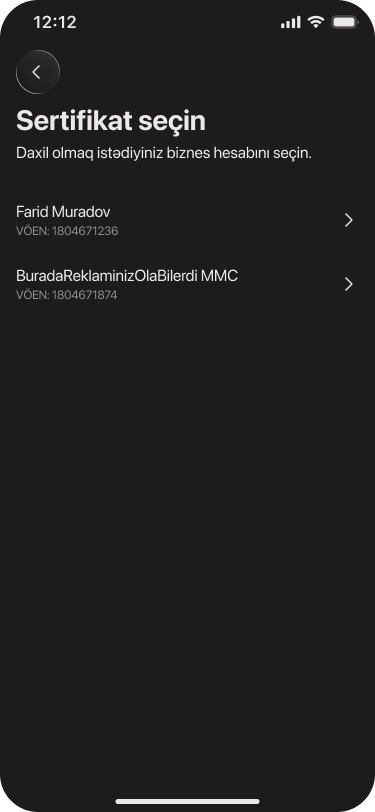
- CertificateChoose the business
One person's signature can be tied to several entities, so the flow asks which one is registering, with its tax ID (VÖEN) under each name.
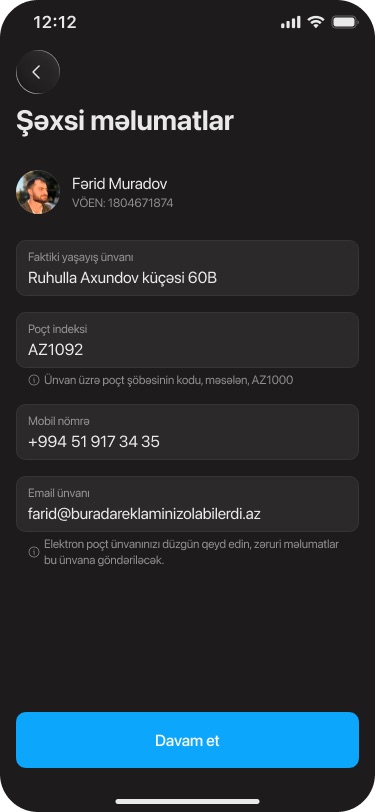
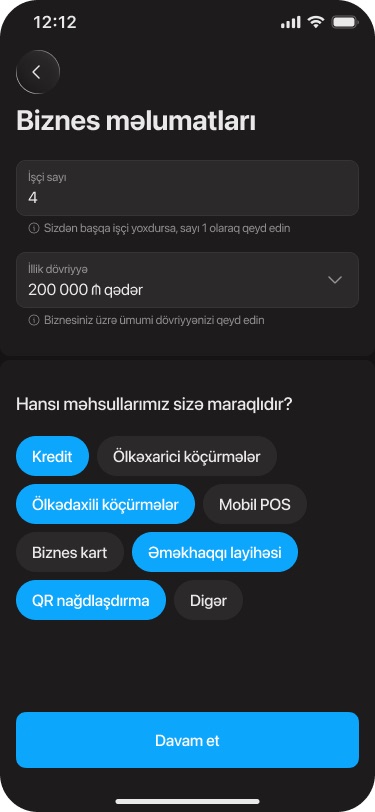
- DetailsPersonal and business information
Address, postcode, phone and email, then headcount, yearly turnover and the products the business is interested in, picked as chips.
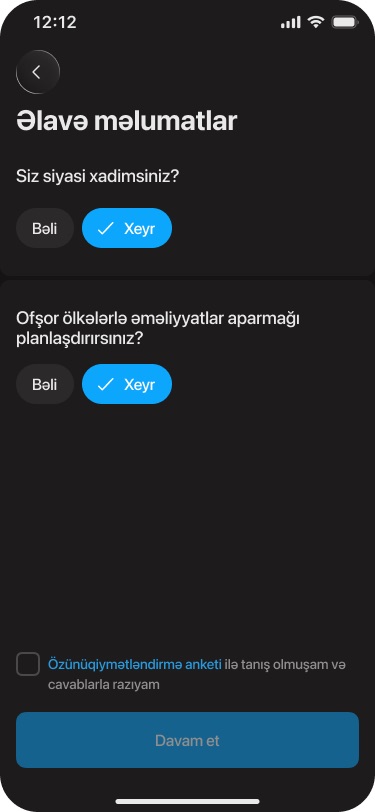
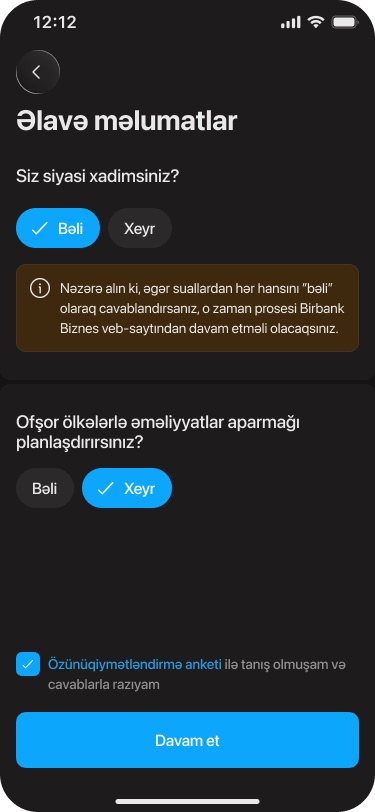
- CompliancePolitical exposure and offshore questions
Yes or no toggles. A "yes" shows an inline warning that the process continues on the website.
- Edge casesErrors and alternative endings
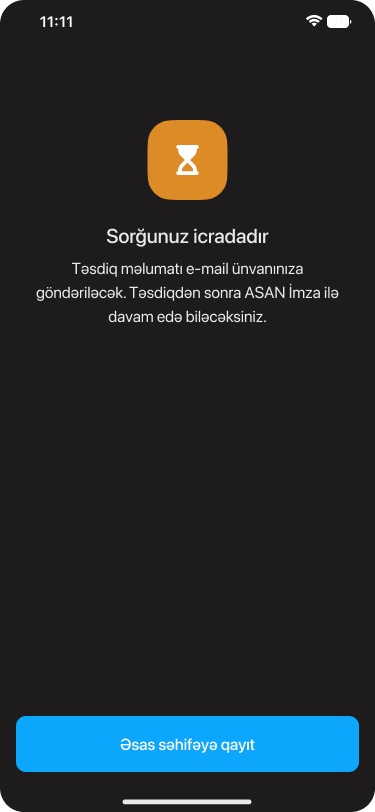
A top toast when the signature data doesn't match, an "in progress" result screen, and separate endings for non-residents and existing customers.
03Screens
From welcome to submitted
- Confirm what is shareable publicly: Kapital Bank may need to approve showing these flows, and the board includes internal branching logic.
- The mock data uses your own name, a VÖEN-style number, a +994 phone number and an email address. Check that none of it is real, or replace it before publishing.
- Confirm the year (2025), whether the flow shipped as designed, and your role (sole designer or part of a team).
- "CIF" and "SİMA" are named as they appear in the Figma file; check that the public description of SİMA is accurate.