FIFA Match Admin
Digitalks · Web admin · 2022–23 · Case study
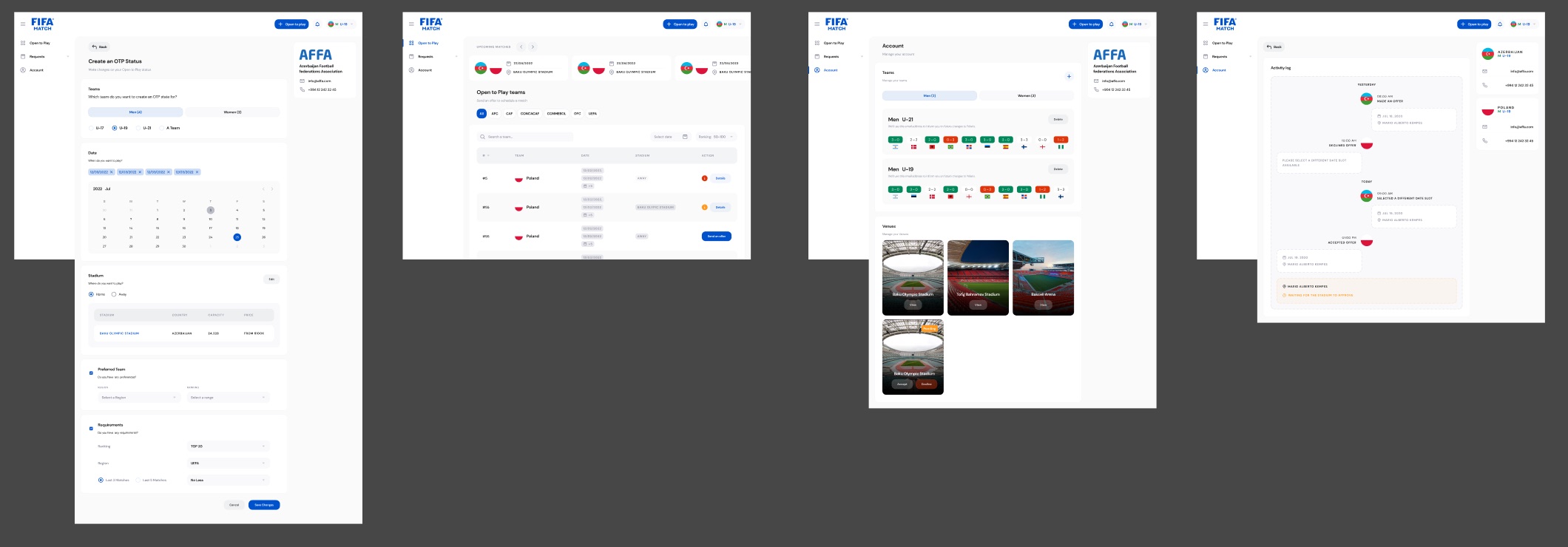
FIFA Match is a web tool for national football associations to arrange matches with each other. I designed the admin side: a team says it is "Open to Play", finds other open teams, sends an offer and follows it until a stadium approves.
01Overview
Scheduling a match without the email chain
Each association signs in as itself (the designs use AFFA, the Azerbaijan association) and switches between its teams, such as Men U-19, from the top bar. A blue "Open to play" button is always there, because declaring availability is the main thing an admin does.
The rest of the product follows one offer through its life: who is open and when, what you propose, what the other side answers, and whether the stadium has confirmed.
02What I designed
From availability to an approved match
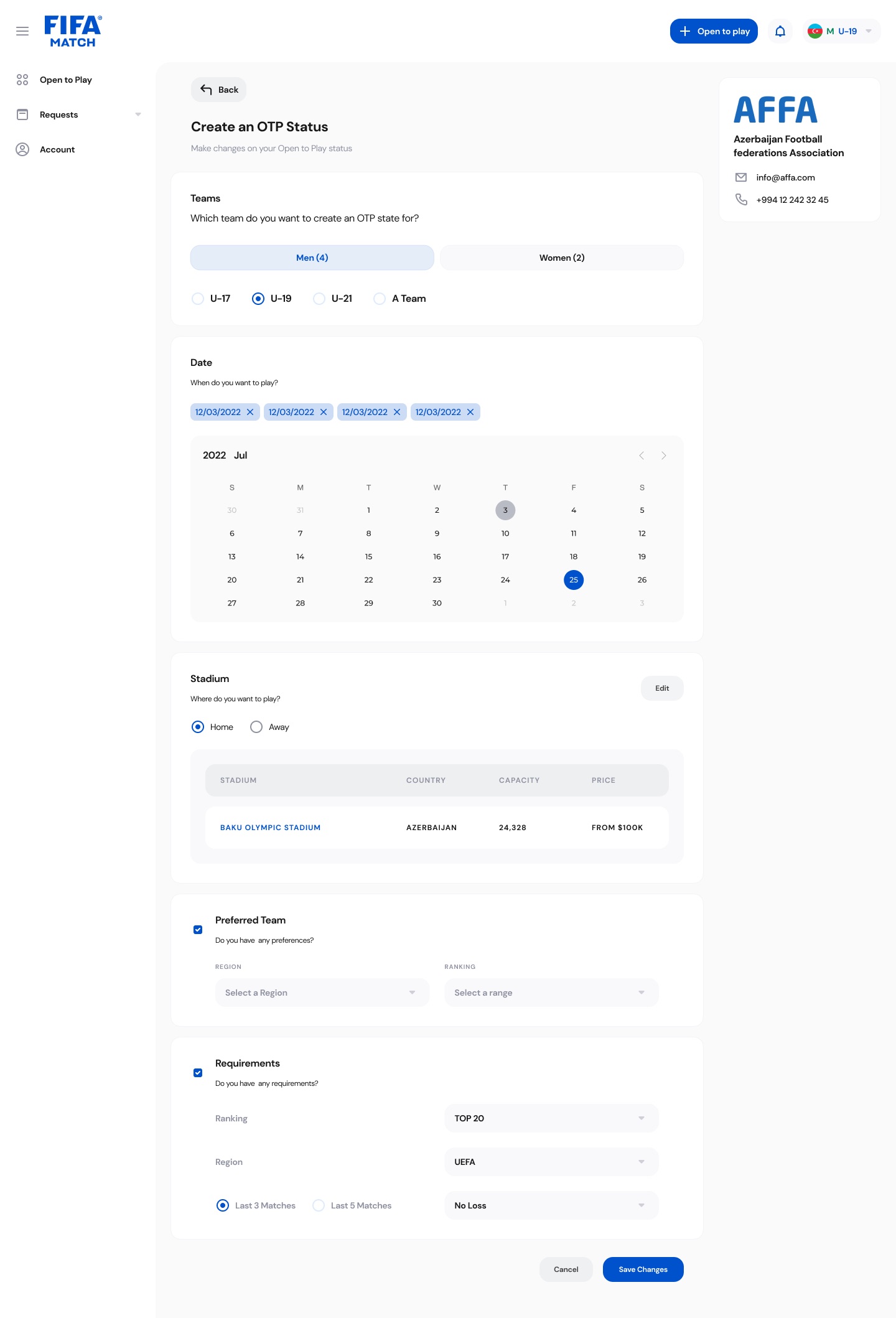
- Open to PlayA status form per team
Pick the team and age group, several dates on a calendar, home or away stadium, and optional preferences and requirements for the opponent.
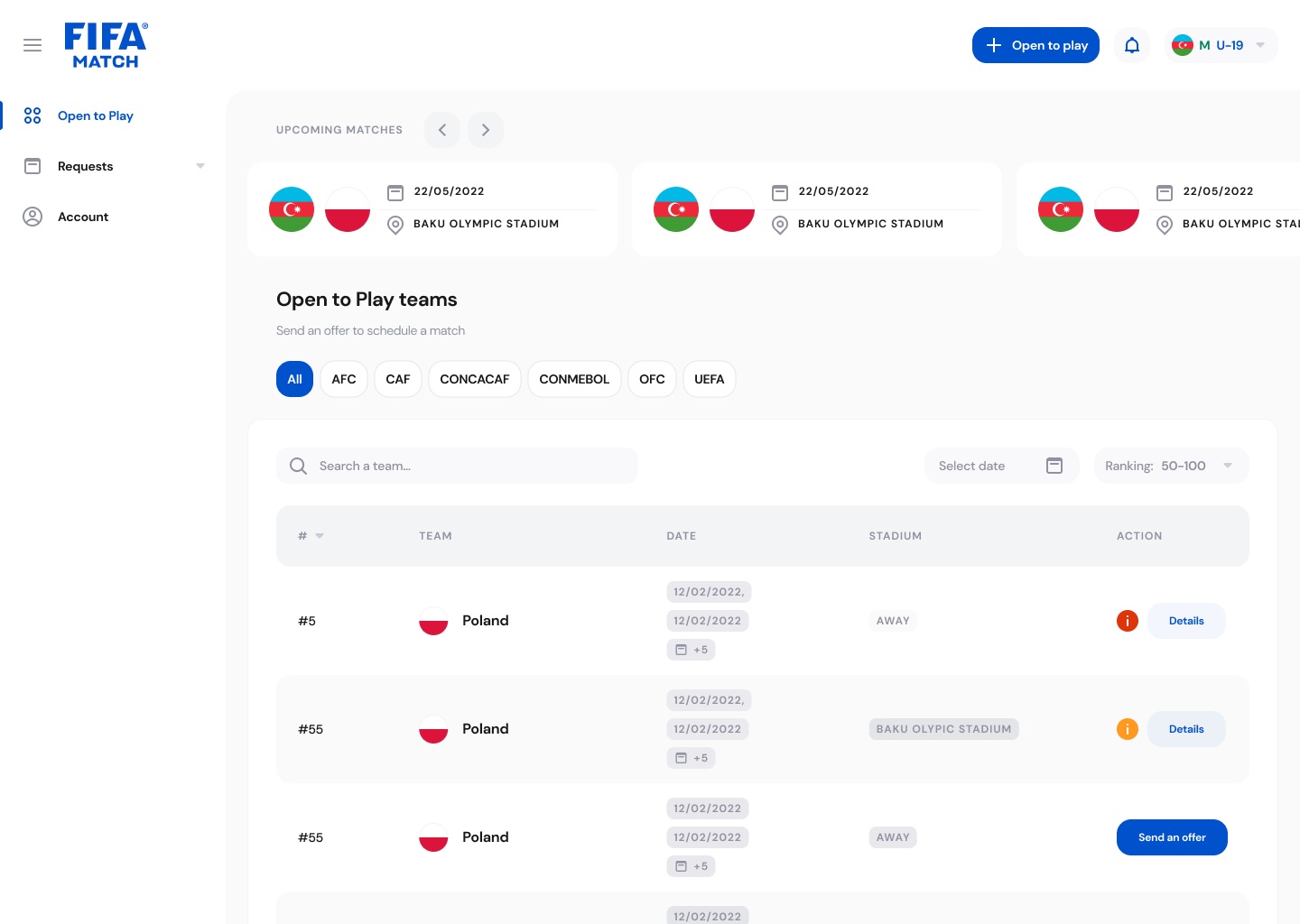
- DiscoveryA table of open teams
Filter by confederation, ranking range and date, see each team's dates and stadium, then open details or send an offer.
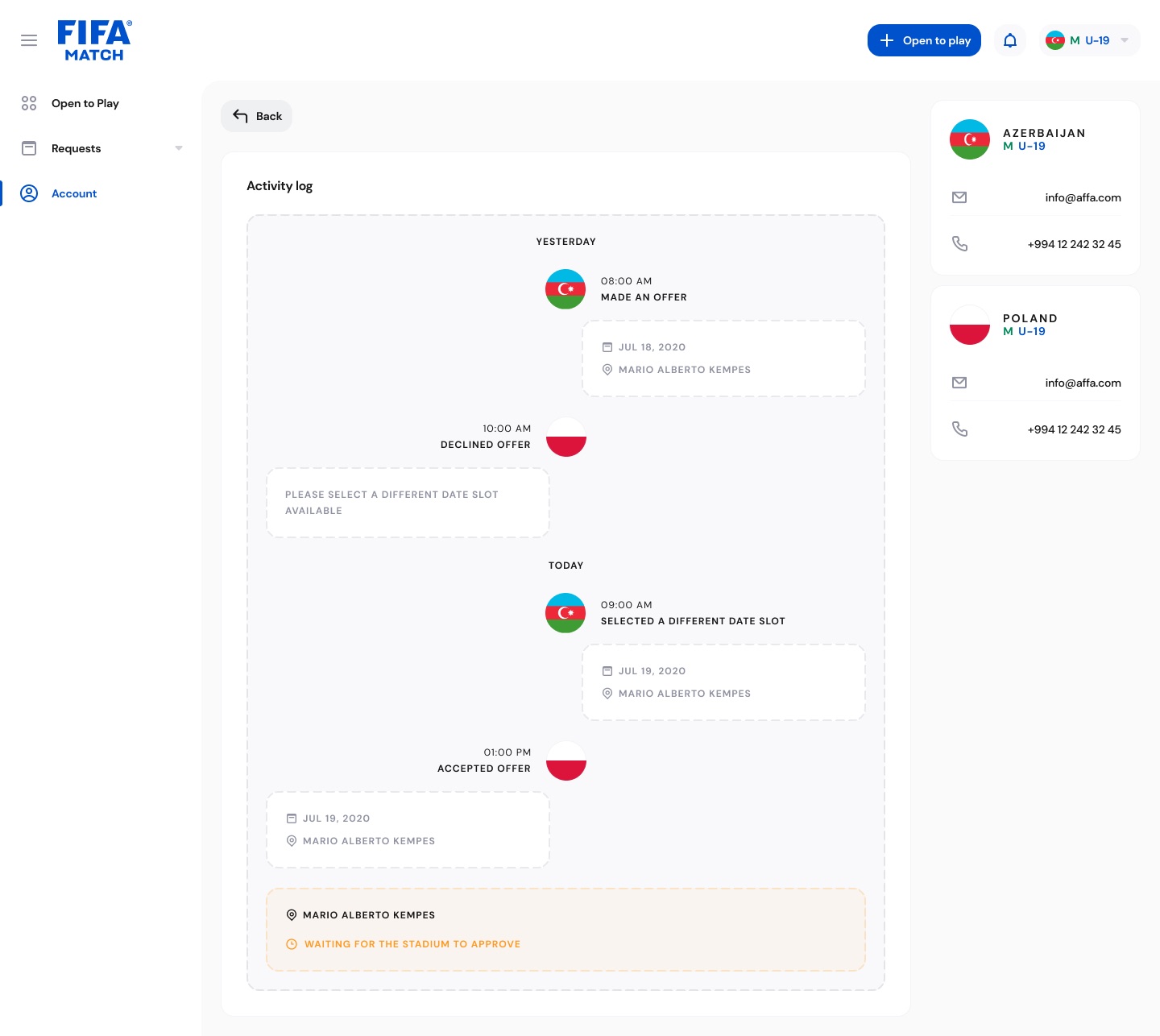
- RequestsAn activity log for each offer
A two-sided timeline of offers, declines and new date slots, ending with the stadium's approval status.
- AccountTeams and venues
Recent results per team as colour-coded scores, and stadium cards with a pending state to accept or decline.
03Screens
Four screens of the admin
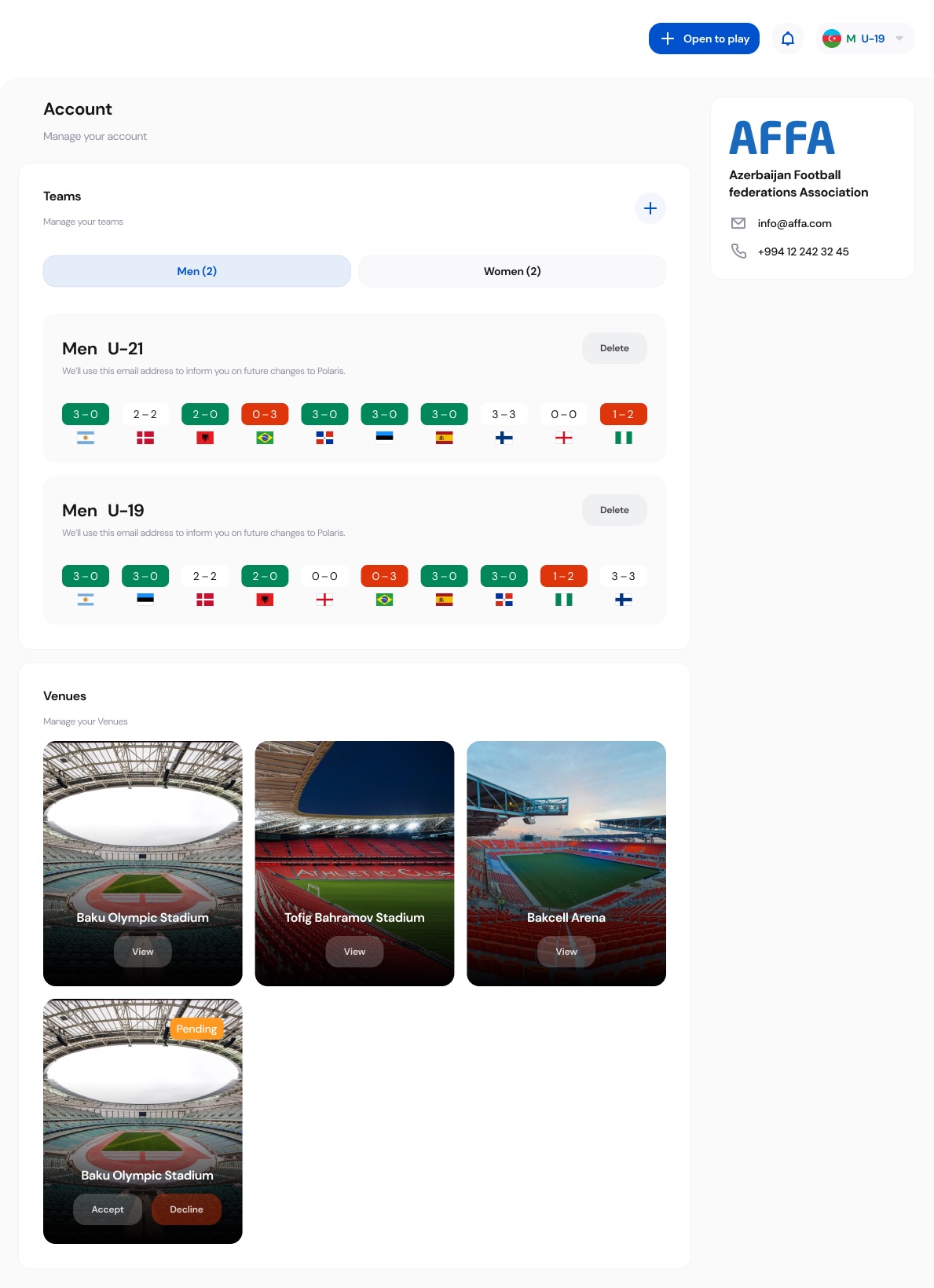
- Confirm the product name to use publicly ("FIFA Match") and your exact role, and whether this admin shipped.
- Team names, dates, people and contact details in the screens are design data, not real records.
- The Account screenshot is cropped to the content area; the frame's left navigation ends before the page does.