Qumpara
Mobile app · Case study
Qumpara is a Turkish-language mobile app that rewards shoppers with coins. People browse brand campaigns, photograph their receipts and collect coins once a receipt is approved. I designed the discover feed, the receipt scanning flow and the profile and settings screens.
01Overview
Shop, scan the receipt, get coins
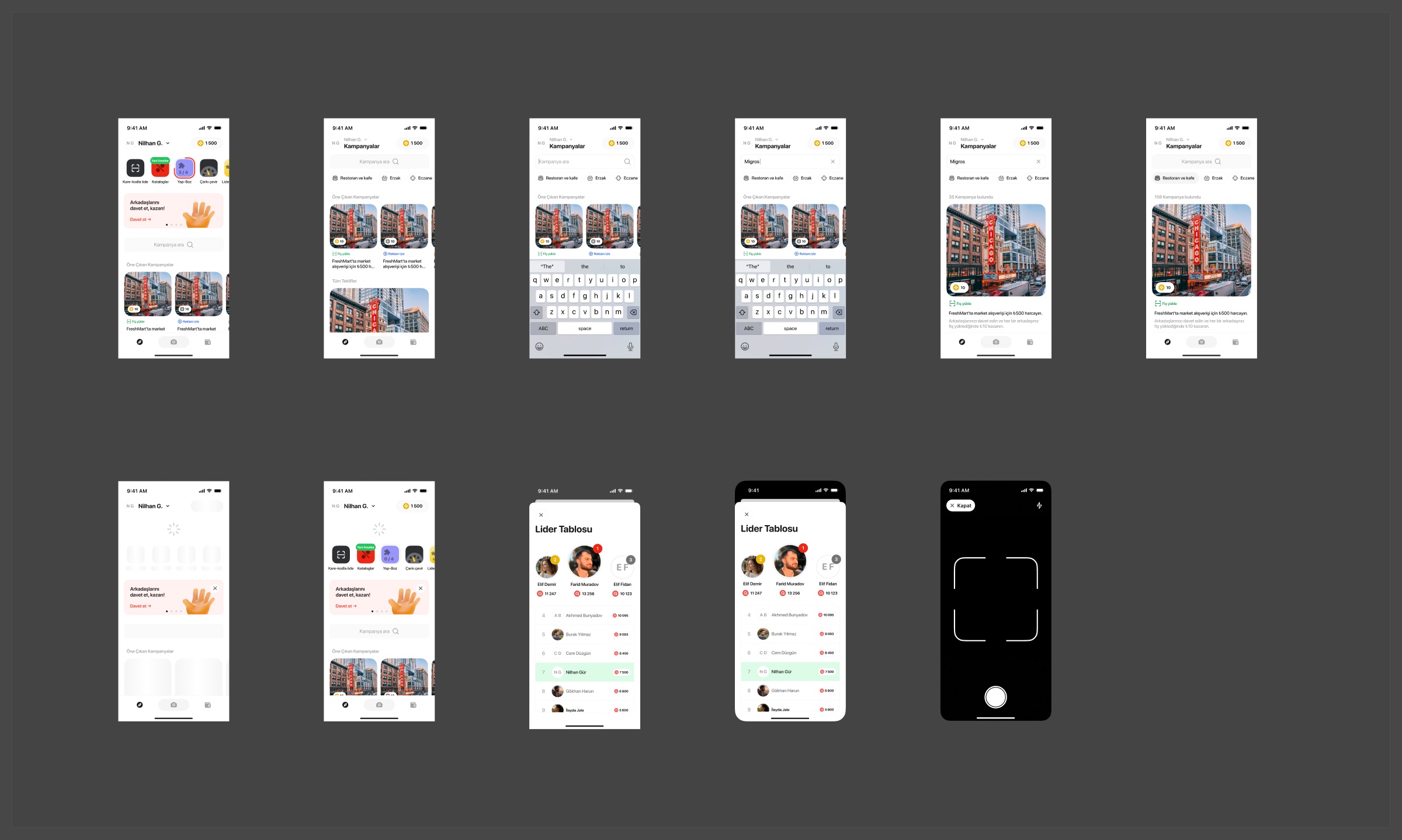
The loop is simple: find a campaign, buy something, upload the receipt. Each campaign card says how to earn (upload a receipt or watch an ad) and how many coins it pays. The coin balance sits in the top right of every main screen.
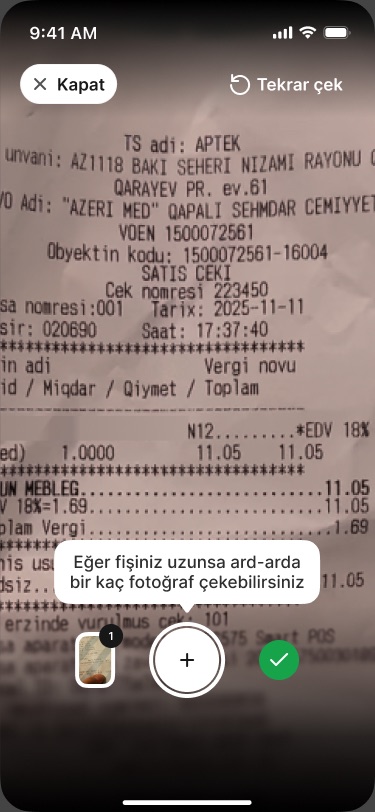
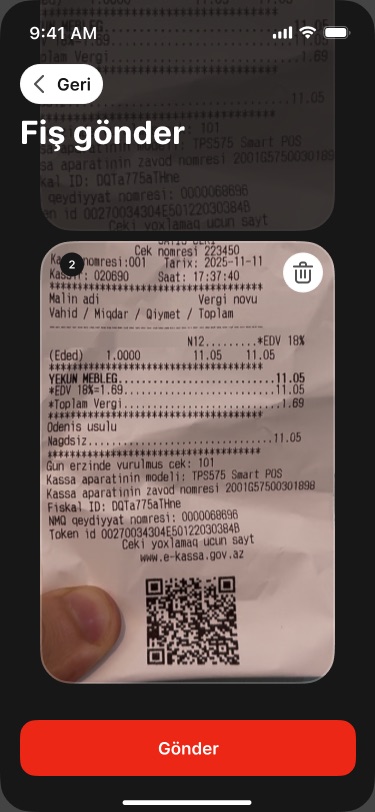
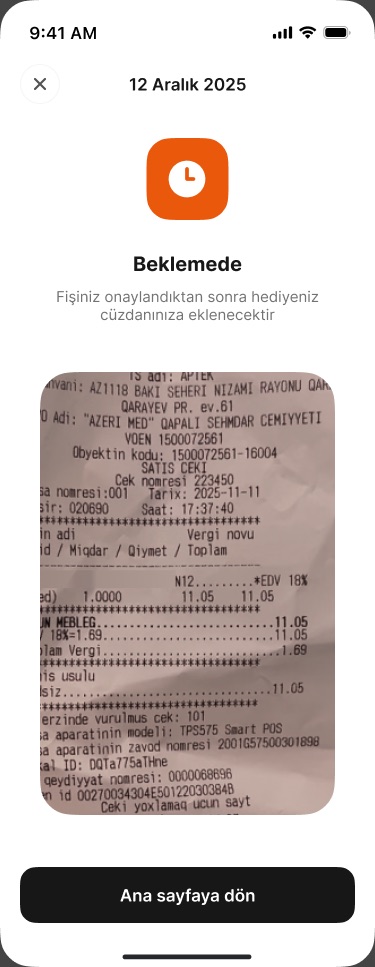
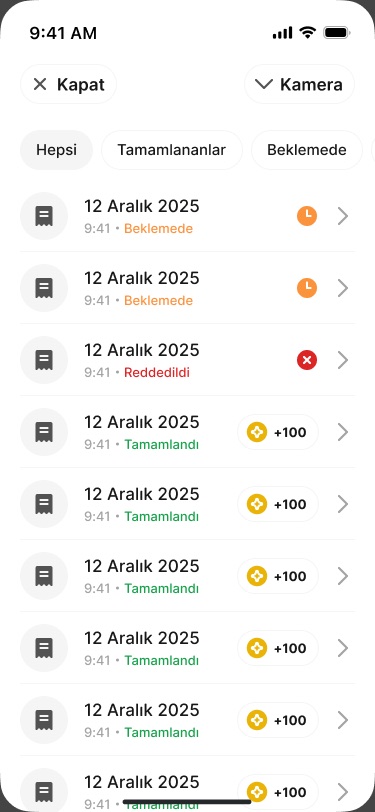
The scanning flow carries most of the design work. Receipts are long and hard to photograph, so the camera lets people take several shots in a row, review them before sending, and then follow each receipt from pending to approved or rejected.
02What I designed
Three parts of one reward loop
- DiscoverHome and campaign feed
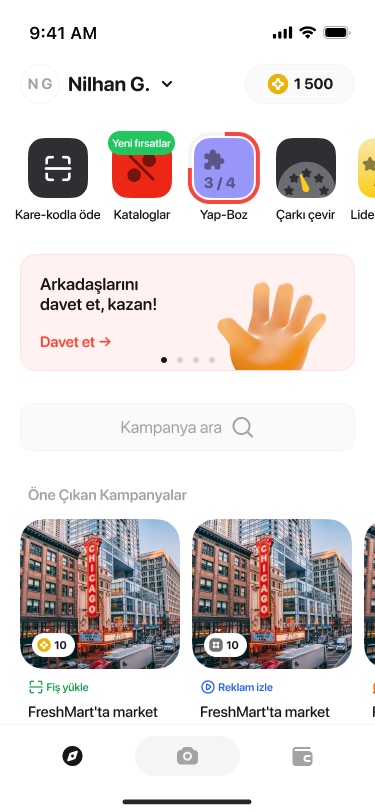
Shortcuts (pay by QR, catalogues, a puzzle, a prize wheel), an invite-friends banner, featured campaigns and category filters.
- SearchCampaign search
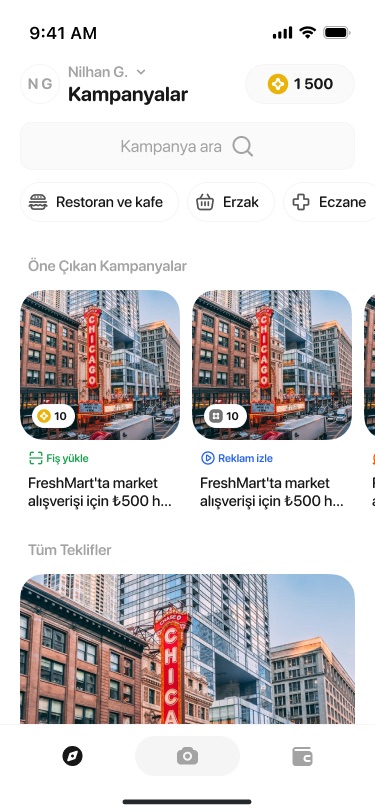
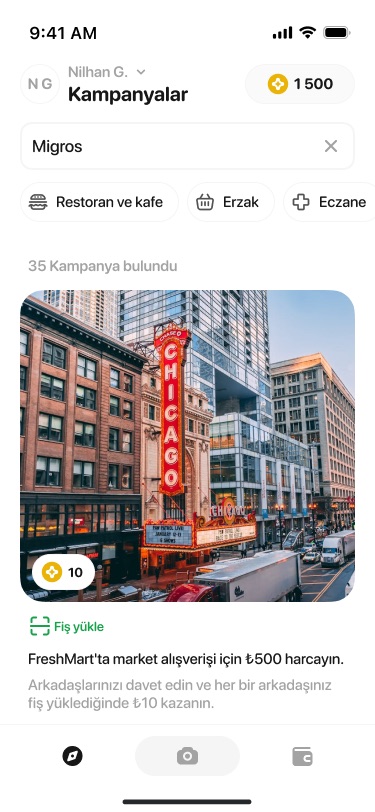
Search by brand with category chips, and a result count above the matching campaigns.
- Receipt scanMulti-photo capture and review
A hint to take several photos for long receipts, a stacked review screen with delete, and a pending state after sending.
- HistoryUploaded receipts
Filter by all, completed or pending; each row shows its status and the coins it earned.
- ProfileLeaderboard, profile and settings
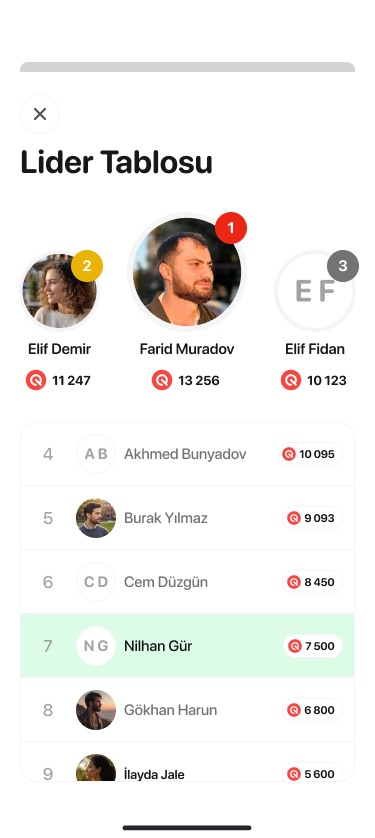
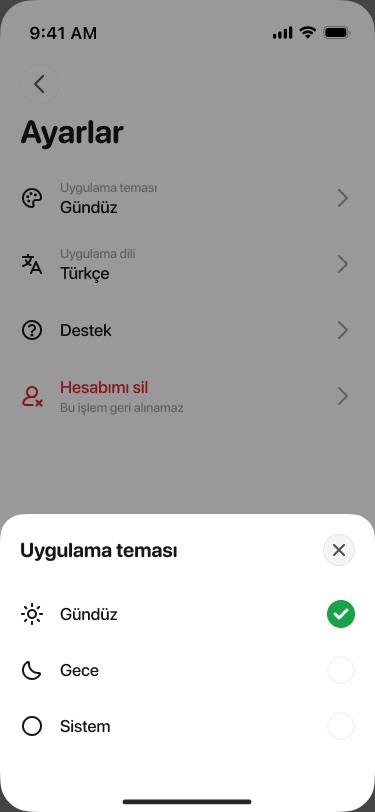
A top-three podium with the user's own row highlighted, linked bank accounts, and bottom sheets for theme and language.
03Screens
From the feed to an approved receipt
- No client context was given: add the client or company name and the year to the header line.
- Confirm your role, which screens shipped, and whether Qumpara is the product's public name.
- The profile screen was left out because it shows an ID number, email and phone; swap in sample data if you want it shown. Bank accounts and transaction history screens also exist in the file.
- The leaderboard uses your own name and photo as sample data.