WishX
Mobile app · Case study
WishX is a wishlist app with a money pot behind every wish. You post the gift you want for an occasion, share it, and friends chip in until the target is reached. I designed the app from onboarding to wish pages, profiles, chat and live streams.
01Overview
A wish, a target and a progress bar
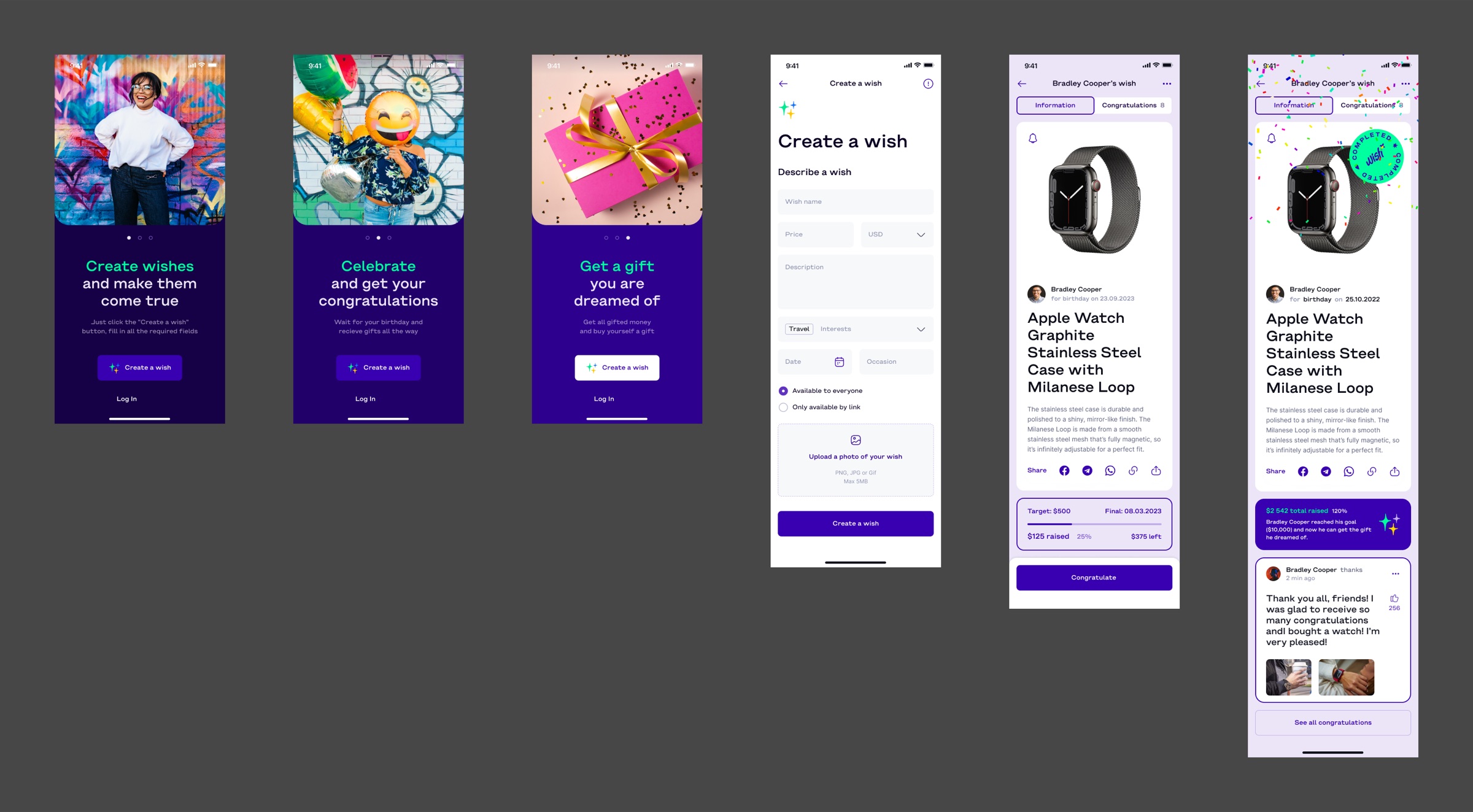
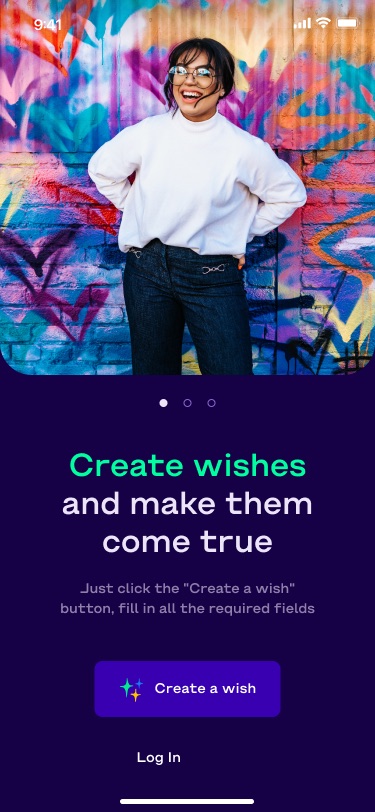
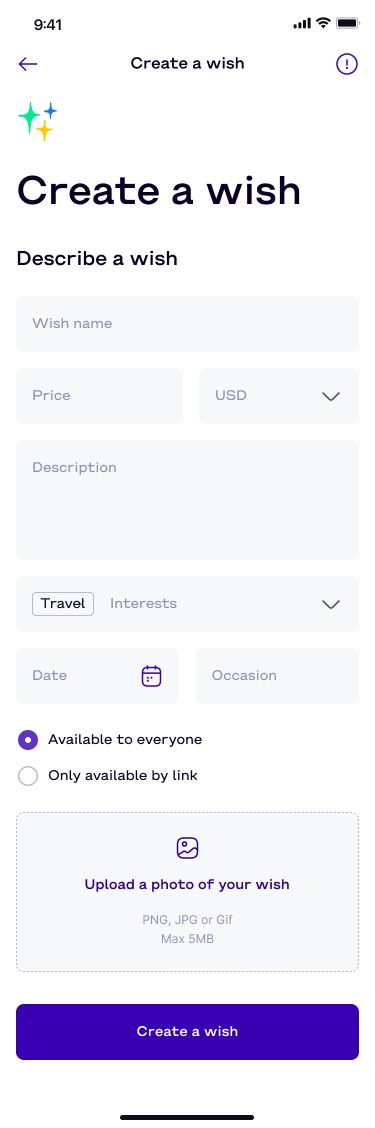
The onboarding sums up the idea in three steps: create a wish, celebrate and get congratulations, buy the gift with the money raised. A wish has a name, price, description, interest tag, date and occasion, and can be public or shared only by link.
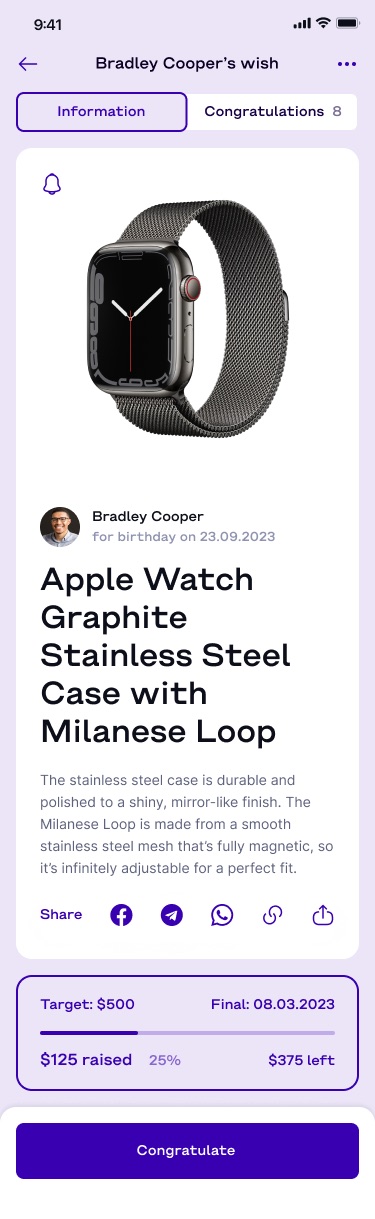
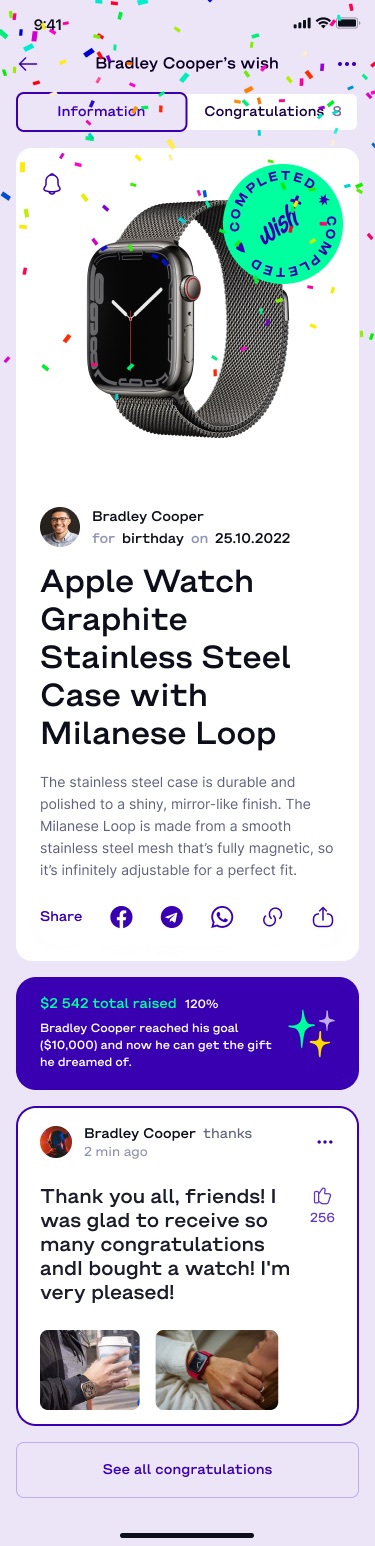
The wish page is the centre of the app. It shows the gift, who it is for and when, a progress bar against the target, and a Congratulate button. When the goal is met, the page turns into a celebration with a "Completed" stamp and a thank-you post from the owner.
02What I designed
Creating, funding and celebrating a wish
- OnboardingThree photo-led screens
Each pairs one step of the idea with a Create a wish button and a log-in link.
- CreateA single-page wish form
Price with currency, interests, date and occasion, visibility, and a photo upload.
- Wish pageActive and completed states
Target, deadline, amount raised and amount left while active; total raised, percentage and the owner's thanks once done.
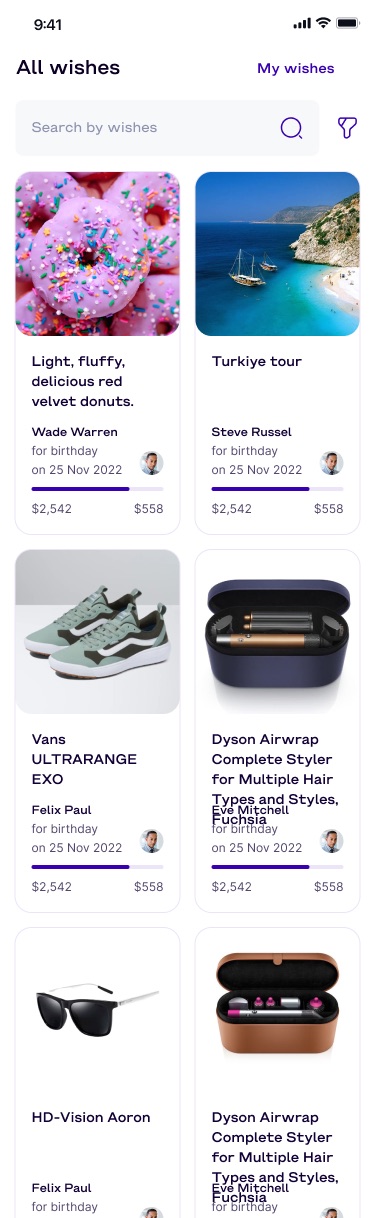
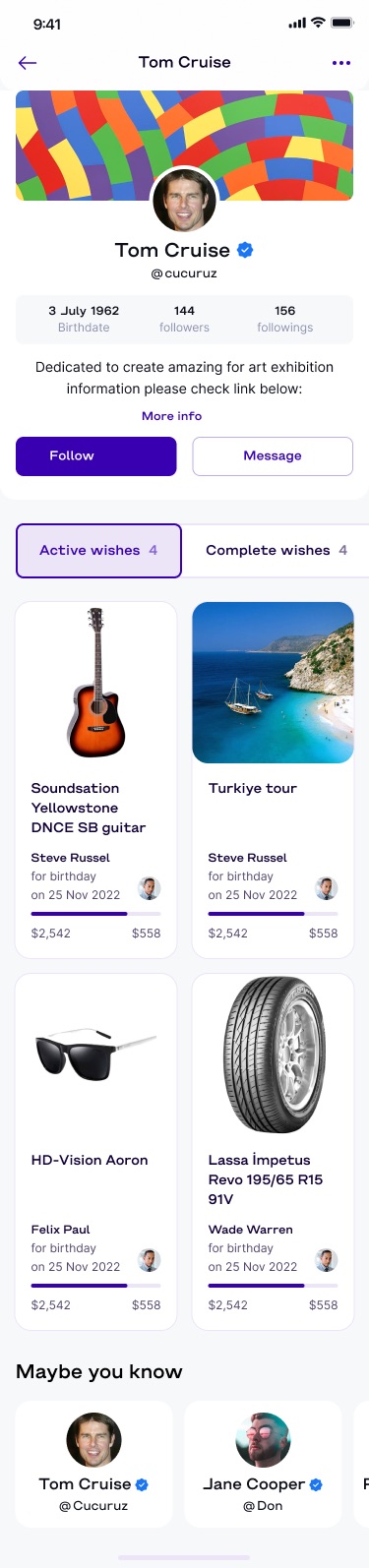
- BrowseAll wishes and profiles
A two-column grid of wish cards with progress bars, and profiles split into active and completed wishes.
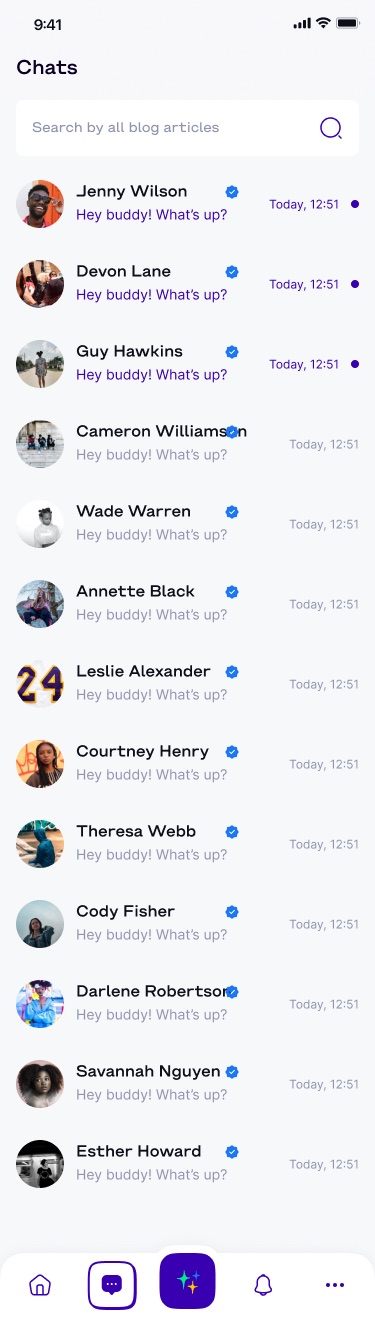
- SocialChats, menu and live streams
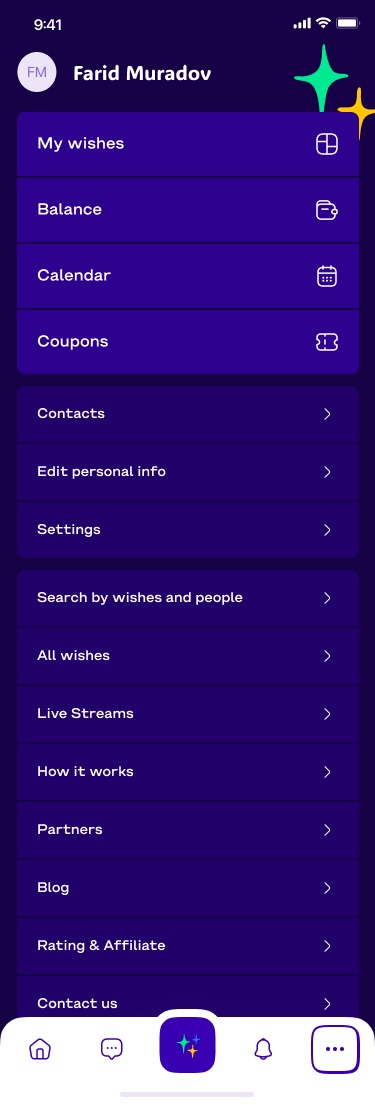
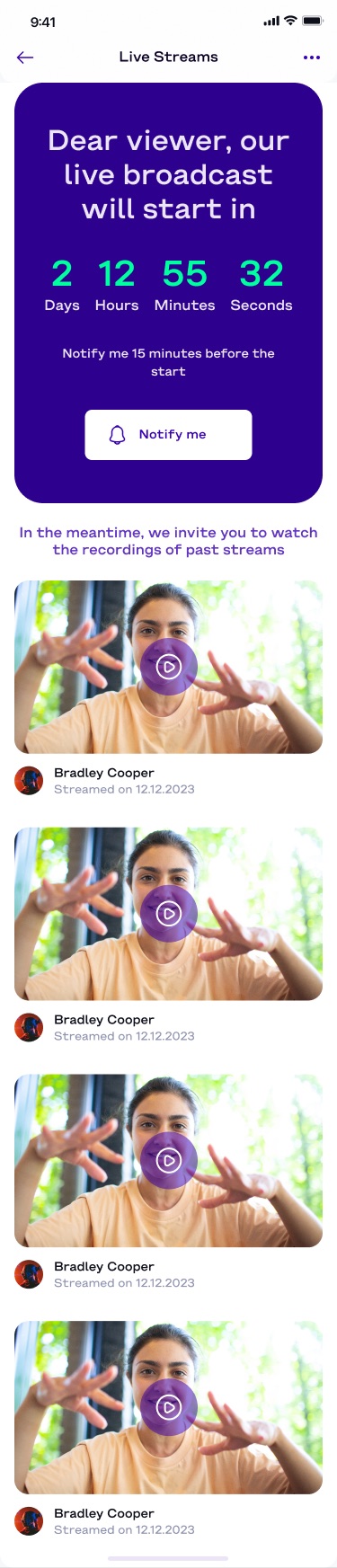
A chat list, a full-screen menu with balance, calendar and coupons, and a countdown to the next live stream.
03Screens
From the first screen to a funded gift
- No client context was given: add the client or company name and the year to the header line.
- Confirm your role and whether the app shipped.
- The file also has an empty profile state and a "no stream" state; both are left out.
- The completed wish shows "$2 542 total raised" next to a $10,000 goal in its text; the numbers are design placeholders and do not match.