Rare Cars
Web platform · Case study
Rare Cars is a marketplace for buying and selling rare and classic cars. I designed its account area for desktop and mobile: the seller's listings and the form to add a car, plus saved cars, saved searches, notifications and settings.
01Overview
One account for buyers and sellers
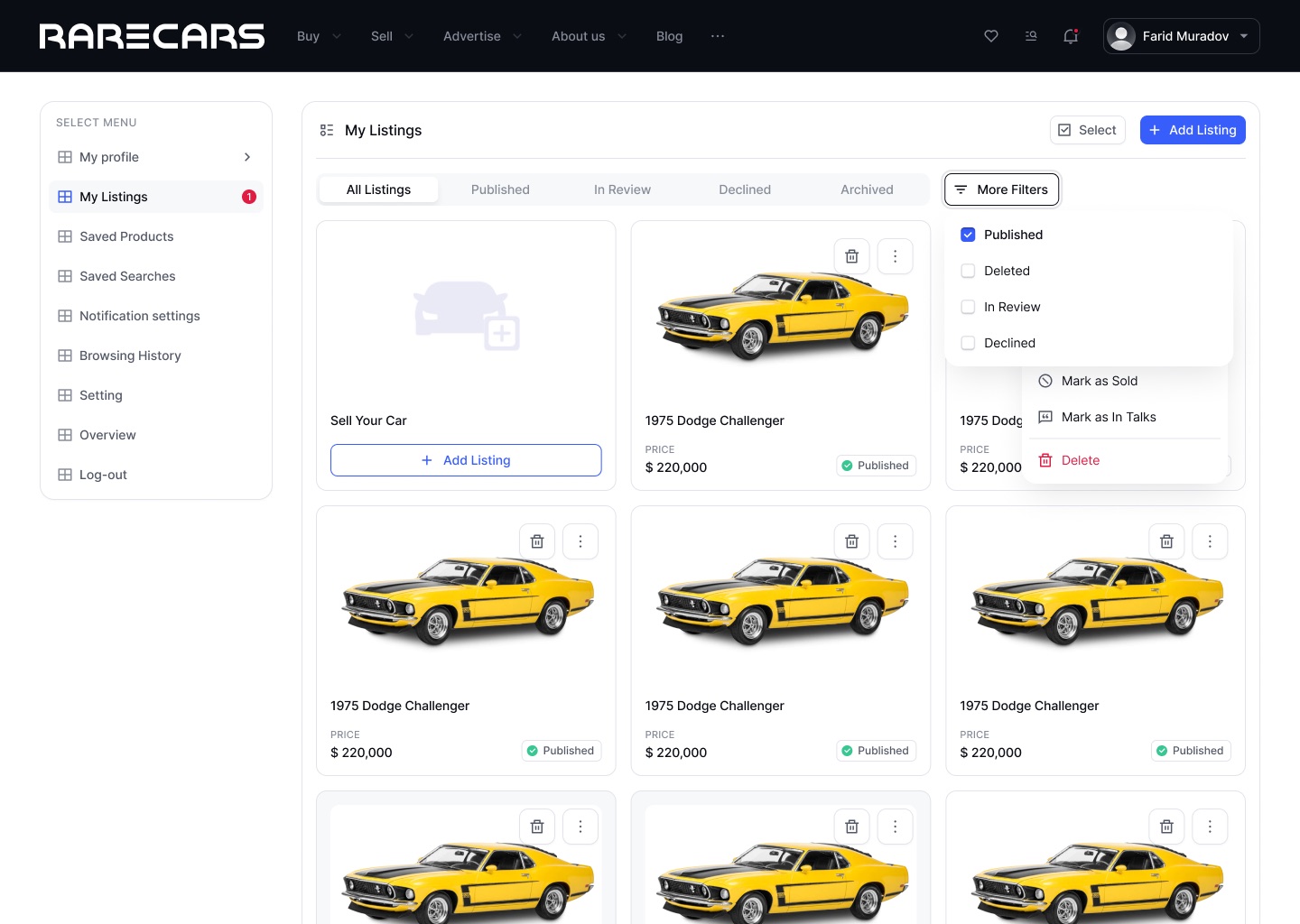
The same person can be shopping for a car and selling one. The account puts both sides behind one menu: My Listings for selling, Saved Products, Saved Searches and Browsing History for buying, then notifications and settings.
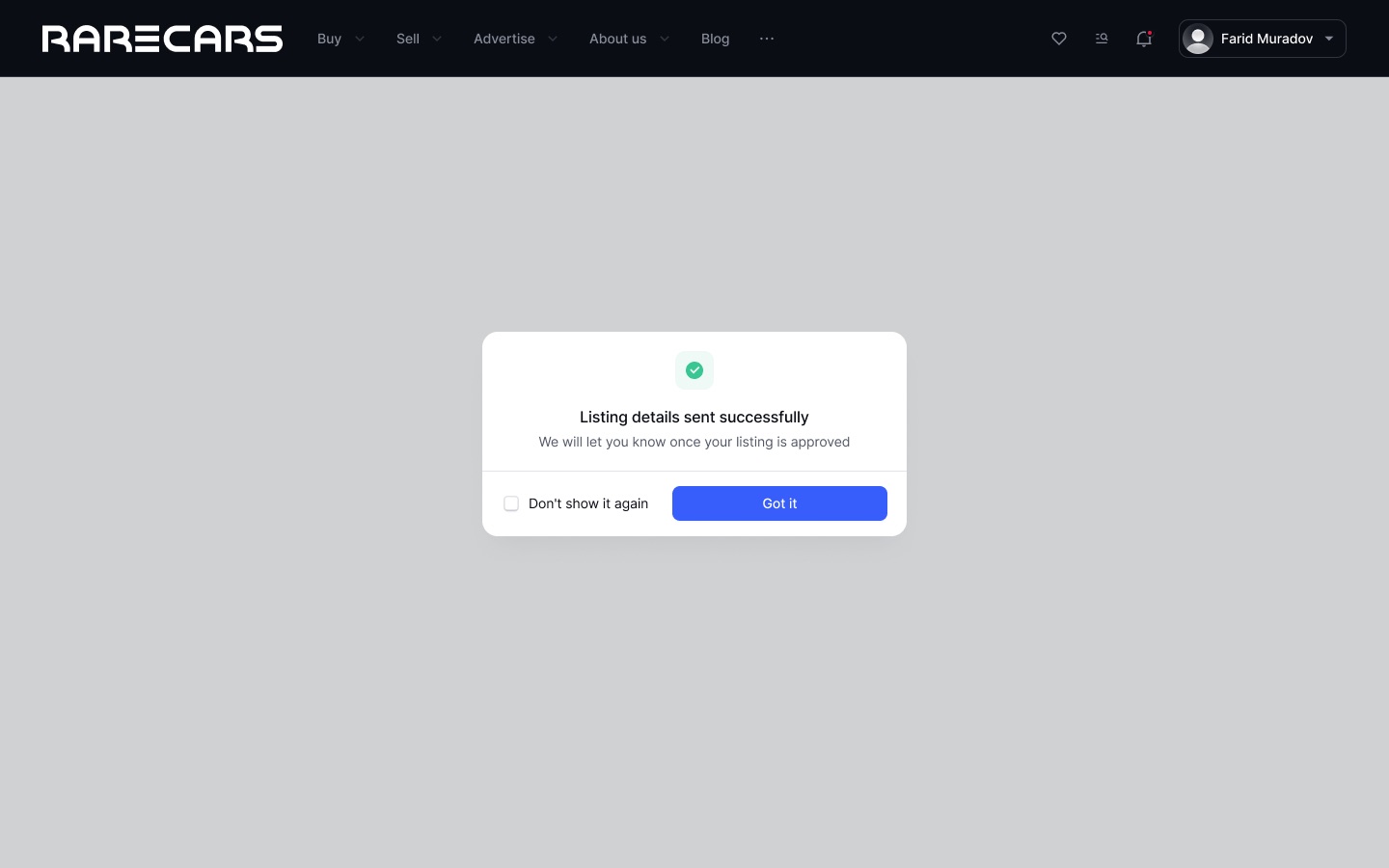
The seller side carries most of the weight. A listing goes through review before it is published, so every card shows its status and the tabs filter by it: Published, In Review, Declined, Archived.
02What I designed
Selling, saving and staying informed
- My ListingsA grid of your cars, filtered by status
Each card shows price and status; a menu marks it as sold or "in talks", or deletes it.
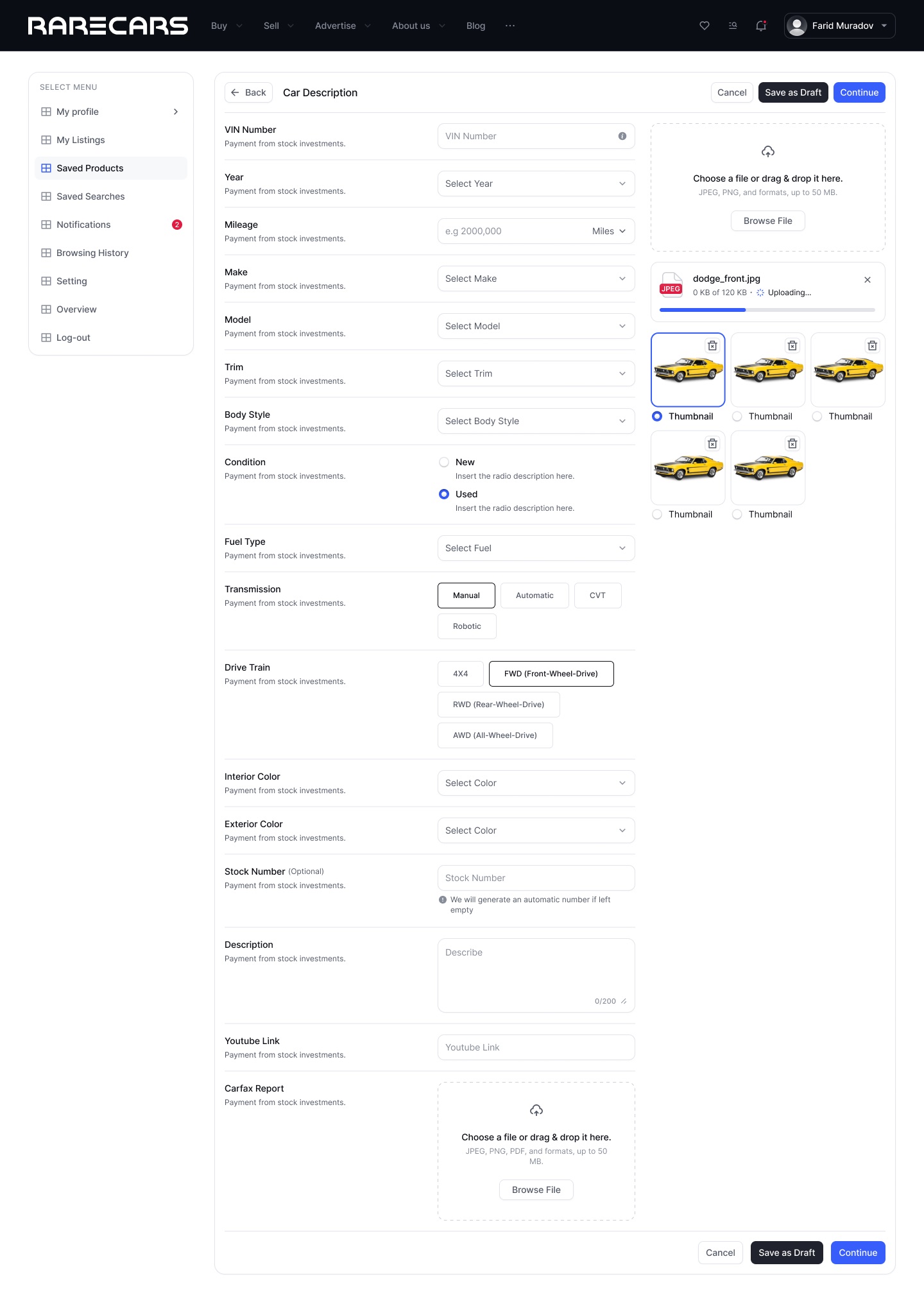
- Add a carOne long form with photos alongside
VIN, year, make, model, condition, transmission, drive train and colours on the left; photo upload with a chosen thumbnail on the right. Can be saved as a draft.
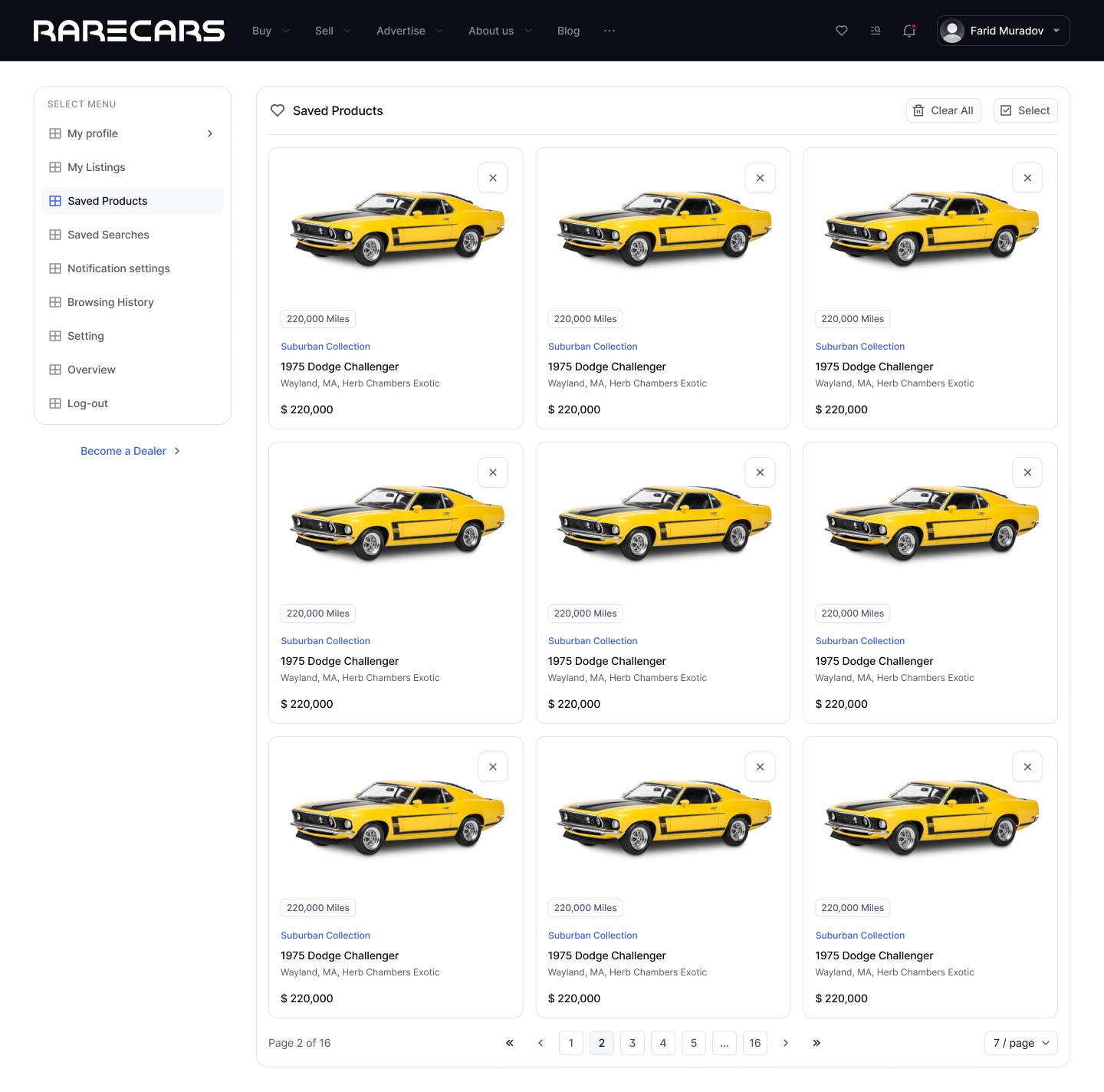
- SavedSaved cars and saved searches
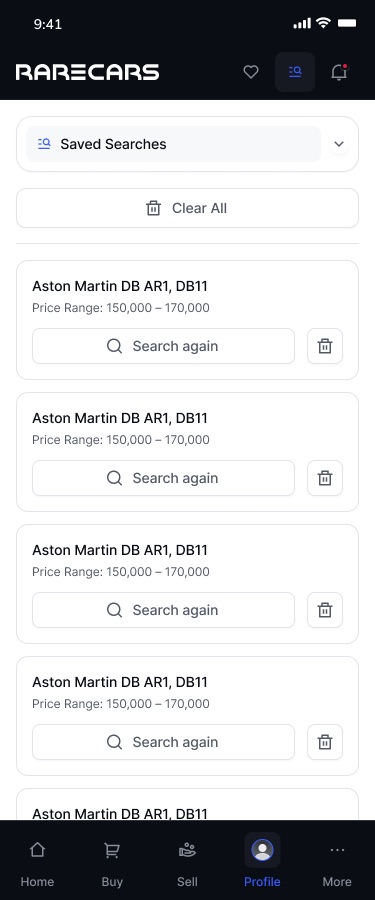
Saved cars keep the listing card; a saved search stores the model and price range with a "Search again" button.
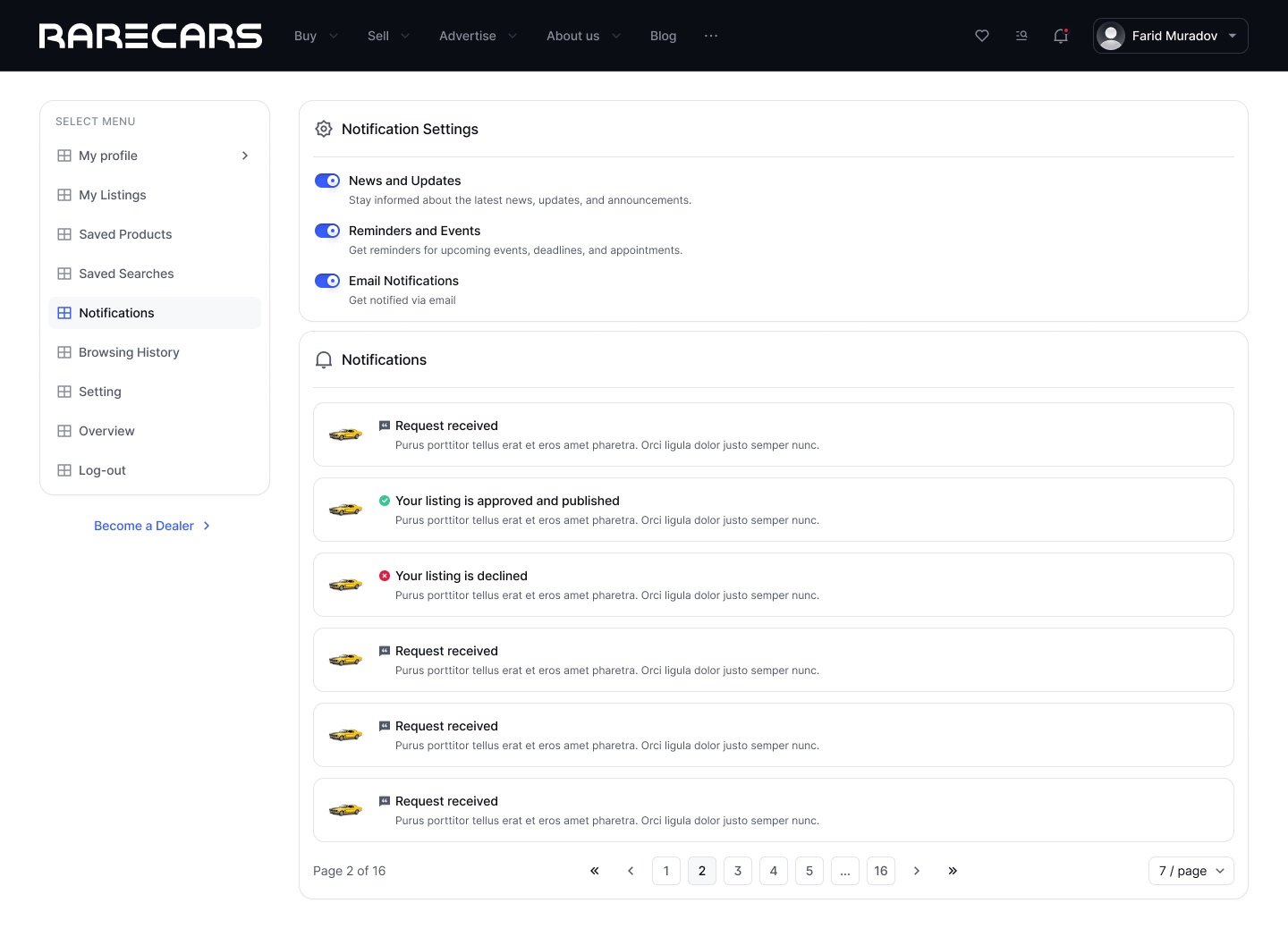
- NotificationsListing updates and preferences on one page
Toggles for news, reminders and email above a feed of requests, approvals and declines.
- MobileThe same account in a dropdown
On phones the side menu becomes a selector at the top, and a bottom bar adds Home, Buy, Sell, Profile and More.
03Screens
Desktop, then mobile


- Add client and year to the header line (currently "Web platform · Case study").
- The board covers only the account area; there are no browse or car detail pages in this section, so the case study does not describe them.
- Helper text under the form fields and notification descriptions are placeholder; the case study does not describe that copy.
- Confirm your role and whether the platform shipped.