The shareholders step of opening a business account. The applicant declares every owner above 10%, follows ownership through other companies, and uploads their documents, one ownership level at a time.
01Context
A KYC step inside a self-serve account opening
Business owners open their Birbank Biznes account online. Before the bank can open it, it needs to know who stands behind the company.
Step 1Sign in
ASAN İmza signature, company certificate
Step 2Company details
Business and personal information
Step 3Shareholders & documents
This case study
Step 4Account & signing
Currencies, branch, FATCA, ASAN sign
Step 5Review
Bank checks, tracked by status
Who fills it in. The person applying for the company, already signed in with ASAN İmza. The company name comes from the certificate they picked, and their own identity is already known.
Where it starts. From the dashboard, Cari hesab aç (open a current account) starts two short steps: fill in shareholder details, then add documents.
Confirm who is allowed to fill this in (any signer, or only the director?) and whether a non-shareholder director goes through it.
02Problem
Company structures are trees. Forms are lists.
The applicant has to describe a structure that can branch through other companies, under rules with legal weight, without a compliance officer next to them.
Example data. Every level has to add up to 100% on its own; a company in the list opens its own level.
DisclosureEvery owner above 10%, as registered with the State Tax Service
Owners under 10% don't need names, but the applicant has to declare that.
ArithmeticEach ownership level must total exactly 100%
Every company in the list has its own list that must also add up.
Owner typesIndividuals, companies and the state
Each needs different data: FİN and birth date, VÖEN and country, or only a share.
NestingA company owner has owners of its own
The same person can own the applicant directly and again through another company.
LiabilityA wrong declaration means a declined application
So "nobody above 10%" can't be a casual checkbox.
EvidenceDocuments for every company in the tree
Articles of association and a registry extract per legal entity; supporting documents for state ownership.
Design question
How might we let an applicant describe any ownership structure correctly, with the fewest decisions in view at any moment?
Add pain points from research or support / compliance feedback if you have them. Also confirm the 10% threshold and wording are fine to show publicly.
03Flow map
One ownership level at a time
Collect the owners of one level, check that it adds up, then open the next company in the tree. Documents follow, then signing and review.
StepDecisionAlternative pathLoop
Confirm: where does "Correction" take the user (straight to the shareholders step, or a list of fields)? Does "Draft" keep entered owners after the session ends?
04Alternatives
From repeated pages to one card per level
The original flow and the version that replaced it. The schematics show one company with a nested owner.
Page by pageBefore
Company
Its owner company
Gains
Each page is short: one company's owners and its documents.
Costs
Continuing opened a page that looked the same, so people thought they were asked to re-enter what they had just added. Nothing showed which part was already done.
One card per levelOct · chosen
Gains
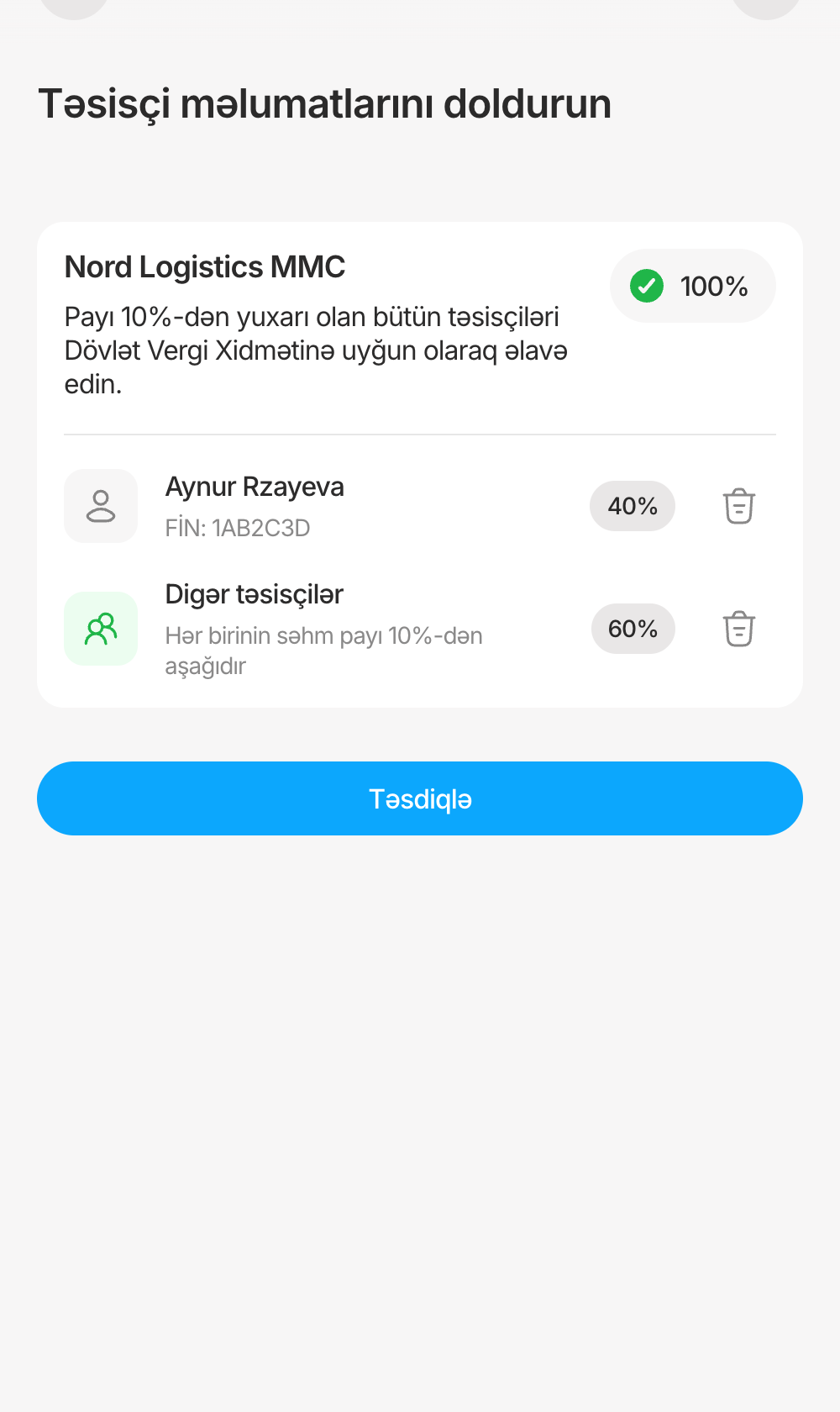
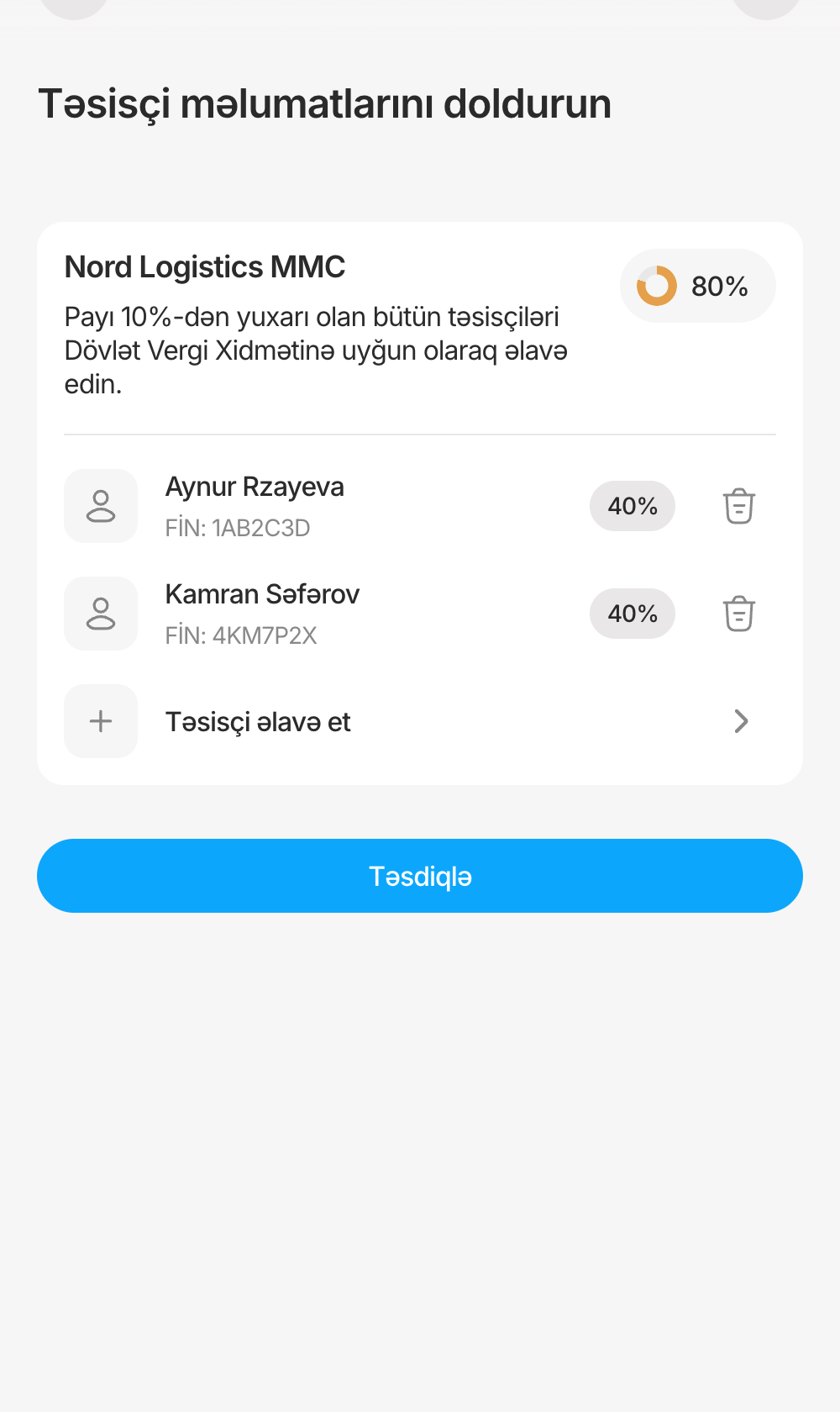
Each level is one card with its name, rule, progress and owners. A finished level folds into a summary with a check, so "done" is visible.
Costs
Less overview: changing an earlier level means unfolding it with Düzəliş et. The toggle carries legal weight, so it needs a confirmation step.
Smaller decisions
What each one was before, what it became, and why.
DeclarationSeparate card, then a declaration popup
Toggle inside the card, with a confirmation
The state is visible in place and one tap undoes it. The confirmation states the legal consequence before it applies.
Type pickerThe same fixed list every time
Options appear in context
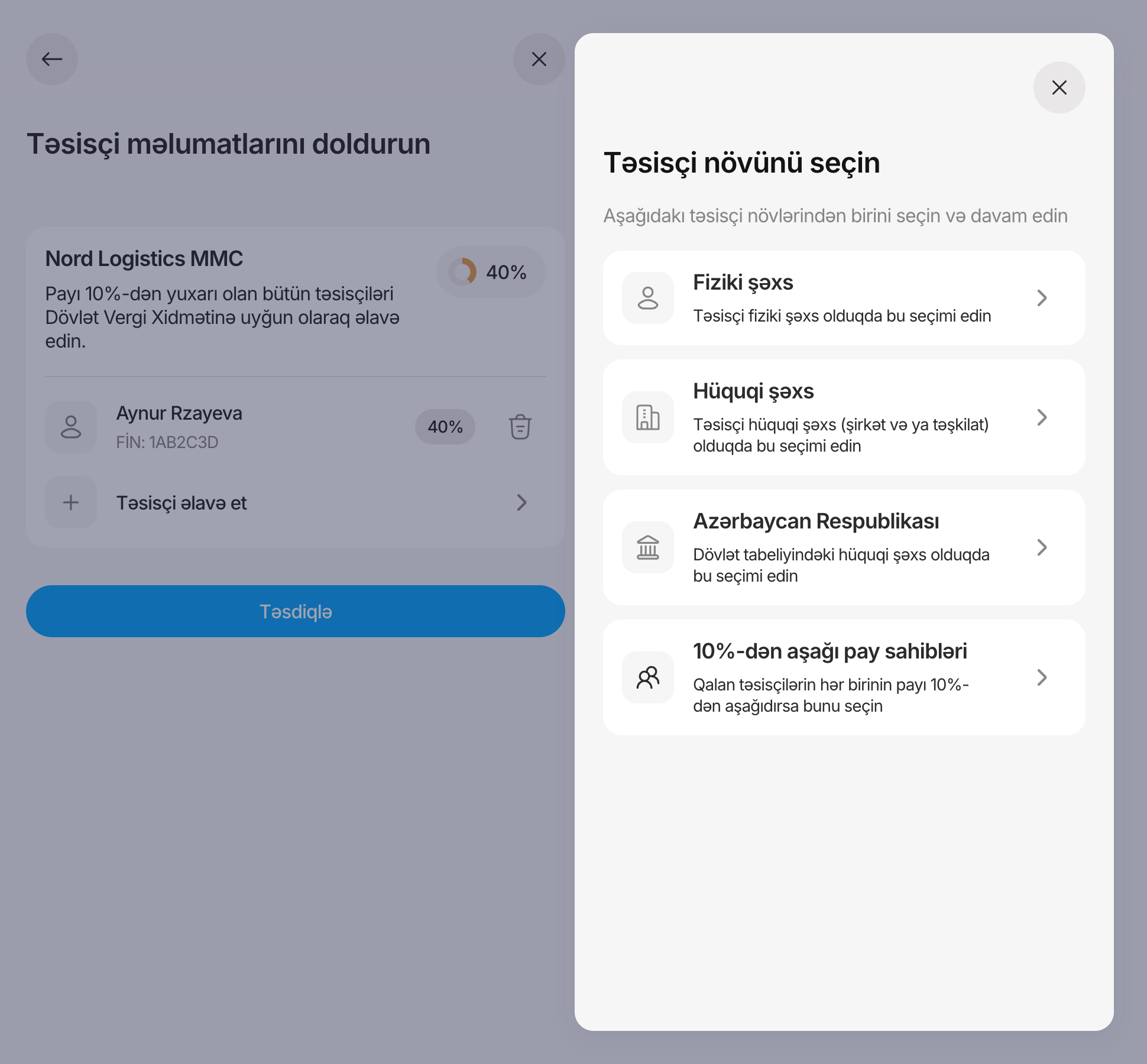
"Özüm" disappears once you're listed. "Holders under 10%" appears once someone is, and takes the remaining share.
Row actions⋮ menu with edit and delete
Tap the row to edit, trash to delete
The common action takes one tap instead of two; delete stays a separate, visible target.
Owner formPolitical exposure question, empty share field
Question removed; share pre-filled with the remainder
Fewer fields per owner, and the last owner can often be added without typing.
Confirm the reasons above match yours, especially why the political-exposure question was removed.
Did you also consider pre-filling owners from the tax registry, a tree or table of all levels, a wizard per owner, or documents inside each owner's form? Add only what you explored. Registry pre-fill is the "why not?" a reviewer is most likely to ask.
05Edge cases
Where ownership data goes wrong
The cases that break a simple list, and what happens in each.
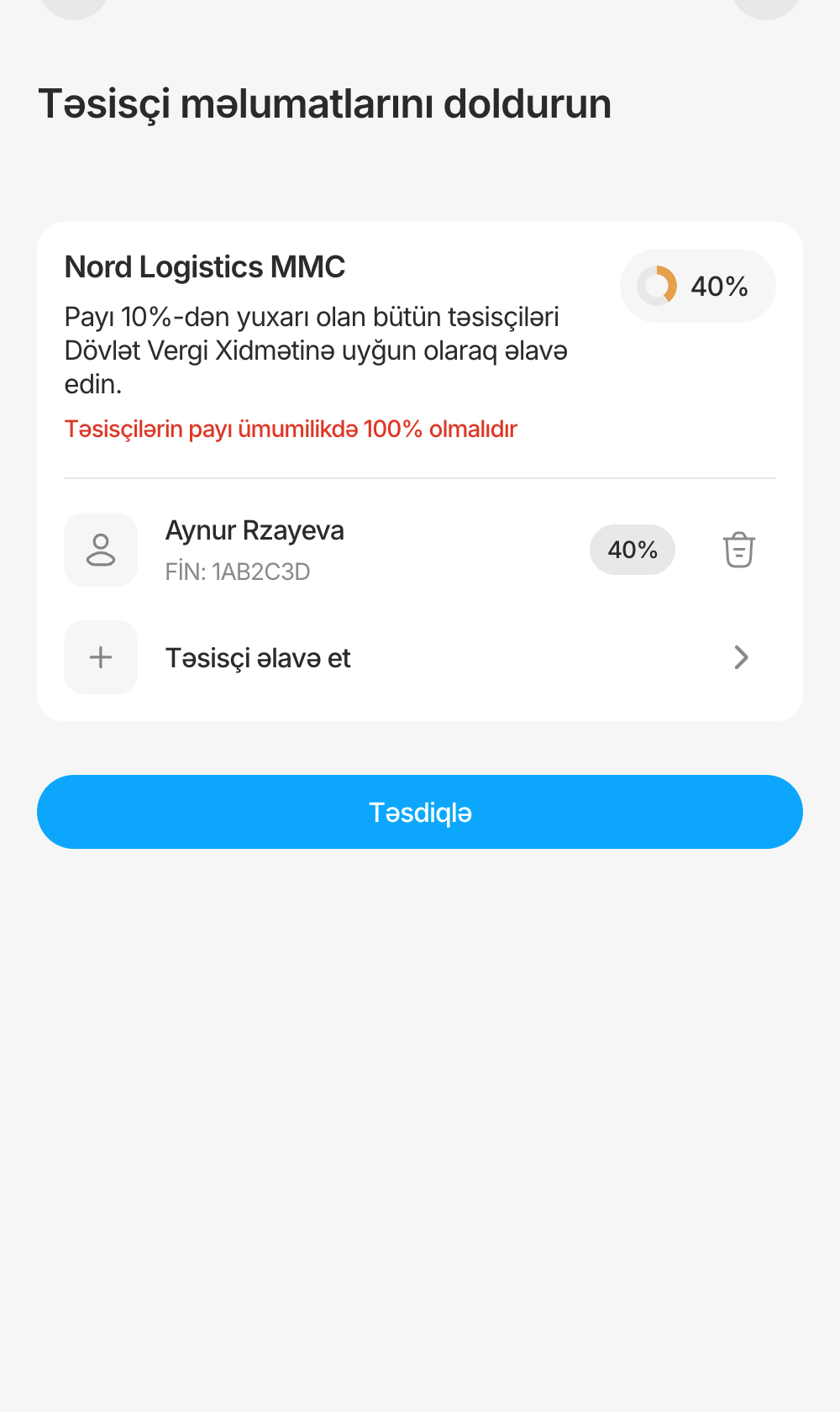
Doesn't add upCan't confirm below 100%; the ring shows the gap.
Many small holdersOne row takes the remaining share, after a confirmation.
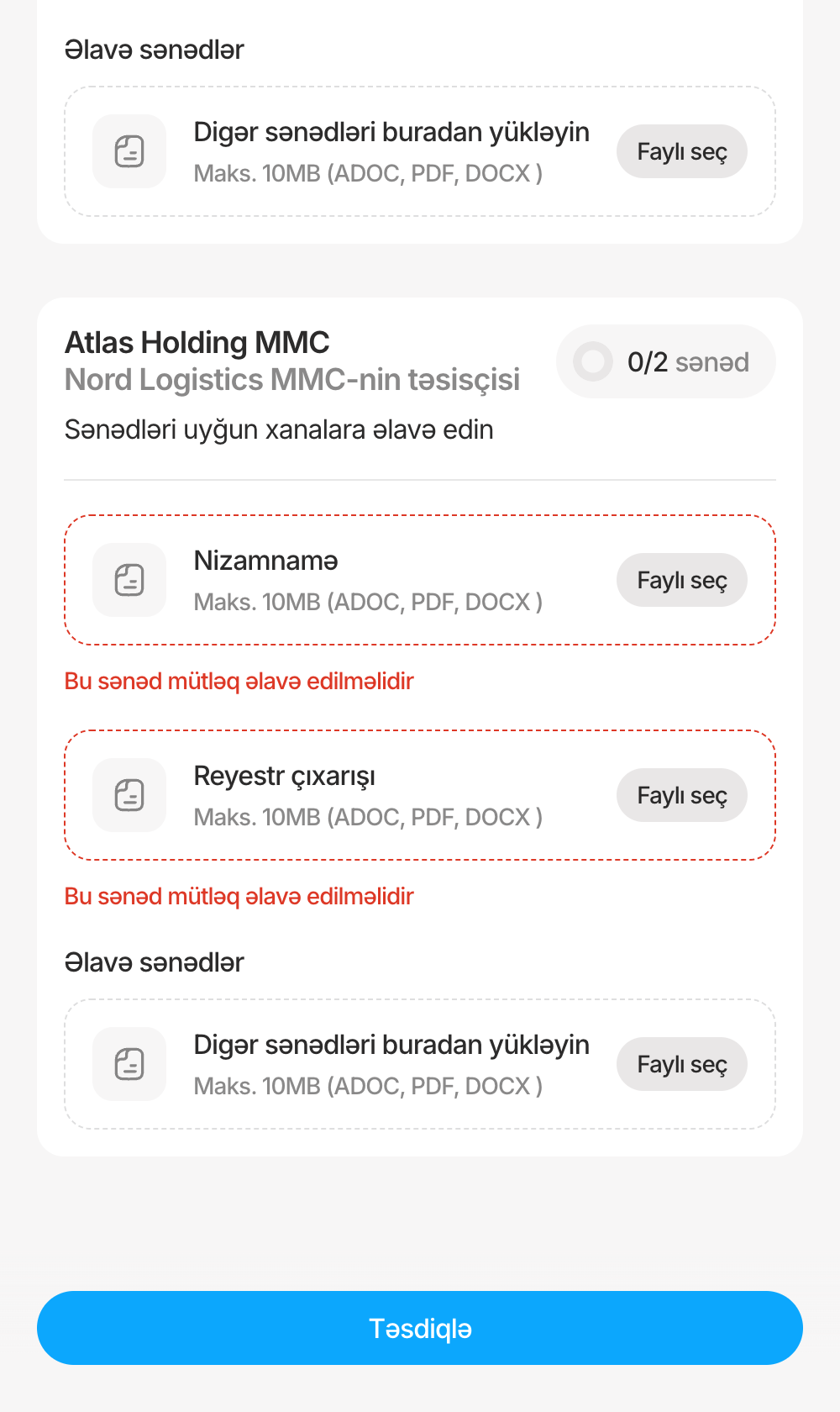
Missing documentsEach empty required slot is named and marked.
DesignedShares don't add up to 100%
Progress ring per level; can't confirm below 100%; each new share is capped at what's left.
DesignedA company owns part of the company
It opens its own level with the same steps and its own documents card.
DesignedThe applicant is an owner
"Özüm" adds them with ID data pre-filled and locked.
DesignedThe state is an owner
Share only; its own card for supporting documents.
DesignedNo owner above 10%
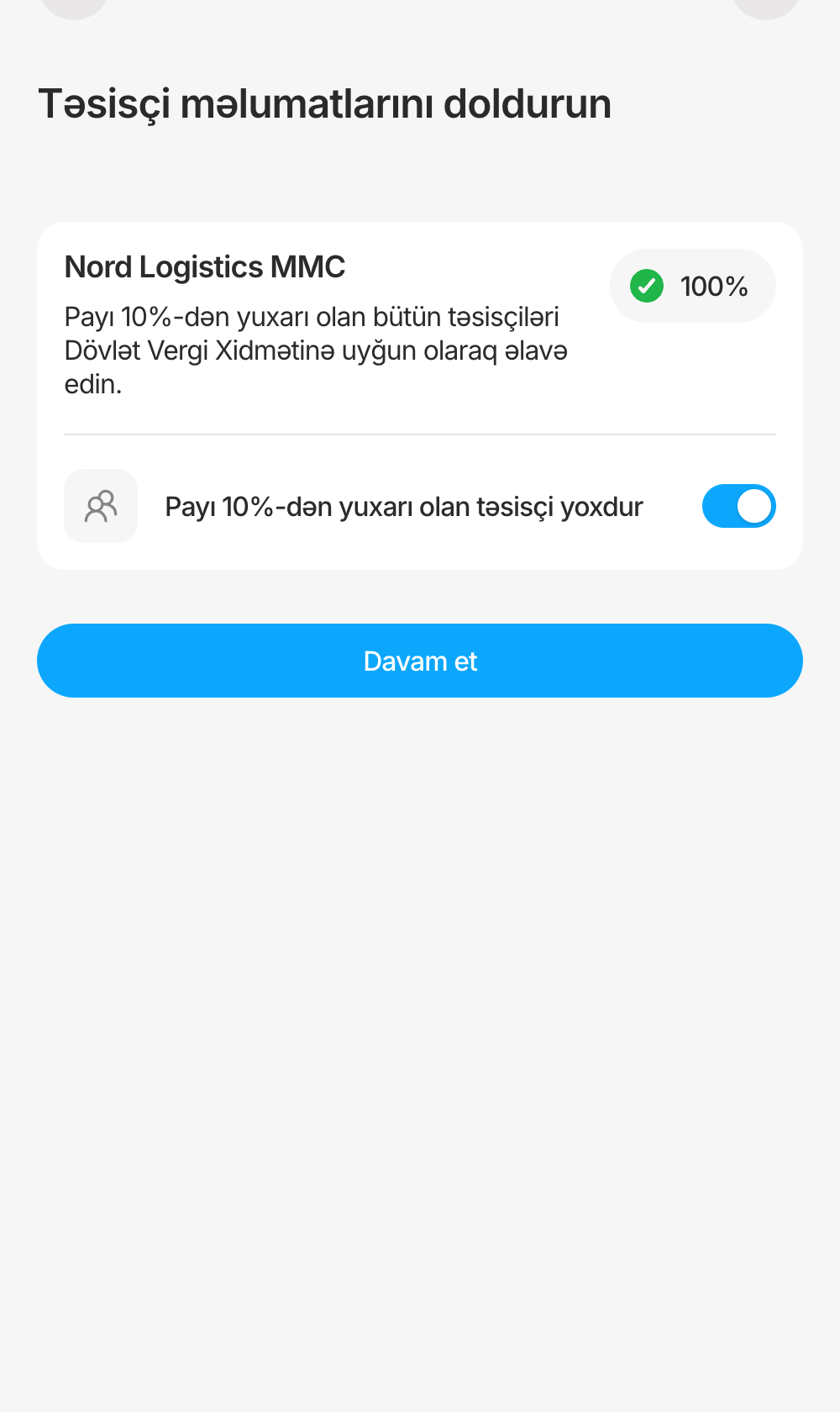
Toggle with a legal confirmation; the level jumps to 100%.
DesignedChanging a finished level
The summary card unfolds back into the list with Düzəliş et.
DesignedCompliance asks for a correction
A status card asks the user to check owner details and reopens the step.
DesignedApplication declined
Status card with "Apply again"; products marked declined.
DesignedForeign individual
Hint: use the FİN from the residence permit.
PrototypeError copy for shares and documents
Written for usability testing; not in Figma.
OpenOwnership chains deeper than one level, effective (UBO) ownership
Not in the material. Confirm scope.
OpenRegistry lookup fails, upload too big or wrong format, session lost
Not designed in the material. Present as next steps, or add if you designed them elsewhere.
OpenDeleting a company that has its own owners
The prototype removes both together; Figma doesn't show it.
06Screens
The final screens
Captured from the clickable prototype with fictional data. Copy is in Azerbaijani, as designed.
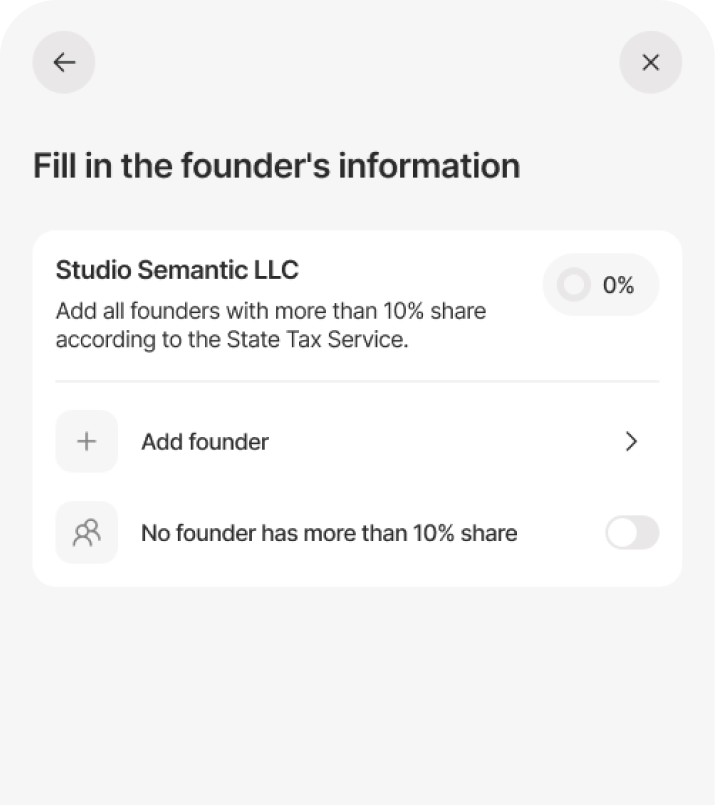
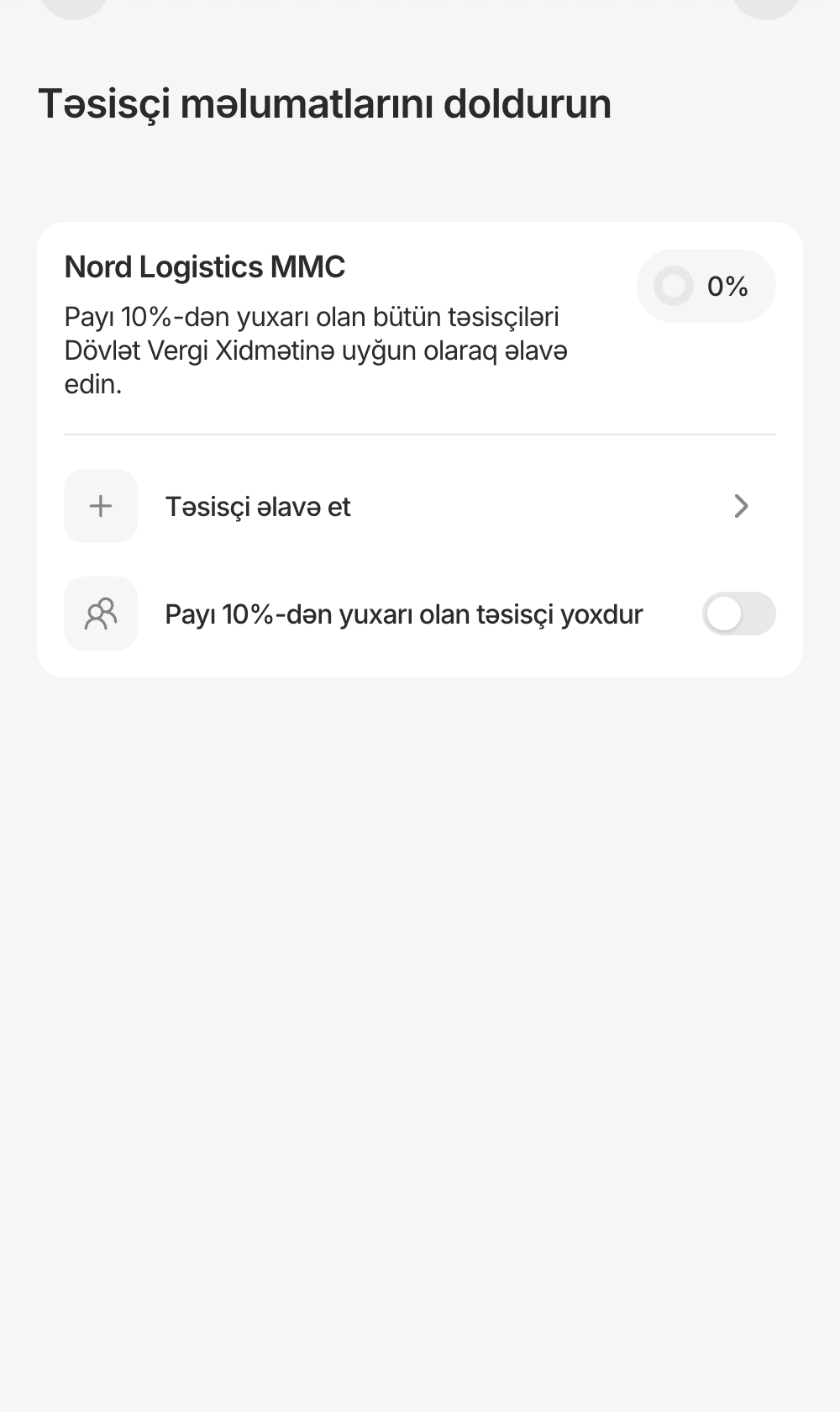
Empty levelTwo ways forward, nothing else.
Filling inRing, share chips and the remaining add row.
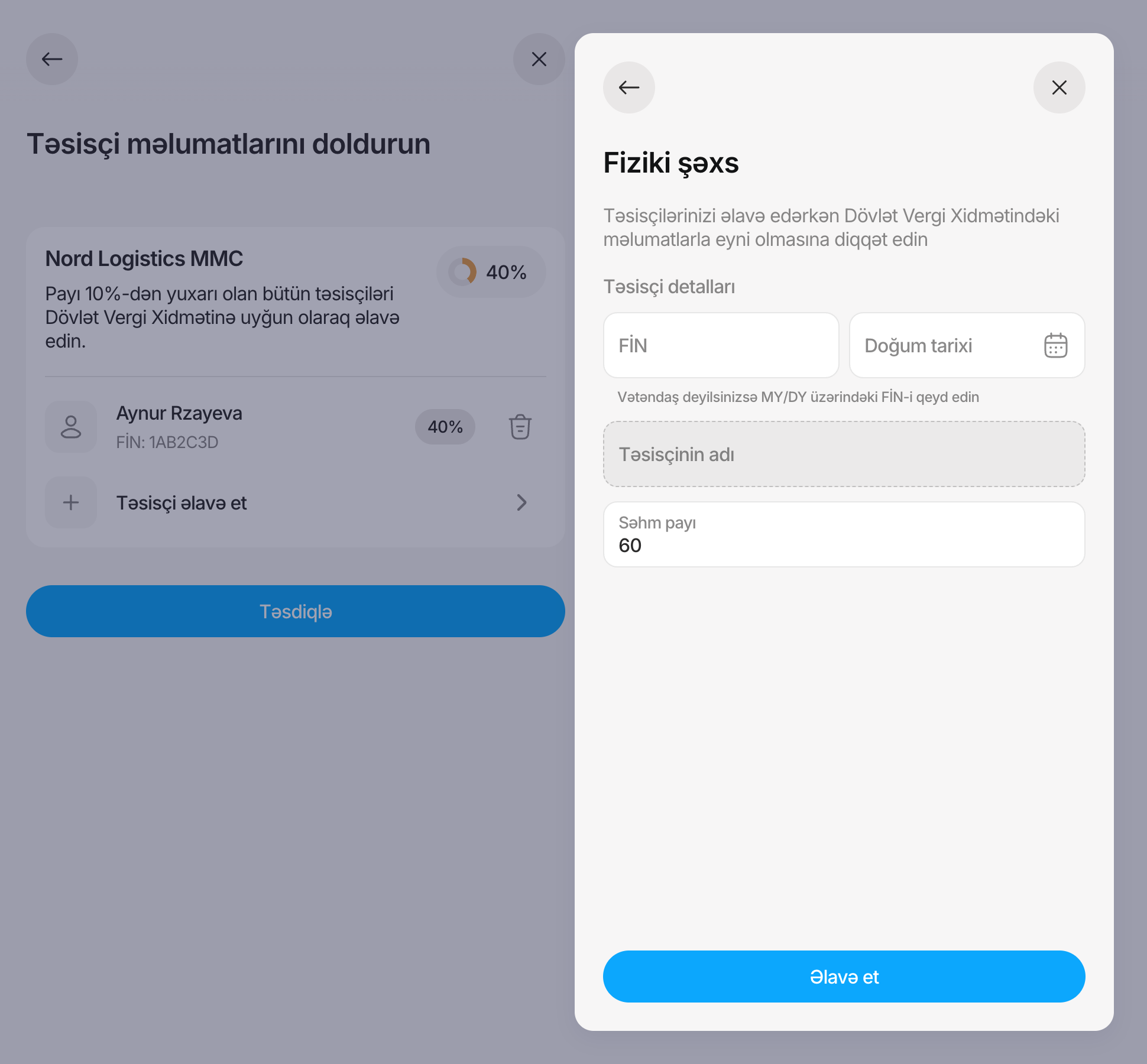
Owner typeA drawer keeps the level in view; options change with what's already listed.
DeclaredThe toggle stands in for the whole list.
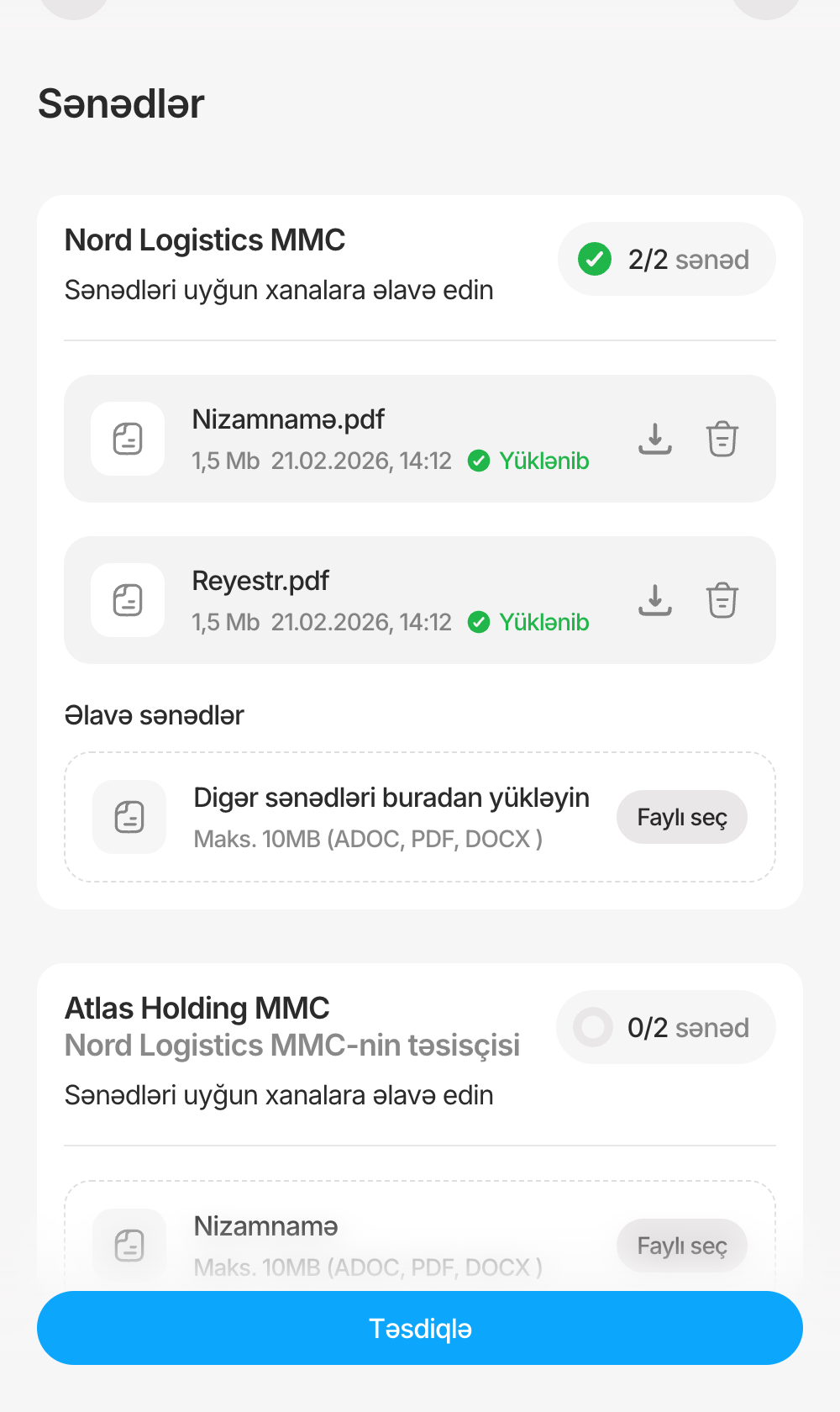
DocumentsThe same card, counting documents instead of percent.
Owner formID and birth date return the registered name; the share starts at what's left.
Motion that explains the structure
Confirming a level folds its card into the summary, so it's clear the summary is that list. Other changes follow the same rule: what leaves clears out first, then the layout settles.
Fill in the founder's information
Studio Semantic LLC2 foundersEdit
Studio Semantic LLCAdd all founders with more than 10% share according to the State Tax Service.100%
Farid MuradovPIN: 7HG3SBY40%
Palm MMCTIN: 123456789012360%
Add founder
Palm LLCFounder of Studio Semantic LLCAdd all founders with more than 10% share according to the State Tax Service.0%
Add founder
No founder has more than 10% share
The fold: once Studio Semantic LLC reaches 100%, its owners clear out, the card folds into a summary with a check, and Palm LLC's level rises in below it.
The micro-animations exist in the coded prototype, not in Figma. Decide how you describe who built them (see 07). A short screen recording of the real fold would be stronger than the schematic.
07System & build
Built from BirDS Web, extended where the flow needed it
Most of the flow is existing components. Four patterns are new, and each is used in both steps.
A finished level with its owner count and Düzəliş et.
Nizamnamə Faylı seçNamed drop zone
Says which document it's waiting for.
The "reused" list only shows component instances confirmed in the Figma frames. Add form fields, drawer and modal if they are library components too.
Check whether the new patterns became library components. If they did, say so.
The prototype code was written with an AI coding assistant working to your direction. Decide on one honest line, for example: "I directed and reviewed an AI-assisted prototype to test the flow and its motion."


 Edit
Edit


 0%
0%