VitaVids
Vitanur · Web · 2023–24 · Case study
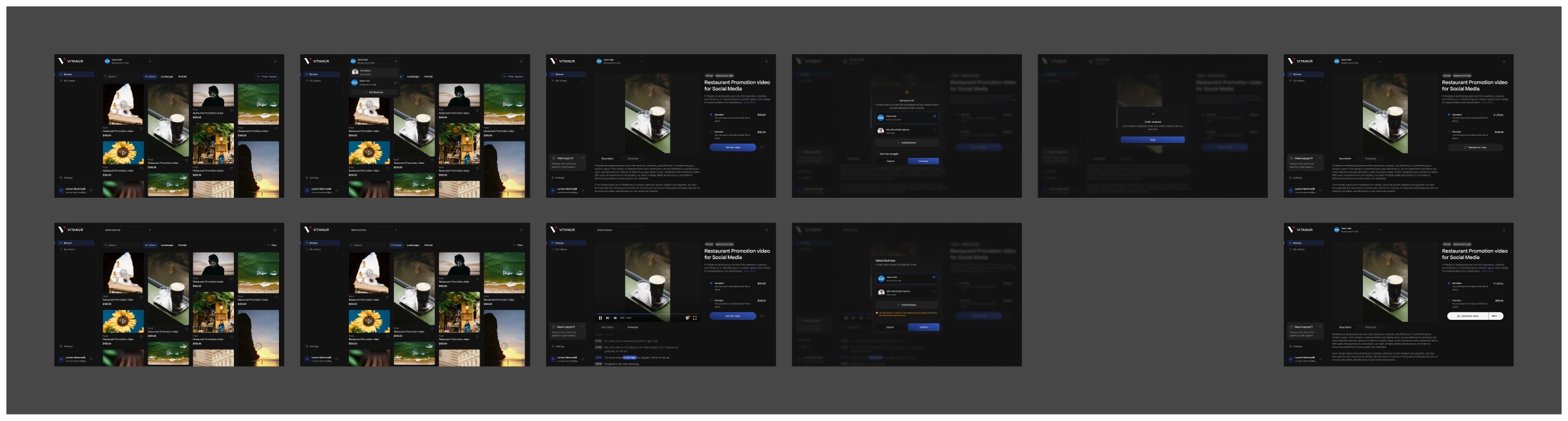
VitaVids is a Vitanur web app where a business browses promotional video templates and orders one made for its own company. I designed the flow from browsing to download: the catalogue, the video page, the order and the states after it.
01Overview
Buying a video for a specific business
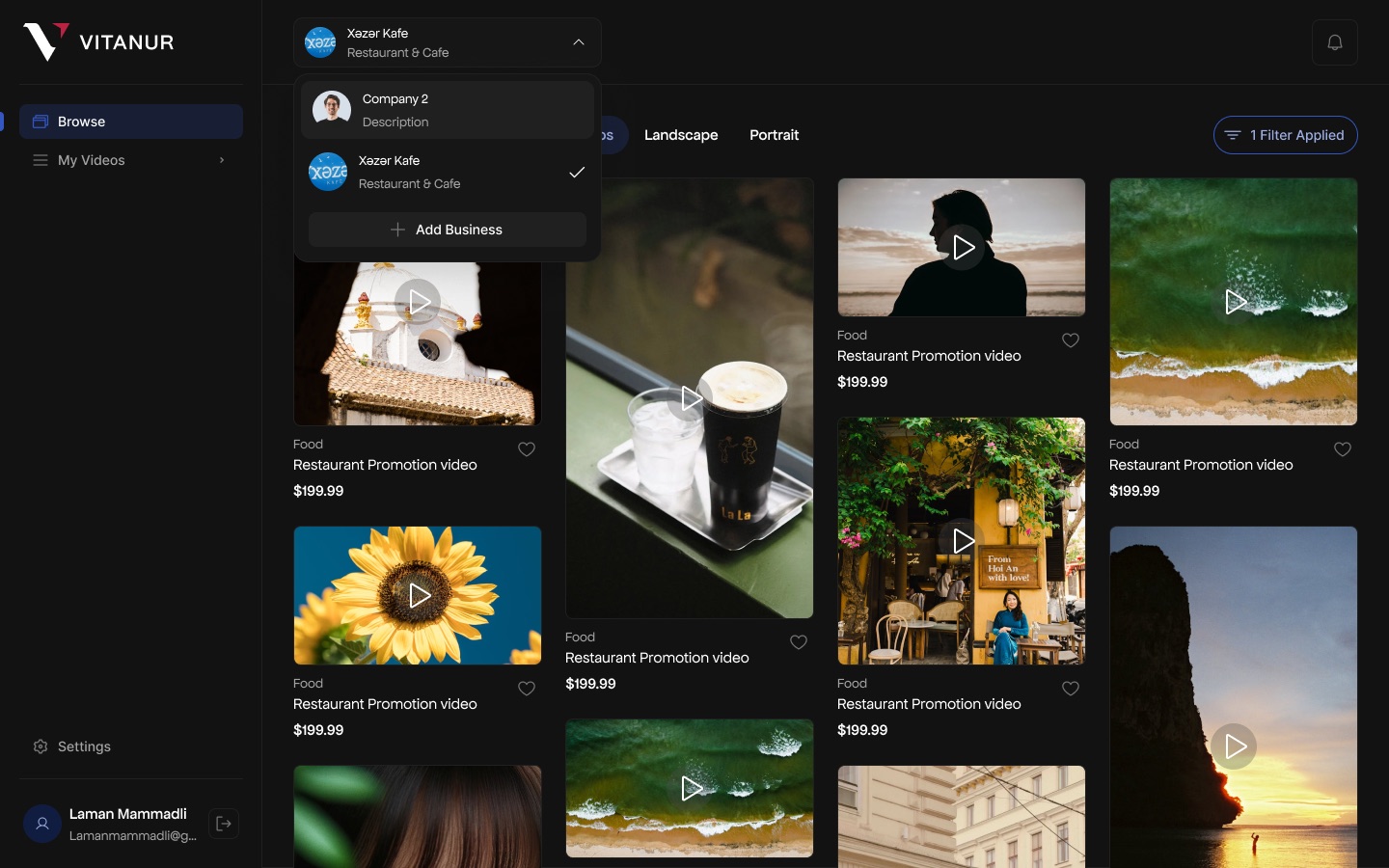
Every order is tied to a business, so the business switcher sits at the top of every screen, not in settings. One account can hold several businesses, each with its own industry, and the selected one is always visible.
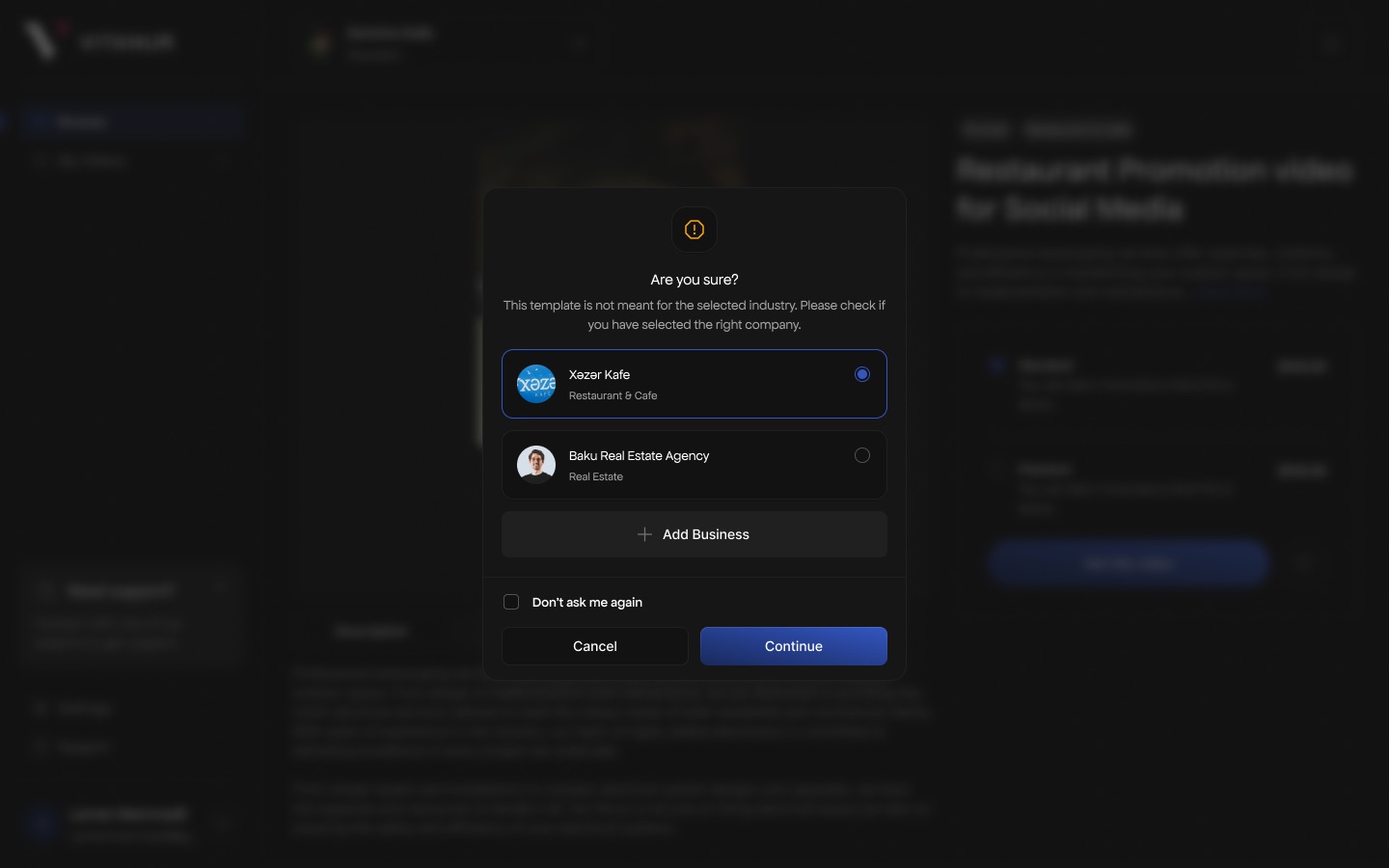
That choice drives the rest of the flow: when a template does not match the selected business's industry, the app asks before the order goes through.
02What I designed
Browse, check, order, download
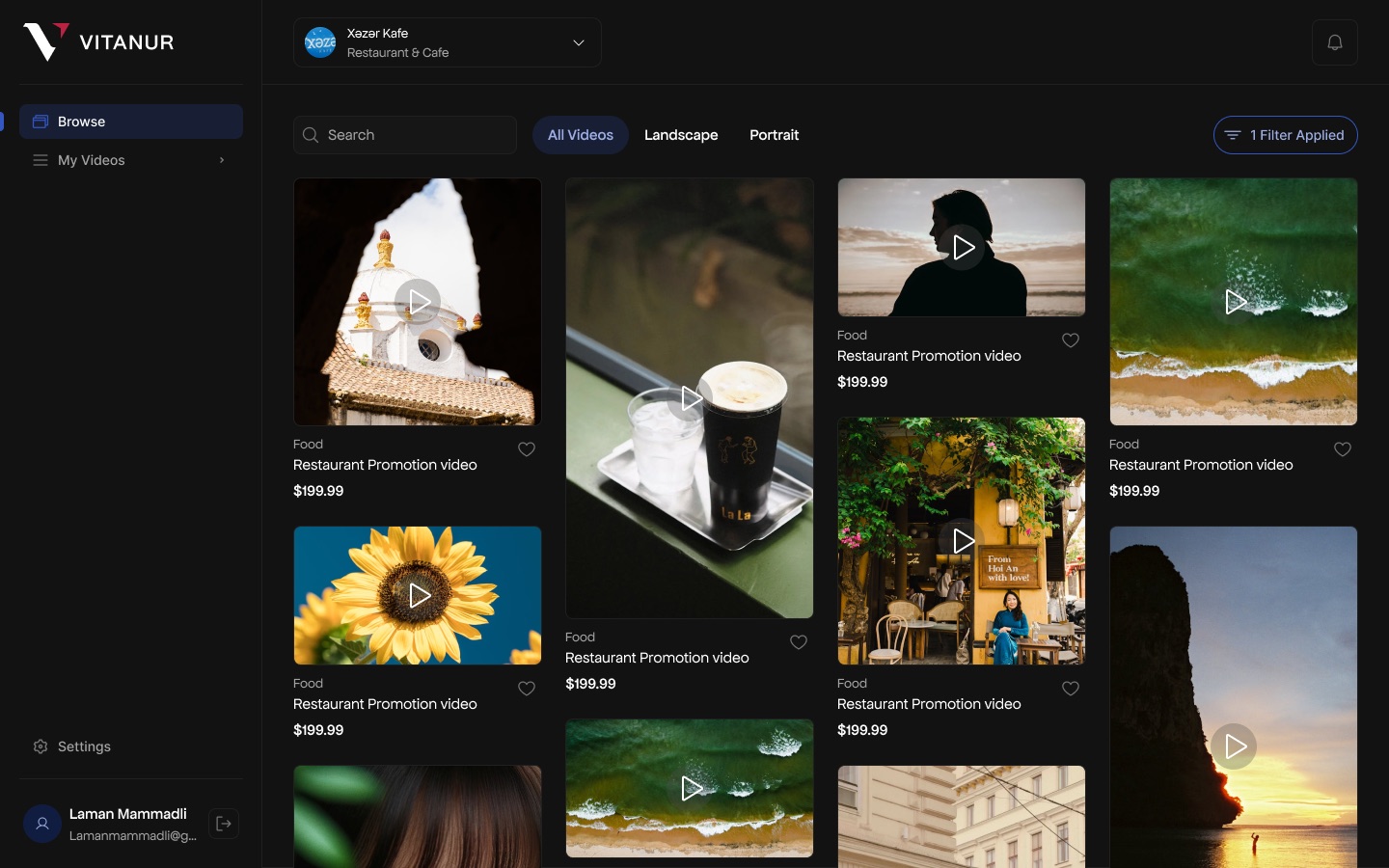
- CatalogueA masonry grid of video templates
Search, All / Landscape / Portrait tabs and a filter button; each card shows category, title, price and a save heart.
- BusinessA switcher in the top bar
Lists the account's businesses with their industry, plus Add Business.
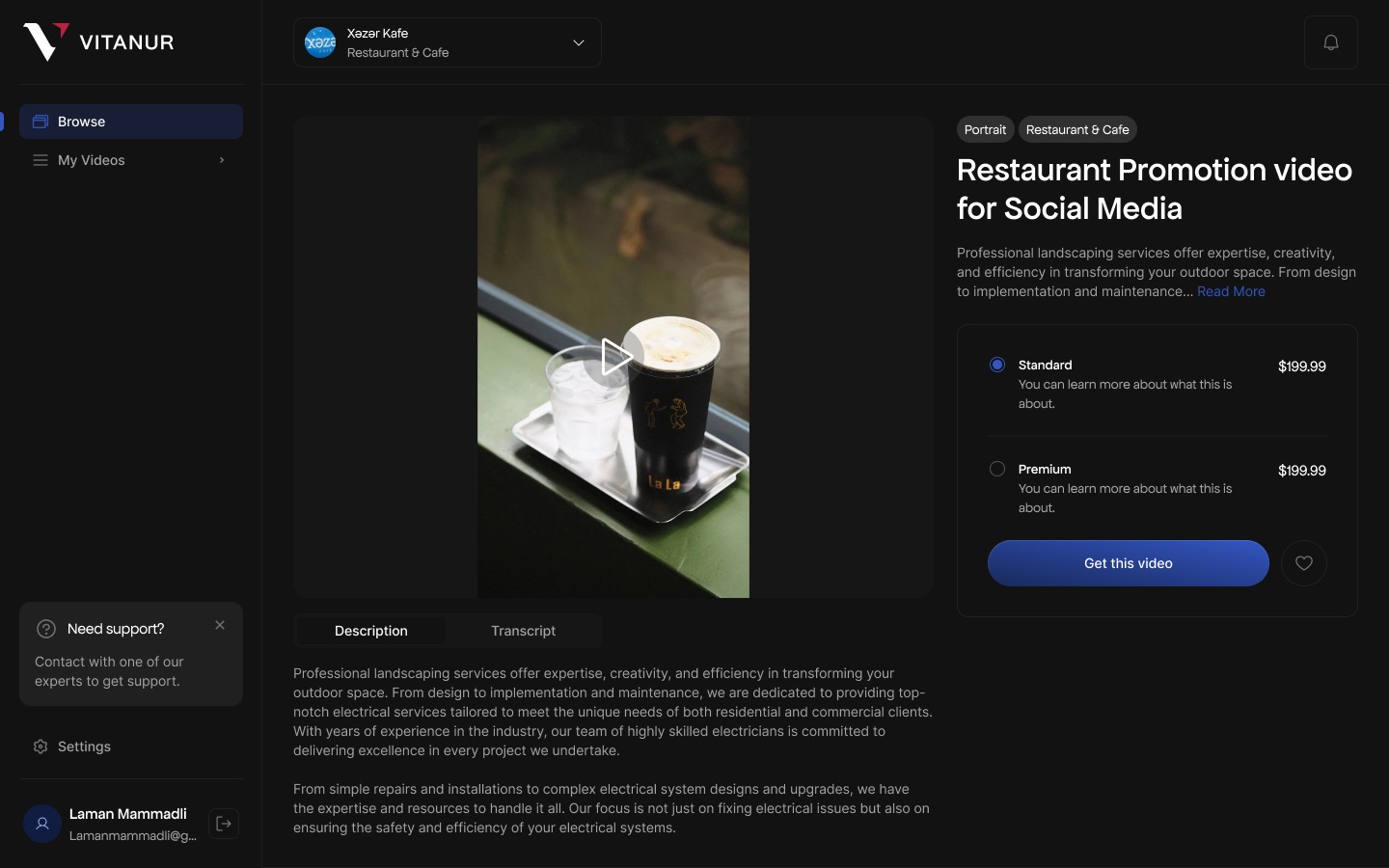
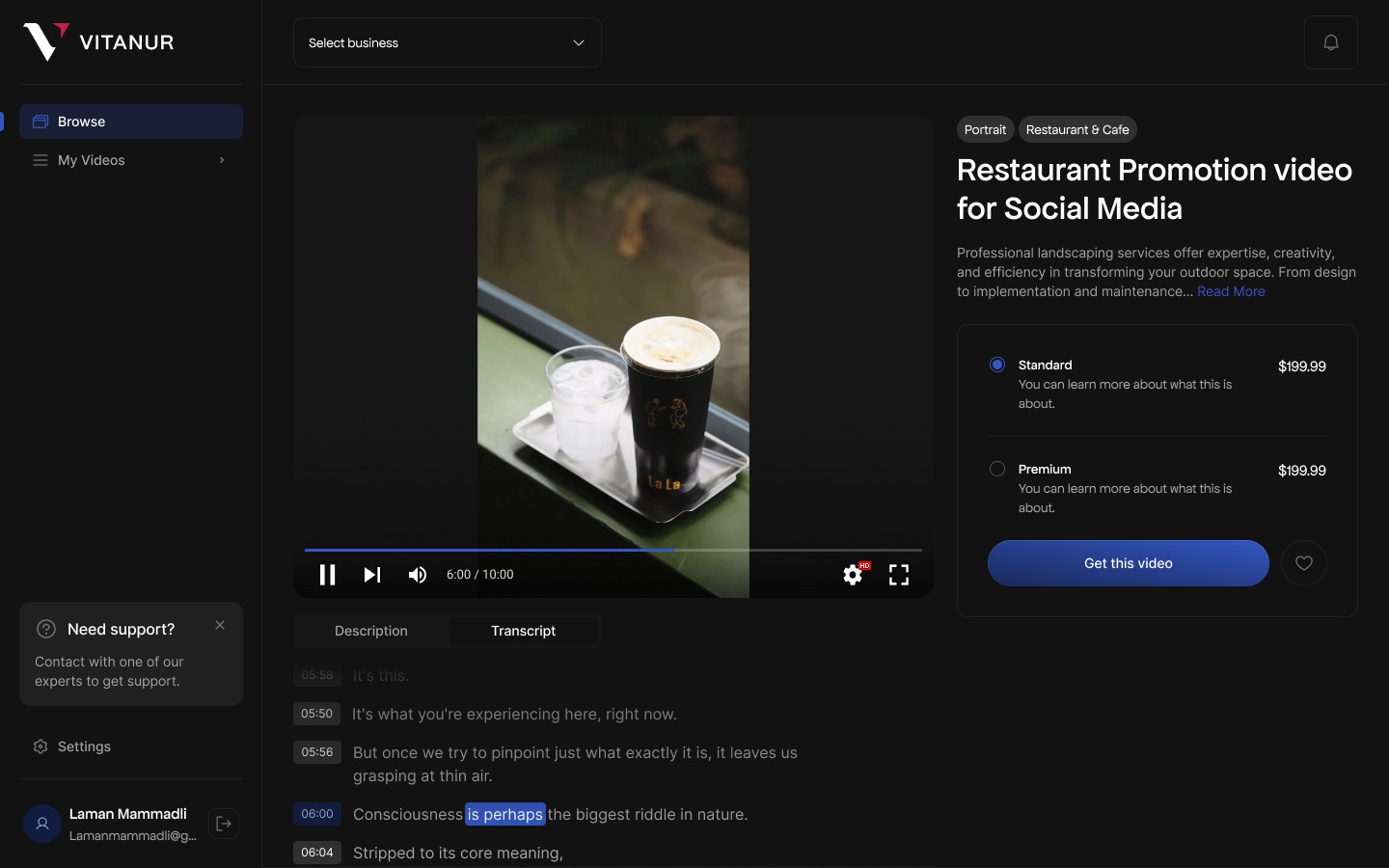
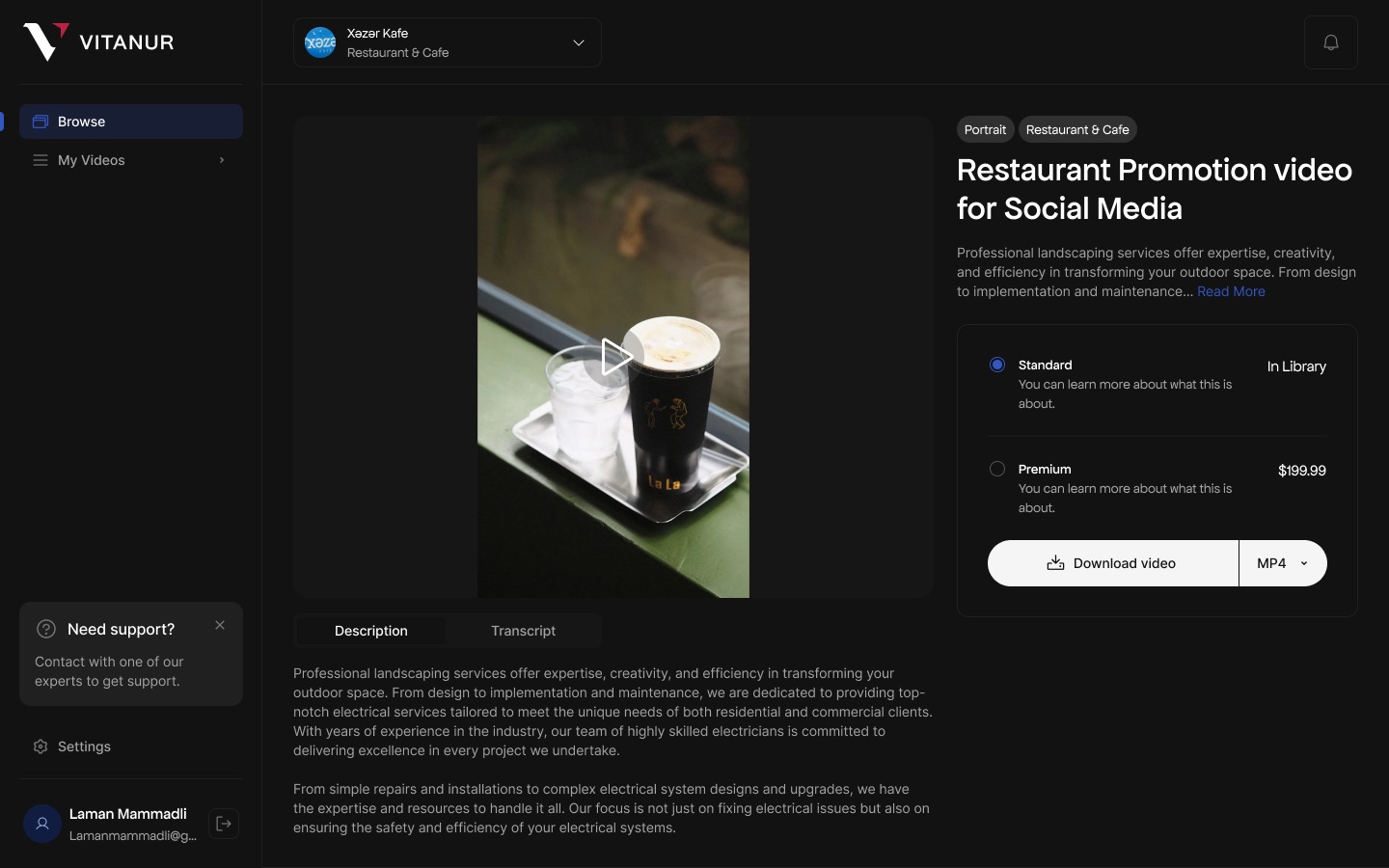
- Video pagePlayer, details and two tiers
Description and Transcript tabs under the player; Standard and Premium options with prices beside it.
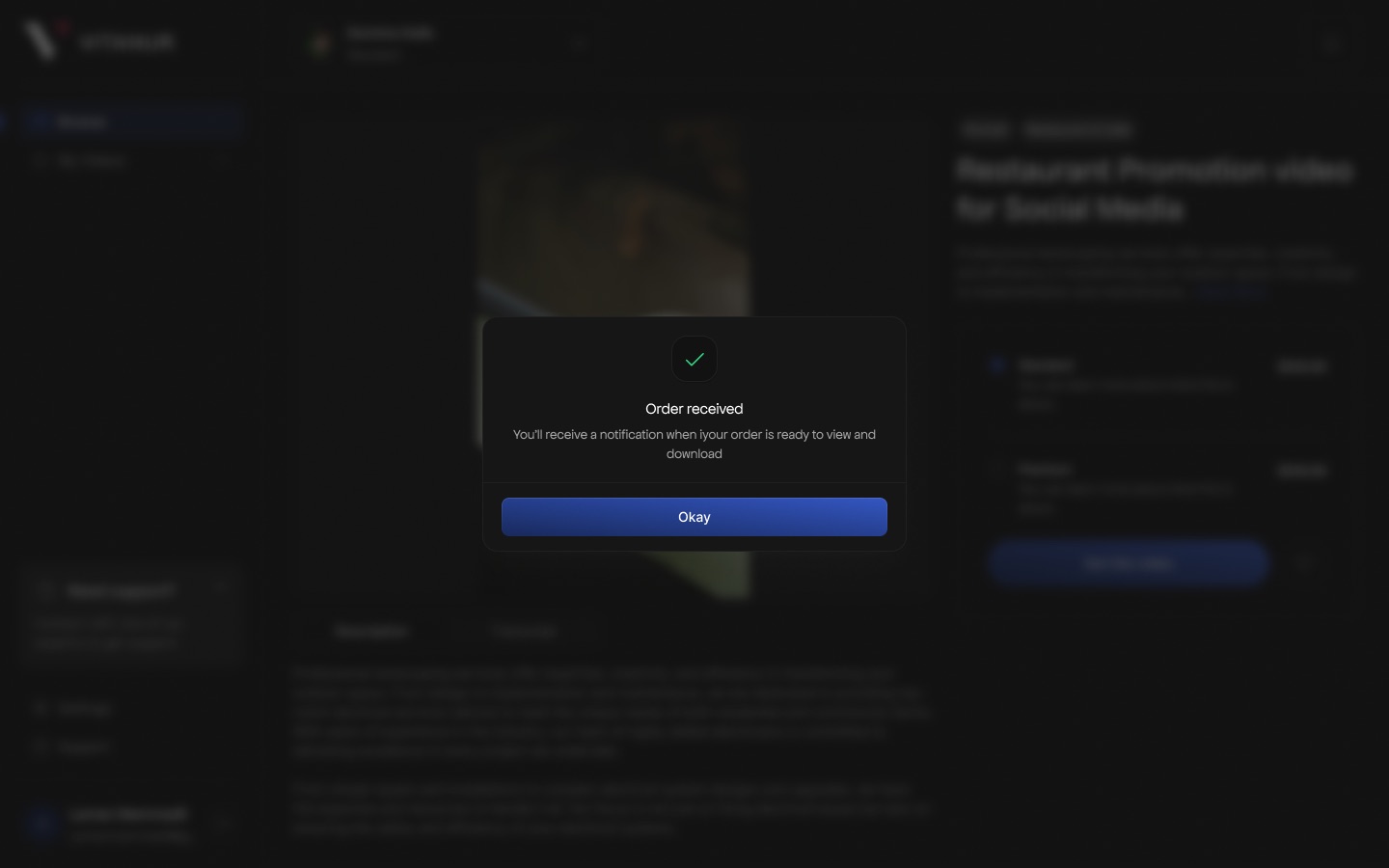
- OrderAn industry check and a confirmation
A warning when the template doesn't fit the business, then "Order received" with a note that a notification will follow.
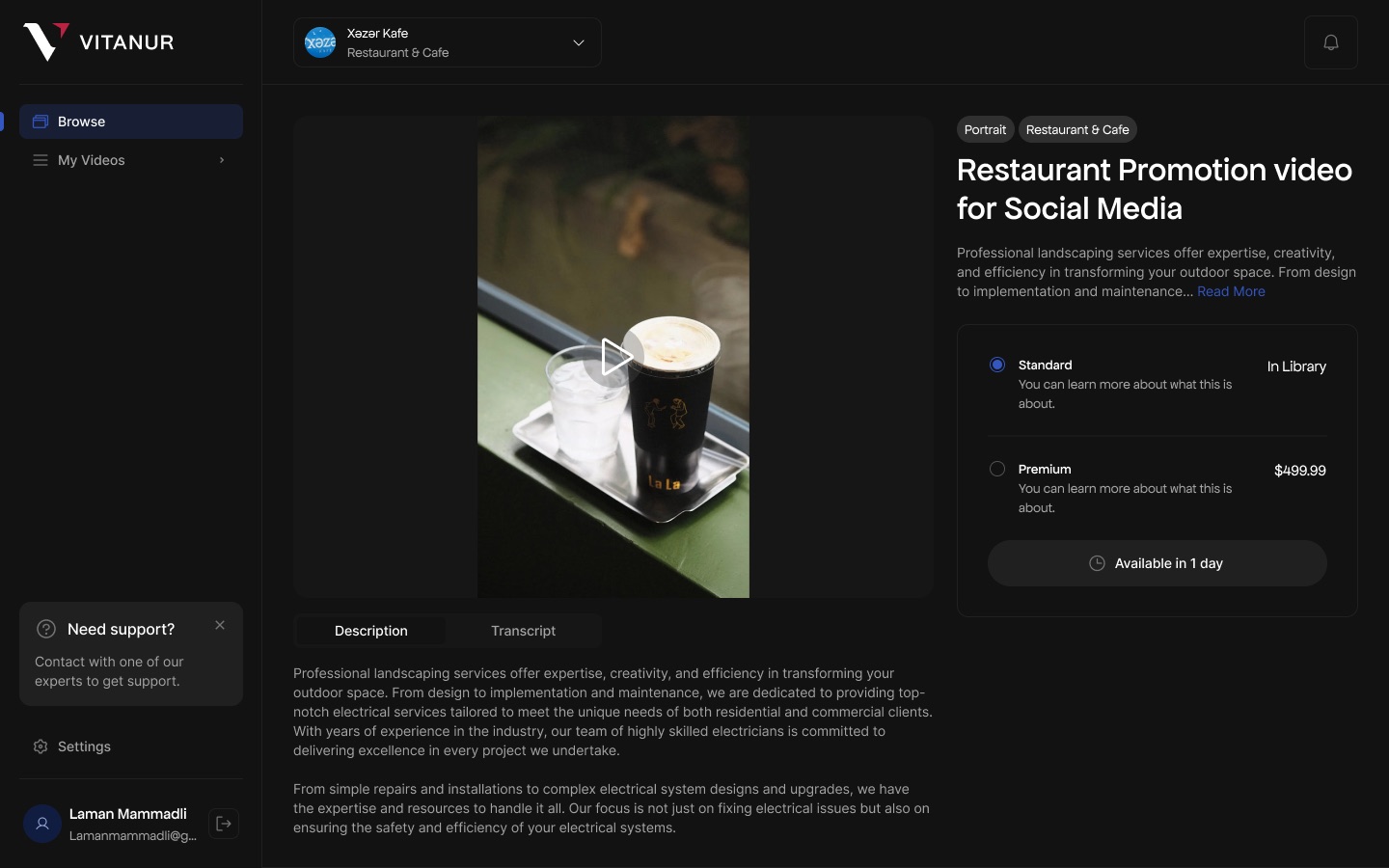
- AfterReady and in-progress states
Owned tiers read "In Library"; the button becomes "Available in 1 day" or "Download video" with a format picker.
03Screens
The flow, step by step
- Confirm whether VitaVids shipped and what your role was beyond these screens.
- Videos seem to be made per order ("Available in 1 day"); confirm how ordering actually works before describing it further.
- Descriptions in the designs are placeholder copy; the page doesn't describe it.
- Not used: Desktop - 55/56 (catalogue with no business selected) and Desktop - 61 (a "Select Business" modal), close to the screens shown.